UGC Nano Banana
高级
这是一个Content Creation, Multimodal AI领域的自动化工作流,包含 17 个节点。主要使用 Set, SplitOut, GoogleDrive, HttpRequest, SplitInBatches 等节点。 使用Nano Banana创建高质量UGC图片(更便宜、更快速)
前置要求
- •Google Drive API 凭证
- •可能需要目标 API 的认证凭证
使用的节点 (17)
工作流预览
可视化展示节点连接关系,支持缩放和平移
导出工作流
复制以下 JSON 配置到 n8n 导入,即可使用此工作流
{
"id": "",
"meta": {
"instanceId": "",
"templateCredsSetupCompleted": true
},
"name": "UGC Nano Banana",
"tags": [],
"nodes": [
{
"id": "Mistral-Cloud-Chat-Model-0",
"name": "Mistral Cloud Chat Model",
"type": "@n8n/n8n-nodes-langchain.lmChatMistralCloud",
"position": [
-192,
192
],
"parameters": {
"model": "mistral-large-latest",
"options": {}
},
"credentials": {
"mistralCloudApi": {
"id": "",
"name": "Mistral Cloud account"
}
},
"typeVersion": 1
},
{
"id": "Generate-Image-1",
"name": "Generate Image",
"type": "n8n-nodes-base.httpRequest",
"onError": "continueRegularOutput",
"position": [
496,
128
],
"parameters": {
"url": "https://fal.run/fal-ai/gemini-25-flash-image/edit",
"method": "POST",
"options": {},
"jsonBody": "={\n \"prompt\": \"{{ $json.prompt }}\",\n \"image_urls\": [\n\"https://drive.google.com/uc?export=view&id={{ $('Google Drive Trigger').first().json.id }}\"\n ],\n \"num_images\": 1,\n \"output_format\": \"jpeg\",\n \"sync_mode\": false\n} ",
"sendBody": true,
"sendHeaders": true,
"specifyBody": "json",
"headerParameters": {
"parameters": [
{
"name": "Authorization",
"value": "=Key {{ $('Setup').first().json.FalAPIKey }}"
},
{
"name": "Content-Type",
"value": "application/json"
}
]
}
},
"retryOnFail": false,
"typeVersion": 4.2
},
{
"id": "Google-Drive-Trigger-2",
"name": "Google Drive Trigger",
"type": "n8n-nodes-base.googleDriveTrigger",
"position": [
-592,
-16
],
"parameters": {
"event": "fileCreated",
"options": {},
"pollTimes": {
"item": [
{
"mode": "everyMinute"
}
]
},
"triggerOn": "specificFolder",
"folderToWatch": {
"__rl": true,
"mode": "list",
"value": "",
"cachedResultUrl": "https://drive.google.com/drive/folders/",
"cachedResultName": "UGC"
}
},
"credentials": {
"googleDriveOAuth2Api": {
"id": "",
"name": "Google Drive account"
}
},
"typeVersion": 1
},
{
"id": "Loop-Over-Items-3",
"name": "Loop Over Items",
"type": "n8n-nodes-base.splitInBatches",
"position": [
352,
-16
],
"parameters": {
"options": {}
},
"typeVersion": 3
},
{
"id": "Upload-file-4",
"name": "Upload file",
"type": "n8n-nodes-base.googleDrive",
"position": [
864,
128
],
"parameters": {
"name": "={{ $('Google Drive Trigger').first().json.name.match(/^[^.]+/)[0].concat($('Loop Over Items').item.json.prompt_number) }}",
"driveId": {
"__rl": true,
"mode": "list",
"value": "My Drive"
},
"options": {},
"folderId": {
"__rl": true,
"mode": "list",
"value": "",
"cachedResultUrl": "https://drive.google.com/drive/folders/",
"cachedResultName": "UGC"
}
},
"credentials": {
"googleDriveOAuth2Api": {
"id": "",
"name": "Google Drive account"
}
},
"typeVersion": 3
},
{
"id": "Structured-Output-Parser-5",
"name": "Structured Output Parser",
"type": "@n8n/n8n-nodes-langchain.outputParserStructured",
"position": [
-16,
192
],
"parameters": {
"jsonSchemaExample": "{\n \"ugc_prompts\": [\n {\n \"prompt_number\": \"integer\",\n \"prompt\": \"string\"\n }\n ]\n}\n"
},
"typeVersion": 1.3
},
{
"id": "No-Operation-do-nothing-6",
"name": "No Operation, do nothing",
"type": "n8n-nodes-base.noOp",
"position": [
560,
-32
],
"parameters": {},
"typeVersion": 1
},
{
"id": "Retrieve-Image-7",
"name": "Retrieve Image",
"type": "n8n-nodes-base.httpRequest",
"position": [
672,
128
],
"parameters": {
"url": "={{ $json.images[0].url }}",
"options": {}
},
"typeVersion": 4.2
},
{
"id": "Setup-8",
"name": "Setup",
"type": "n8n-nodes-base.set",
"position": [
-384,
-16
],
"parameters": {
"options": {},
"assignments": {
"assignments": [
{
"id": "",
"name": "FalAPIKey",
"type": "string",
"value": "[YOUR_API_KEY]"
}
]
}
},
"typeVersion": 3.4
},
{
"id": "Generate-Prompts-9",
"name": "Generate Prompts",
"type": "@n8n/n8n-nodes-langchain.chainLlm",
"position": [
-176,
-16
],
"parameters": {
"text": "You are an expert content creator specializing in UGC (User-Generated Content) style marketing images. ",
"batching": {},
"messages": {
"messageValues": [
{
"type": "HumanMessagePromptTemplate",
"message": "=The product the Promote is a {{ $('Google Drive Trigger').item.json.name.match(/^[^.]+/)[0] }}\n\nYour task is to generate 50 creative, diverse, and realistic situations prompts for an image-to-image generation model. Each prompt should describe a different situation or scenario where the product is being used. \n\nRequirements for each prompt:\n1. Specify the environment or setting (e.g., home, office, kitchen). \n2. Include a human or realistic context interacting with the product (e.g., holding it, using it, displaying it). \n3. Highlight at least one functionality or feature of the product in the scene. \n4. Keep the prompts concise (1–2 sentences), vivid, and visually descriptive. \n5. Maintain diversity: do not repeat the same type of scene. Include different times of day, moods, activities, or locations.\n\nOutput format (JSON array):\n{\n \"ugc_prompts\": [\n {\"prompt\": \"First prompt here...\"},\n {\"prompt\": \"Second prompt here...\"},\n ...\n {\"prompt\": \"Fiftieth prompt here...\"}\n ]\n}\n\nExample input: \nProduct: \"Smart Water Bottle\" \n\nExample output:\n{\n \"ugc_prompts\": [\n {\"prompt\": \"A young woman jogging in a park, drinking from the Smart Water Bottle, enjoying cold water on a sunny morning.\"},\n {\"prompt\": \"A man sitting at his office desk, checking water intake on his Smart Water Bottle synced with his phone.\"},\n {\"prompt\": \"A family hiking on a trail, each carrying a Smart Water Bottle to stay hydrated.\"},...\n ]\n}\n\nDON'T RETURN ANYTHING ELSE THAN THE JSON!"
}
]
},
"promptType": "define",
"hasOutputParser": true
},
"typeVersion": 1.7
},
{
"id": "Split-Out-10",
"name": "Split Out",
"type": "n8n-nodes-base.splitOut",
"position": [
144,
-16
],
"parameters": {
"options": {},
"fieldToSplitOut": "output.ugc_prompts"
},
"typeVersion": 1
},
{
"id": "Sticky-Note6-11",
"name": "Sticky Note6",
"type": "n8n-nodes-base.stickyNote",
"position": [
128,
-608
],
"parameters": {
"width": 700,
"height": 512,
"content": "## How to set up?\n### 1. Accounts & APIs\nIn the **Edit Field \"Setup\" Node** replace all **[YOUR_API_TOKEN]** with your API Token :\n- Fal.ai (gemini-25-flash-image/edit): https://fal.ai/models/fal-ai/gemini-25-flash-image/edit/api\n\nIn **Credentials** on your n8n Dashboard, connect the following accounts using **Client ID / Secret**: \n- Google Drive: https://docs.n8n.io/integrations/builtin/credentials/google/\n\n### 2. Requirements\n- Base Image of your Product preferably have a **White Background**\n- Your Google Drive Folder and every Files it contains should be **publicly available**\n\n### 3. Customizations\n- Change the amount of total UGC Generated: In Generate Prompts → Message → \"Your task is to generate 50\"\n- Modify the instructions to generate the UGC Prompts: In Generate Prompts → Message\n- Change the amount of Base Image: In Generate Image → Body Parameters → JSON → image_urls\n- Change the amount of UGC Generated per prompt: In Generate Image → Body Parameters → JSON → num_images\n- Modify the Folder where UGC Generated are stored: In Upload File → Parent Folder"
},
"typeVersion": 1
},
{
"id": "Sticky-Note5-12",
"name": "Sticky Note5",
"type": "n8n-nodes-base.stickyNote",
"position": [
-400,
-608
],
"parameters": {
"width": 516,
"height": 512,
"content": "## How it works?\n**1 -** Trigger: Upload a new Product Image (with white background) to a Folder in your Google Drive\n**2 -** Generate 50 different Image Prompts for your Product\n**3 -** Loop over each Prompt Generated\n**4 -** Generate UGC Content thanks to Fal.ai (Nano Banana)\n**5 -** Upload UGC Content on the initial Google Drive Folder\n\n**📺 Youtube Video Tutorial :**\n[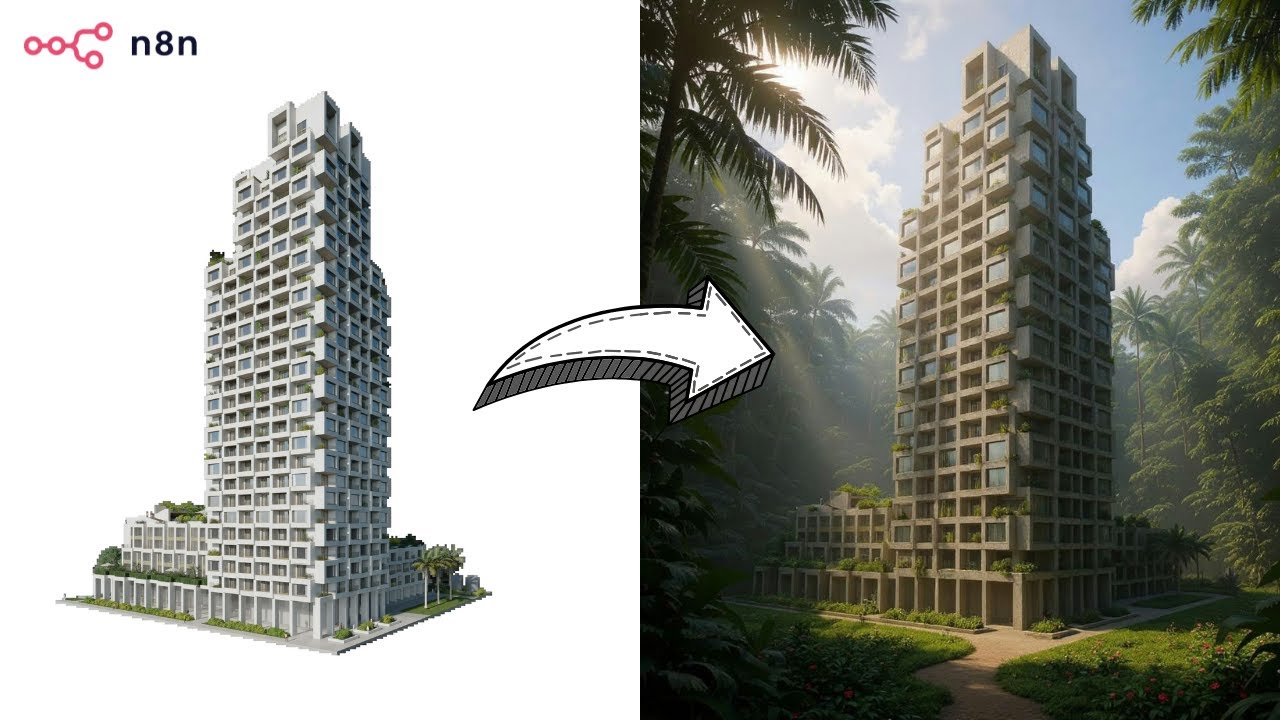](https://www.youtube.com/watch?v=0SVj70-dA0Q)"
},
"typeVersion": 1
},
{
"id": "Sticky-Note-13",
"name": "Sticky Note",
"type": "n8n-nodes-base.stickyNote",
"position": [
-656,
-80
],
"parameters": {
"color": 7,
"width": 908,
"height": 432,
"content": "## **Prompts Generation**"
},
"typeVersion": 1
},
{
"id": "Sticky-Note1-14",
"name": "Sticky Note1",
"type": "n8n-nodes-base.stickyNote",
"position": [
272,
-80
],
"parameters": {
"color": 7,
"width": 780,
"height": 432,
"content": "## **UGC Production**\n"
},
"typeVersion": 1
},
{
"id": "Sticky-Note7-15",
"name": "Sticky Note7",
"type": "n8n-nodes-base.stickyNote",
"position": [
848,
-608
],
"parameters": {
"width": 204,
"height": 512,
"content": "## BASE IMAGE\n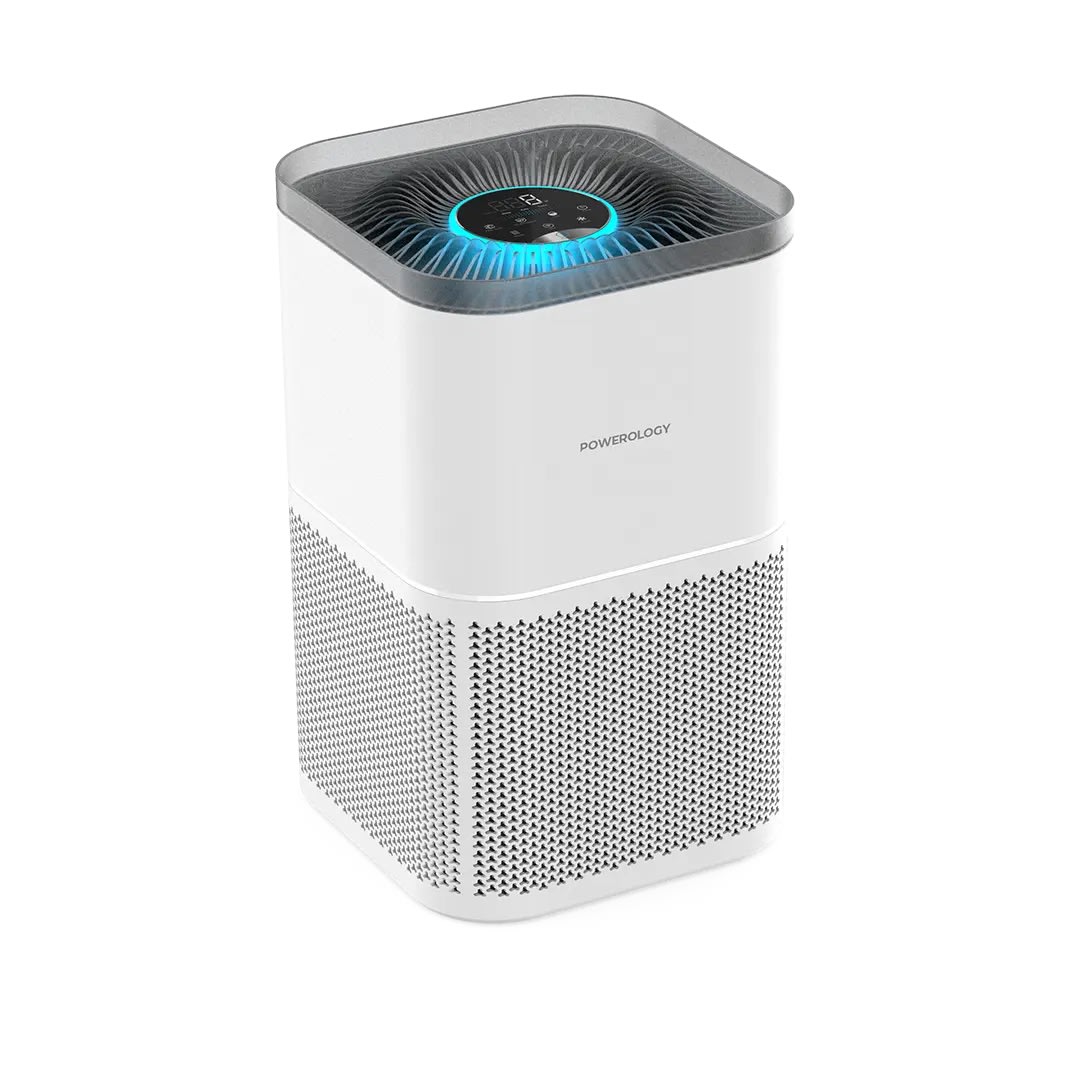\n## OUTPUT \n"
},
"typeVersion": 1
},
{
"id": "Sticky-Note9-16",
"name": "Sticky Note9",
"type": "n8n-nodes-base.stickyNote",
"position": [
-656,
-608
],
"parameters": {
"width": 244,
"height": 512,
"content": "## Who’s it for?\n- Content Creators\n- E-commerce Stores\n- Marketing Team\n\n**Description**: Generate unique UGC images for your products. Simply upload a product image into a Google Drive folder, and the workflow will instantly generate 50 unique, high-quality AI UGC images using **Nano Banana** via Fal.ai. \nAll results are automatically saved back into the same folder, **ready to use** across social media, e-commerce stores, and marketing campaigns.\n\n**Cost: 0.039$ / image**"
},
"typeVersion": 1
}
],
"active": false,
"pinData": {},
"settings": {
"executionOrder": "v1"
},
"versionId": "",
"connections": {
"Setup-8": {
"main": [
[
{
"node": "Generate-Prompts-9",
"type": "main",
"index": 0
}
]
]
},
"Split-Out-10": {
"main": [
[
{
"node": "Loop-Over-Items-3",
"type": "main",
"index": 0
}
]
]
},
"Upload-file-4": {
"main": [
[
{
"node": "Loop-Over-Items-3",
"type": "main",
"index": 0
}
]
]
},
"Generate-Image-1": {
"main": [
[
{
"node": "Retrieve-Image-7",
"type": "main",
"index": 0
}
]
]
},
"Retrieve-Image-7": {
"main": [
[
{
"node": "Upload-file-4",
"type": "main",
"index": 0
}
]
]
},
"Loop-Over-Items-3": {
"main": [
[
{
"node": "No-Operation-do-nothing-6",
"type": "main",
"index": 0
}
],
[
{
"node": "Generate-Image-1",
"type": "main",
"index": 0
}
]
]
},
"Generate-Prompts-9": {
"main": [
[
{
"node": "Split-Out-10",
"type": "main",
"index": 0
}
]
]
},
"Google-Drive-Trigger-2": {
"main": [
[
{
"node": "Setup-8",
"type": "main",
"index": 0
}
]
]
},
"Mistral-Cloud-Chat-Model-0": {
"ai_languageModel": [
[
{
"node": "Generate-Prompts-9",
"type": "ai_languageModel",
"index": 0
}
]
]
},
"Structured-Output-Parser-5": {
"ai_outputParser": [
[
{
"node": "Generate-Prompts-9",
"type": "ai_outputParser",
"index": 0
}
]
]
}
}
}常见问题
如何使用这个工作流?
复制上方的 JSON 配置代码,在您的 n8n 实例中创建新工作流并选择「从 JSON 导入」,粘贴配置后根据需要修改凭证设置即可。
这个工作流适合什么场景?
高级 - 内容创作, 多模态 AI
需要付费吗?
本工作流完全免费,您可以直接导入使用。但请注意,工作流中使用的第三方服务(如 OpenAI API)可能需要您自行付费。
相关工作流推荐
使用OpenAI、RunwayML和ElevenLabs自动化无脸短视频
使用OpenAI、RunwayML和ElevenLabs自动化无脸短视频:从脚本到社交媒体
Set
Code
Wait
+
Set
Code
Wait
56 节点LeeWei
内容创作
使用GPT-5和fal.ai图像从关键词到WordPress自动化SEO博客流程
使用GPT-5和fal.ai图像从关键词到WordPress自动化SEO博客流程
Set
Code
Wait
+
Set
Code
Wait
96 节点Paul
内容创作
WordPress博客自动化专业版(深度研究)v2.1市场
使用GPT-4o、Perplexity AI和多语言支持自动化SEO优化的博客创建
If
Set
Xml
+
If
Set
Xml
125 节点Daniel Ng
内容创作
使用Google Gemini OCR的自动化财务文档处理
使用Google Gemini OCR的自动化财务文档处理
Set
Code
Merge
+
Set
Code
Merge
76 节点Didac Fernandez
内容创作
自动化播客制作:文档到动态音频
使用GPT-4o和OpenAI TTS将文档转换为播客音频
Set
Split Out
Aggregate
+
Set
Split Out
Aggregate
19 节点NanaB
内容创作
使用Perplexity和GPT为WordPress创建SEO优化博客,包含关键词和媒体
使用Perplexity和GPT为WordPress创建SEO优化博客,包含关键词和媒体
Set
Code
Limit
+
Set
Code
Limit
124 节点Paul
内容创作
