🧑🎓 基于AI的语言教师(Telegram、Google表格和GPT-4o)
中级
这是一个AI领域的自动化工作流,包含 9 个节点。主要使用 Telegram, Aggregate, GoogleSheets, Agent, TelegramTrigger 等节点,结合人工智能技术实现智能自动化。 🧑🎓 基于AI的语言教师(Telegram、Google表格和GPT-4o)
前置要求
- •Telegram Bot Token
- •Google Sheets API 凭证
- •OpenAI API Key
分类
工作流预览
可视化展示节点连接关系,支持缩放和平移
导出工作流
复制以下 JSON 配置到 n8n 导入,即可使用此工作流
{
"meta": {
"instanceId": "6a5e68bcca67c4cdb3e0b698d01739aea084e1ec06e551db64aeff43d174cb23",
"templateCredsSetupCompleted": true
},
"nodes": [
{
"id": "bc49829b-45f2-4910-9c37-907271982f14",
"name": "Sticky Note3",
"type": "n8n-nodes-base.stickyNote",
"position": [
-1500,
-520
],
"parameters": {
"width": 780,
"height": 540,
"content": "### 3. Do you need more details?\nFind a step-by-step guide in this tutorial\n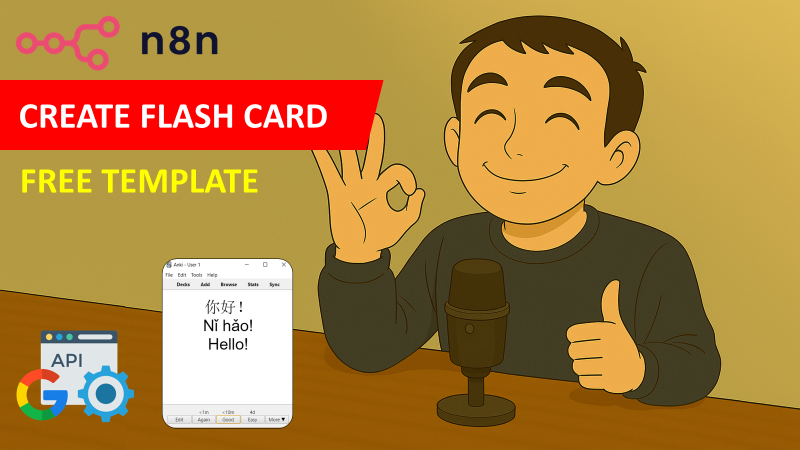\n[🎥 Watch My Tutorial](https://youtu.be/MQV8wDSug7M)"
},
"typeVersion": 1
},
{
"id": "80af5237-9046-4b40-ac7c-167d8e0a490f",
"name": "AI Agent",
"type": "@n8n/n8n-nodes-langchain.agent",
"notes": "Pinyin + Example",
"position": [
-2140,
-140
],
"parameters": {
"text": "={{ $('Telegram Trigger').item.json.message.text }}",
"options": {
"systemMessage": "=# Context\nYou are an AI-powered language tutor designed to help {{ $('Telegram Trigger').item.json.message.chat.first_name }} practice Chinese vocabulary efficiently. \n\n# Role\nYour primary role is to generate interactive Multiple-Choice Questions (MCQs) and evaluate the user's responses.\n\n# Types of Exercises\n- MCQ: Provide an English word and four Chinese answer choices, one correct and three incorrect.\n\n# Rules for MCQ Generation\n1. Select a random **Chinese word** from this list {{ $json.targetLanguage }}\n2. Randomly select **three incorrect Chinese options** from the list or outside the list.\n3. **Do NOT mark the correct answer with ✅** in the question.\n4. Present the question in the following format:\nExample Question Format:\nWhat is the correct translation for \"Warehouse\"?\nA) 运输\nB) 仓库 \nC) 合同\nD) 投标\n5. Ask the user to respond with **A, B, C, or D**.\n\n# Evaluating User Responses:\n1. **Wait for the user's answer. Do NOT assume correctness before checking.**\n2. If the user selects the correct answer:\n- Respond positively: \"Great job! ✅ [Correct Answer] [Correct Answer's Pinyin] means [English Meaning].\"\n3. If the user selects the wrong answer:\n- Provide corrective feedback: \"Oops! ❌ The correct answer was [Correct Answer] ([English Meaning]).\"\n4. If the user provides an **invalid response** (e.g., \"Hello\"), ask them to respond with **A, B, C, or D**.\n\n# Post-Evaluation:\n- After giving feedback, always generate another question. Do not ask the user if he wants another question\n\n# Behavior & Tone\n- Be engaging and encouraging.\n- Ensure clarity in feedback.\n- Guide the user patiently if they provide invalid inputs."
},
"promptType": "define",
"hasOutputParser": true
},
"notesInFlow": true,
"typeVersion": 1.7
},
{
"id": "8b35027e-ec5b-4c3e-9a5b-2780b6c40223",
"name": "OpenAI Chat Model",
"type": "@n8n/n8n-nodes-langchain.lmChatOpenAi",
"position": [
-2180,
100
],
"parameters": {
"model": {
"__rl": true,
"mode": "list",
"value": "gpt-4o-mini"
},
"options": {}
},
"typeVersion": 1.2
},
{
"id": "688d6882-4930-407d-bf58-5f6add8eb159",
"name": "Simple Memory",
"type": "@n8n/n8n-nodes-langchain.memoryBufferWindow",
"position": [
-2000,
140
],
"parameters": {
"sessionKey": "={{ $('Telegram Trigger').item.json.message.chat.id }}",
"sessionIdType": "customKey"
},
"typeVersion": 1.3
},
{
"id": "33f4a062-73f9-4a99-abca-1184ef2c2a41",
"name": "Telegram Trigger",
"type": "n8n-nodes-base.telegramTrigger",
"position": [
-2960,
-140
],
"webhookId": "88179da7-9927-4bdc-8bd7-78022810b48e",
"parameters": {
"updates": [
"message"
],
"additionalFields": {}
},
"notesInFlow": true,
"typeVersion": 1.1
},
{
"id": "af385807-d024-477e-9a42-c195043e95da",
"name": "Retrive Vocabulary",
"type": "n8n-nodes-base.googleSheets",
"position": [
-2700,
-140
],
"parameters": {
"options": {},
"sheetName": {
"__rl": true,
"mode": "list",
"value": 0,
"cachedResultUrl": "=",
"cachedResultName": "="
},
"documentId": {
"__rl": true,
"mode": "list",
"value": "=",
"cachedResultUrl": "=",
"cachedResultName": "="
}
},
"notesInFlow": true,
"typeVersion": 4.5
},
{
"id": "3ab67ca5-9839-4fa6-bfc1-4dbbaf5593fc",
"name": "Sticky Note1",
"type": "n8n-nodes-base.stickyNote",
"position": [
-3000,
-520
],
"parameters": {
"color": 7,
"width": 680,
"height": 540,
"content": "### 1. Workflow Trigger with Telegram Message\n1. The workflow is triggered by a user message. \n2. The second node retrieves the vocabulary list from a Google Sheet.\n3. The third node combines all the words in Chinese and English in two distinctive lists.\n\n#### How to setup?\n- **Telegram Node:** set up your telegram bot credentials\n[Learn more about the Telegram Trigger Node](https://docs.n8n.io/integrations/builtin/trigger-nodes/n8n-nodes-base.telegramtrigger/)\n- **Retrieve Vocabulary from a Google Sheet Node**:\n 1. Add your Google Sheet API credentials to access the Google Sheet file\n 2. Select the file using the list, an URL or an ID\n 3. Select the sheet in which you have stored your vocabulary list\n [Learn more about the Google Sheet Node](https://docs.n8n.io/integrations/builtin/app-nodes/n8n-nodes-base.googlesheets)\n"
},
"typeVersion": 1
},
{
"id": "740a2d04-46fe-41f1-b887-f88f3e23c50d",
"name": "Sticky Note",
"type": "n8n-nodes-base.stickyNote",
"position": [
-2300,
-520
],
"parameters": {
"color": 7,
"width": 760,
"height": 780,
"content": "### 2. Conversational AI Agent\nThe AI agent will take as inputs the two vocabulary lists and user's message to asks questions and process answers. Conversations are recorded by chat id; each user has its own conversation with the bot.\n\n#### How to setup?\n- **Telegram Nodes:** set up your telegram bot credentials\n[Learn more about the Telegram Trigger Node](https://docs.n8n.io/integrations/builtin/trigger-nodes/n8n-nodes-base.telegramtrigger/)\n- **AI Agent with the Chat Model**:\n 1. Add a chat model with the required credentials *(Example: Open AI 4o-mini)*\n 2. Adapt the system prompt with the **target learning language** and the format of the question you want to have.\n"
},
"typeVersion": 1
},
{
"id": "e92a55dc-6d9d-4008-bb40-72a7f2dd470c",
"name": "Aggregate Vocabulary Lists",
"type": "n8n-nodes-base.aggregate",
"position": [
-2460,
-140
],
"parameters": {
"options": {},
"fieldsToAggregate": {
"fieldToAggregate": [
{
"renameField": true,
"outputFieldName": "initialLanguage",
"fieldToAggregate": "initialText"
},
{
"renameField": true,
"outputFieldName": "targetLanguage",
"fieldToAggregate": "translatedText"
}
]
}
},
"typeVersion": 1
},
{
"id": "18b29677-cfc0-4817-9321-35090a3fda2e",
"name": "Answer to the User",
"type": "n8n-nodes-base.telegram",
"position": [
-1740,
-140
],
"webhookId": "=",
"parameters": {
"text": "={{ $json.output }}",
"chatId": "={{ $('Telegram Trigger').item.json.message.chat.id }}",
"additionalFields": {
"appendAttribution": false
}
},
"notesInFlow": true,
"typeVersion": 1.2
}
],
"pinData": {},
"connections": {
"80af5237-9046-4b40-ac7c-167d8e0a490f": {
"main": [
[
{
"node": "18b29677-cfc0-4817-9321-35090a3fda2e",
"type": "main",
"index": 0
}
]
]
},
"688d6882-4930-407d-bf58-5f6add8eb159": {
"ai_memory": [
[
{
"node": "80af5237-9046-4b40-ac7c-167d8e0a490f",
"type": "ai_memory",
"index": 0
}
]
]
},
"33f4a062-73f9-4a99-abca-1184ef2c2a41": {
"main": [
[
{
"node": "af385807-d024-477e-9a42-c195043e95da",
"type": "main",
"index": 0
}
]
]
},
"8b35027e-ec5b-4c3e-9a5b-2780b6c40223": {
"ai_languageModel": [
[
{
"node": "80af5237-9046-4b40-ac7c-167d8e0a490f",
"type": "ai_languageModel",
"index": 0
}
]
]
},
"af385807-d024-477e-9a42-c195043e95da": {
"main": [
[
{
"node": "e92a55dc-6d9d-4008-bb40-72a7f2dd470c",
"type": "main",
"index": 0
}
]
]
},
"e92a55dc-6d9d-4008-bb40-72a7f2dd470c": {
"main": [
[
{
"node": "80af5237-9046-4b40-ac7c-167d8e0a490f",
"type": "main",
"index": 0
}
]
]
}
}
}常见问题
如何使用这个工作流?
复制上方的 JSON 配置代码,在您的 n8n 实例中创建新工作流并选择「从 JSON 导入」,粘贴配置后根据需要修改凭证设置即可。
这个工作流适合什么场景?
中级 - 人工智能
需要付费吗?
本工作流完全免费,您可以直接导入使用。但请注意,工作流中使用的第三方服务(如 OpenAI API)可能需要您自行付费。
相关工作流推荐
构建与销售AI自动化与智能体
构建与销售AI自动化与智能体
If
Set
Wait
+
If
Set
Wait
74 节点NICKYAI
其他
AI视频生成器 - OpenAI、ElevenLabs与Telegram YouTube发布
集成OpenAI、ElevenLabs并通过Telegram发布至YouTube的AI视频生成器
If
Set
Wait
+
If
Set
Wait
68 节点FRANK LIN
销售
基于 GPT、LangChain 和智能路由的 AI 驱动客户服务自动化
AI驱动客户服务自动化,基于GPT、LangChain和智能路由
Set
Gmail
Merge
+
Set
Gmail
Merge
46 节点Paul
客户支持
AI驱动的YouTube Shorts自动化
AI驱动的YouTube Shorts自动化:使用OpenAI和ElevenLabs创建和发布
If
Set
Wait
+
If
Set
Wait
76 节点Jonas Busch
人工智能
AI驱动的YouTube短视频自动化:使用OpenAI和ElevenLabs创建与发布
AI驱动的YouTube Shorts创建器(OpenAI脚本与ElevenLabs语音)
If
Set
Wait
+
If
Set
Wait
76 节点WIKIPILOT
设计
🤖 智能客服AI代理
使用Gmail、Telegram和GPT AI自动化多渠道客户支持
Set
Gmail
Telegram
+
Set
Gmail
Telegram
23 节点RedOne
客户支持
工作流信息
难度等级
中级
节点数量9
分类1
节点类型8
作者

Samir Saci
@samirsaciAutomation, AI and Analytics for Supply Chain & Business Optimization Helping businesses streamline operations using n8n, AI agents, and data science to enhance efficiency and sustainability. Linkedin: www.linkedin.com/in/samir-saci
外部链接
在 n8n.io 查看 →
分享此工作流