Supabase-PostgreSQLデータベースと対話するAIエージェント
中級
これはEngineering, DevOps, Product, AI分野の自動化ワークフローで、11個のノードを含みます。主にPostgresTool, Agent, ToolCode, ChatTrigger, LmChatOpenAiなどのノードを使用、AI技術を活用したスマート自動化を実現。 Supabase/PostgreSQLデータベースとの対話を可能にするAIエージェント
前提条件
- •PostgreSQLデータベース接続情報
- •OpenAI API Key
ワークフロープレビュー
ノード接続関係を可視化、ズームとパンをサポート
ワークフローをエクスポート
以下のJSON設定をn8nにインポートして、このワークフローを使用できます
{
"nodes": [
{
"id": "0a4e65b7-39be-44eb-8c66-913ebfe8a87a",
"name": "付箋3",
"type": "n8n-nodes-base.stickyNote",
"position": [
1140,
840
],
"parameters": {
"color": 3,
"width": 215,
"height": 80,
"content": "**Replace password and username for Supabase**"
},
"typeVersion": 1
},
{
"id": "2cea21fc-f3fe-47b7-a7b6-12acb0bc03ac",
"name": "付箋5",
"type": "n8n-nodes-base.stickyNote",
"position": [
-160,
320
],
"parameters": {
"color": 7,
"width": 280.2462120317618,
"height": 545.9087885077763,
"content": "### Set up steps\n\n#### Preparation\n1. **Create Accounts**:\n - [N8N](https://n8n.partnerlinks.io/2hr10zpkki6a): For workflow automation.\n - [Supabase](https://supabase.com/): For database hosting and management.\n - [OpenAI](https://openai.com/): For building the conversational AI agent.\n2. **Configure Database Connection**:\n - Set up a PostgreSQL database in Supabase.\n - Use appropriate credentials (`username`, `password`, `host`, and `database` name) in your workflow.\n\n#### N8N Workflow\n\nAI agent with tools:\n\n1. **Code Tool**:\n - Execute SQL queries based on user input.\n2. **Database Schema Tool**:\n - Retrieve a list of all tables in the database.\n - Use a predefined SQL query to fetch table definitions, including column names, types, and references.\n3. **Table Definition**:\n - Retrieve a list of columns with types for one table."
},
"typeVersion": 1
},
{
"id": "eacc0c8c-11d5-44fb-8ff1-10533a233693",
"name": "付箋6",
"type": "n8n-nodes-base.stickyNote",
"position": [
-160,
-200
],
"parameters": {
"color": 7,
"width": 636.2128494576581,
"height": 497.1532689930921,
"content": "\n## AI Agent to chat with Supabase/PostgreSQL DB\n**Made by [Mark Shcherbakov](https://www.linkedin.com/in/marklowcoding/) from community [5minAI](https://www.skool.com/5minai-2861)**\n\nAccessing and analyzing database data often requires SQL expertise or dedicated reports, which can be time-consuming. This workflow empowers users to interact with a database conversationally through an AI-powered agent. It dynamically generates SQL queries based on user requests, streamlining data retrieval and analysis.\n\nThis workflow integrates OpenAI with a Supabase database, enabling users to interact with their data via an AI agent. The agent can:\n- Retrieve records from the database.\n- Extract and analyze JSON data stored in tables.\n- Provide summaries, aggregations, or specific data points based on user queries.\n\n"
},
"typeVersion": 1
},
{
"id": "be1559ea-1f75-4e7c-9bdd-3add8d8be70b",
"name": "付箋7",
"type": "n8n-nodes-base.stickyNote",
"position": [
140,
320
],
"parameters": {
"color": 7,
"width": 330.5152611046425,
"height": 239.5888196628349,
"content": "### ... or watch set up video [20 min]\n[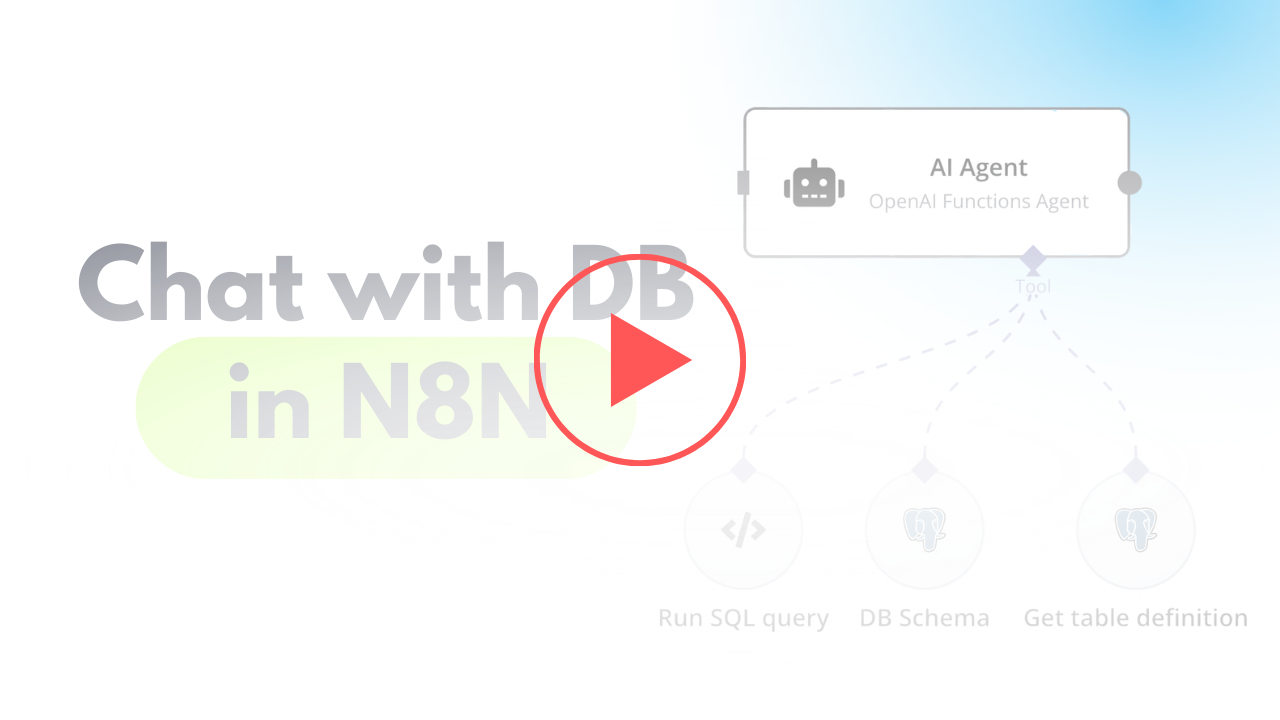](https://www.youtube.com/watch?v=-GgKzhCNxjk)\n"
},
"typeVersion": 1
},
{
"id": "4ea87754-dead-49ea-848c-ed86c98e217b",
"name": "チャットメッセージ受信時",
"type": "@n8n/n8n-nodes-langchain.chatTrigger",
"position": [
720,
400
],
"webhookId": "6e95bc27-99a6-417c-8bf7-2831d7f7a4be",
"parameters": {
"options": {}
},
"typeVersion": 1.1
},
{
"id": "c20d6e57-eb41-4682-a7f5-5bb4323df476",
"name": "OpenAIチャットモデル",
"type": "@n8n/n8n-nodes-langchain.lmChatOpenAi",
"position": [
760,
680
],
"parameters": {
"options": {}
},
"credentials": {
"openAiApi": {
"id": "zJhr5piyEwVnWtaI",
"name": "OpenAi club"
}
},
"typeVersion": 1
},
{
"id": "8d3b1faf-643c-4070-996d-a59cb06e1827",
"name": "DBスキーマ",
"type": "n8n-nodes-base.postgresTool",
"position": [
1180,
660
],
"parameters": {
"query": "SELECT table_schema, table_name\nFROM information_schema.tables\nWHERE table_type = 'BASE TABLE' AND table_schema = 'public';",
"options": {},
"operation": "executeQuery",
"descriptionType": "manual",
"toolDescription": "Get list of all tables in database"
},
"credentials": {
"postgres": {
"id": "AO9cER6p8uX7V07T",
"name": "Postgres 5minai"
}
},
"typeVersion": 2.5
},
{
"id": "d9346ade-79d1-44c2-8fa6-b337ad8b0544",
"name": "テーブル定義の取得",
"type": "n8n-nodes-base.postgresTool",
"position": [
1340,
660
],
"parameters": {
"query": "SELECT \n c.column_name,\n c.data_type,\n c.is_nullable,\n c.column_default,\n tc.constraint_type,\n ccu.table_name AS referenced_table,\n ccu.column_name AS referenced_column\nFROM \n information_schema.columns c\nLEFT JOIN \n information_schema.key_column_usage kcu \n ON c.table_name = kcu.table_name \n AND c.column_name = kcu.column_name\nLEFT JOIN \n information_schema.table_constraints tc \n ON kcu.constraint_name = tc.constraint_name\n AND tc.constraint_type = 'FOREIGN KEY'\nLEFT JOIN\n information_schema.constraint_column_usage ccu\n ON tc.constraint_name = ccu.constraint_name\nWHERE \n c.table_name = '{{ $fromAI(\"table_name\") }}' -- Your table name\n AND c.table_schema = 'public' -- Ensure it's in the right schema\nORDER BY \n c.ordinal_position;\n",
"options": {},
"operation": "executeQuery",
"descriptionType": "manual",
"toolDescription": "Get table definition to find all columns and types."
},
"credentials": {
"postgres": {
"id": "AO9cER6p8uX7V07T",
"name": "Postgres 5minai"
}
},
"typeVersion": 2.5
},
{
"id": "b88a21e0-d2ff-4431-bd84-dfd43edeb5c4",
"name": "付箋",
"type": "n8n-nodes-base.stickyNote",
"position": [
960,
280
],
"parameters": {
"width": 215,
"height": 80,
"content": "**Finetune the prompt of assistant**"
},
"typeVersion": 1
},
{
"id": "fbe9eb68-5990-485c-820f-08234ea33194",
"name": "AIエージェント",
"type": "@n8n/n8n-nodes-langchain.agent",
"position": [
940,
400
],
"parameters": {
"text": "={{ $('When chat message received').item.json.chatInput }}",
"agent": "openAiFunctionsAgent",
"options": {
"systemMessage": "You are DB assistant. You need to run queries in DB aligned with user requests.\n\nRun custom SQL query to aggregate data and response to user.\n\nFetch all data to analyse it for response if needed.\n"
},
"promptType": "define"
},
"typeVersion": 1.6
},
{
"id": "7f82d6d9-d7d6-4443-bbaa-c9b276a376e3",
"name": "SQLクエリの実行",
"type": "n8n-nodes-base.postgresTool",
"position": [
1040,
660
],
"parameters": {
"query": "{{ $fromAI(\"query\",\"SQL query for PostgreSQL DB in Supabase\") }}",
"options": {},
"operation": "executeQuery",
"descriptionType": "manual",
"toolDescription": "Run custom SQL queries using knowledge about Output structure to provide needed response for user request.\nUse ->> operator to extract JSON data."
},
"credentials": {
"postgres": {
"id": "AO9cER6p8uX7V07T",
"name": "Postgres 5minai"
}
},
"typeVersion": 2.5
}
],
"pinData": {},
"connections": {
"8d3b1faf-643c-4070-996d-a59cb06e1827": {
"ai_tool": [
[
{
"node": "fbe9eb68-5990-485c-820f-08234ea33194",
"type": "ai_tool",
"index": 0
}
]
]
},
"7f82d6d9-d7d6-4443-bbaa-c9b276a376e3": {
"ai_tool": [
[
{
"node": "fbe9eb68-5990-485c-820f-08234ea33194",
"type": "ai_tool",
"index": 0
}
]
]
},
"c20d6e57-eb41-4682-a7f5-5bb4323df476": {
"ai_languageModel": [
[
{
"node": "fbe9eb68-5990-485c-820f-08234ea33194",
"type": "ai_languageModel",
"index": 0
}
]
]
},
"d9346ade-79d1-44c2-8fa6-b337ad8b0544": {
"ai_tool": [
[
{
"node": "fbe9eb68-5990-485c-820f-08234ea33194",
"type": "ai_tool",
"index": 0
}
]
]
},
"4ea87754-dead-49ea-848c-ed86c98e217b": {
"main": [
[
{
"node": "fbe9eb68-5990-485c-820f-08234ea33194",
"type": "main",
"index": 0
}
]
]
}
}
}よくある質問
このワークフローの使い方は?
上記のJSON設定コードをコピーし、n8nインスタンスで新しいワークフローを作成して「JSONからインポート」を選択、設定を貼り付けて認証情報を必要に応じて変更してください。
このワークフローはどんな場面に適していますか?
中級 - エンジニアリング, DevOps, プロダクト, 人工知能
有料ですか?
このワークフローは完全無料です。ただし、ワークフローで使用するサードパーティサービス(OpenAI APIなど)は別途料金が発生する場合があります。
関連ワークフロー
Supabase ストレージ内のファイルと対話する AI エージェント
Supabaseストレージ内のファイルと対話するAIエージェント
If
Merge
Switch
+
If
Merge
Switch
33 ノードMark Shcherbakov
エンジニアリング
ChatGPTとAirtableの対話やデータ分析のAIアシスタント
Airtableと対話しながらデータを分析するAIアシスタント
If
Set
Merge
+
If
Set
Merge
41 ノードMark Shcherbakov
エンジニアリング
データエンジニア AI Agent v3
スプレッドシート向けのAIデータ分析アシスタント、NocoDBプラットフォームを基に
Set
Noco Db Tool
Http Request
+
Set
Noco Db Tool
Http Request
10 ノードDerek Cheung
エンジニアリング
データベーススキーマのみから SQL クエリを生成 - AI 駆動
データベース構造のみからSQLクエリを生成する - AI駆動
If
Set
Merge
+
If
Set
Merge
29 ノードYulia
エンジニアリング
AI スマートアシスタント: Supabase ストレージと Google Drive ファイルとの対話
AIワンチャットボット:SupabaseストレージとGoogle Driveのファイルと対話
If
Set
Wait
+
If
Set
Wait
62 ノードMark Shcherbakov
エンジニアリング
PostgreSQLデータベースとの対話
PostgreSQLデータベースと対話
Postgres Tool
Agent
Chat Trigger
+
Postgres Tool
Agent
Chat Trigger
11 ノードKumoHQ
エンジニアリング
ワークフロー情報
難易度
中級
ノード数11
カテゴリー4
ノードタイプ6
作成者

Mark Shcherbakov
@lowcodingdevI am a business analyst with a development background, dedicated to helping small businesses and entrepreneurs leverage cloud services for increased efficiency. My expertise lies in automating manual workflows, integrating data from multiple cloud service providers, creating insightful dashboards, and building custom CRM systems.
外部リンク
n8n.ioで表示 →
このワークフローを共有