매일 NASA 천문 사진을 Instagram에 게시하고 Telegram 알림을 보냅니다
중급
이것은Content Creation, Multimodal AI분야의자동화 워크플로우로, 13개의 노드를 포함합니다.주로 If, Set, Wait, Telegram, HttpRequest 등의 노드를 사용하며. 매일 NASA 천문도를 Instagram에 게시하고 Telegram 알림을 보내기
사전 요구사항
- •Telegram Bot Token
- •대상 API의 인증 정보가 필요할 수 있음
워크플로우 미리보기
노드 연결 관계를 시각적으로 표시하며, 확대/축소 및 이동을 지원합니다
워크플로우 내보내기
다음 JSON 구성을 복사하여 n8n에 가져오면 이 워크플로우를 사용할 수 있습니다
{
"meta": {
"instanceId": "0867aa2e4fb4e86d170a6ca997a164fd02d27420eb0e7cb54482c4b03d1672ac"
},
"nodes": [
{
"id": "d2f41656-6425-45f7-a1aa-3e175532a255",
"name": "APOD 가져오기",
"type": "n8n-nodes-base.httpRequest",
"position": [
-1280,
176
],
"parameters": {
"url": "https://api.nasa.gov/planetary/apod",
"options": {},
"authentication": "queryAuth"
},
"credentials": {
"httpQueryAuth": {
"id": "37d7wycfdgdqWeER",
"name": "Nasa Api Key"
}
},
"typeVersion": 1
},
{
"id": "9c13d0eb-b77d-41b0-a581-361ebfc91f28",
"name": "캡션 준비",
"type": "n8n-nodes-base.set",
"position": [
-1088,
176
],
"parameters": {
"values": {
"string": [
{
"name": "caption",
"value": "{{ $json.title }} - {{ $json.explanation }}"
},
{
"name": "imageUrl",
"value": "{{ $json.url }}"
}
]
},
"options": {}
},
"typeVersion": 2
},
{
"id": "e3014cef-b638-42fb-98c2-6b5e1b8730ef",
"name": "IG 게시물 준비",
"type": "n8n-nodes-base.httpRequest",
"position": [
-896,
176
],
"parameters": {
"url": "https://graph.facebook.com/v23.0/{YOUR_APP_ID}/media",
"method": "POST",
"options": {},
"sendQuery": true,
"authentication": "predefinedCredentialType",
"queryParameters": {
"parameters": [
{
"name": "image_url",
"value": "={{ $json.url }}"
},
{
"name": "caption",
"value": "={{ $json.explanation }}"
}
]
},
"nodeCredentialType": "facebookGraphApi"
},
"credentials": {
"httpHeaderAuth": {
"id": "3snGiBIkZ8OuX058",
"name": "access_token_ig"
},
"facebookGraphApi": {
"id": "wnUWNIb7gNB2KyeW",
"name": "Facebook Graph Token"
}
},
"typeVersion": 4.2
},
{
"id": "6bb50415-7e55-409b-a66d-49a1b8072600",
"name": "게시 상태 확인",
"type": "n8n-nodes-base.httpRequest",
"position": [
-512,
176
],
"parameters": {
"url": "=https://graph.facebook.com/v23.0/{{ $('Prepare IG Post').item.json.id }}",
"options": {},
"sendQuery": true,
"authentication": "predefinedCredentialType",
"queryParameters": {
"parameters": [
{
"name": "fields",
"value": "status_code,status"
}
]
},
"nodeCredentialType": "facebookGraphApi"
},
"credentials": {
"facebookGraphApi": {
"id": "wnUWNIb7gNB2KyeW",
"name": "Facebook Graph Token"
}
},
"typeVersion": 4.2
},
{
"id": "bd070f50-08d5-4016-82f7-57b4fbbb789c",
"name": "게시물 준비 대기",
"type": "n8n-nodes-base.wait",
"position": [
-704,
176
],
"webhookId": "59df1ae8-40a3-4ba9-ad94-8148d17c7126",
"parameters": {},
"typeVersion": 1.1
},
{
"id": "27680fa6-5d6d-4dd7-bcf3-3942b5cb8e90",
"name": "게시물 게시",
"type": "n8n-nodes-base.httpRequest",
"position": [
-160,
96
],
"parameters": {
"url": "https://graph.facebook.com/v23.0/{YOUR_APP_ID}/media_publish",
"method": "POST",
"options": {},
"sendQuery": true,
"authentication": "predefinedCredentialType",
"queryParameters": {
"parameters": [
{
"name": "creation_id",
"value": "={{ $json.id }}"
}
]
},
"nodeCredentialType": "facebookGraphApi"
},
"credentials": {
"facebookGraphApi": {
"id": "wnUWNIb7gNB2KyeW",
"name": "Facebook Graph Token"
}
},
"typeVersion": 4.2
},
{
"id": "a08c9132-ec6a-4b69-ad80-7b45da247fdc",
"name": "조건문",
"type": "n8n-nodes-base.if",
"position": [
-336,
176
],
"parameters": {
"options": {},
"conditions": {
"options": {
"version": 2,
"leftValue": "",
"caseSensitive": true,
"typeValidation": "strict"
},
"combinator": "and",
"conditions": [
{
"id": "c87f4367-7fd4-4862-bfb0-ac8546999ef1",
"operator": {
"name": "filter.operator.equals",
"type": "string",
"operation": "equals"
},
"leftValue": "={{ $json.status_code }}",
"rightValue": "FINISHED"
}
]
}
},
"typeVersion": 2.2
},
{
"id": "76a2952b-d0d6-4663-8abb-c635a62280cb",
"name": "완료 메시지 전송",
"type": "n8n-nodes-base.telegram",
"position": [
32,
96
],
"webhookId": "d78a7b0c-c02d-4853-8d67-a89b00f2665e",
"parameters": {
"text": "=PUBLISH STATUS: {{ $('If').item.json.status_code }}",
"chatId": "{YOUR_CHAT_ID}",
"forceReply": {},
"replyMarkup": "=",
"additionalFields": {},
"replyKeyboardRemove": {},
"replyKeyboardOptions": {}
},
"credentials": {
"telegramApi": {
"id": "lVwAncROWGp3l67D",
"name": "Telegram Podcast"
}
},
"typeVersion": 1.2
},
{
"id": "f2220578-15ed-46b7-b5ad-3da9ed9a5a70",
"name": "실패 메시지 전송",
"type": "n8n-nodes-base.telegram",
"position": [
-160,
256
],
"webhookId": "9e270d6d-25d3-4dd2-891d-73d85b712f1d",
"parameters": {
"text": "The upload of the publication has failed, check logs.",
"chatId": "{YOUR_CHAT_ID}",
"additionalFields": {}
},
"credentials": {
"telegramApi": {
"id": "lVwAncROWGp3l67D",
"name": "Telegram Podcast"
}
},
"typeVersion": 1.2
},
{
"id": "fd826a78-2450-4516-96a8-e90d31f078f5",
"name": "중단 및 오류",
"type": "n8n-nodes-base.stopAndError",
"position": [
32,
256
],
"parameters": {
"errorMessage": "Status Code of Publish Api Call Isn't Finished"
},
"typeVersion": 1
},
{
"id": "03e4b3dd-3d10-4283-a984-fbb7f5d3b219",
"name": "스케줄 트리거",
"type": "n8n-nodes-base.scheduleTrigger",
"position": [
-1456,
176
],
"parameters": {
"rule": {
"interval": [
{
"triggerAtHour": 18
}
]
}
},
"typeVersion": 1.2
},
{
"id": "812d1d81-4871-4e3f-b408-5ea9e59e793c",
"name": "메모1",
"type": "n8n-nodes-base.stickyNote",
"position": [
-1440,
-384
],
"parameters": {
"width": 604,
"height": 456,
"content": "## Nasa Astronomy Picture of the Day (APOD) Image\n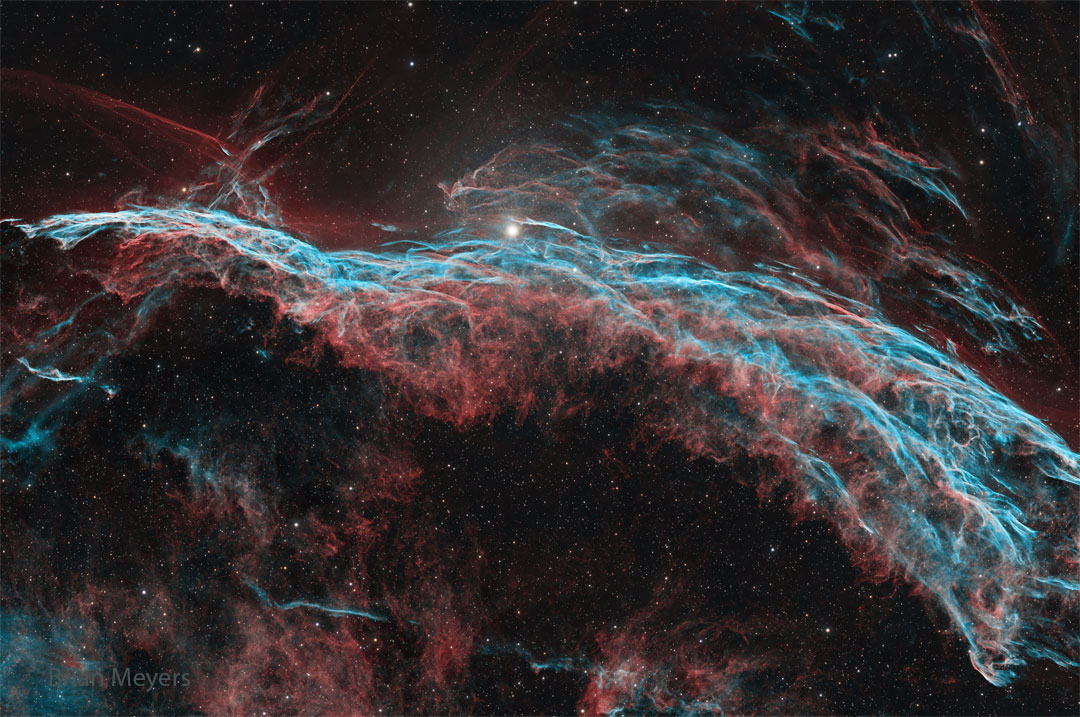"
},
"typeVersion": 1
},
{
"id": "a299e6ae-bf95-4e13-ac44-3219fec0a4cd",
"name": "메모7",
"type": "n8n-nodes-base.stickyNote",
"position": [
-2048,
-608
],
"parameters": {
"width": 460,
"height": 1552,
"content": "\nThis workflow fetches NASA’s Astronomical Picture of the Day (APOD), prepares a caption combining the title and explanation, publishes the image to Instagram and sends you a Telegram notification with the result. \n\nIt runs on a schedule so you can share inspiring space images without manual effort.\n\n## Who is it for?\nDesigned for science communicators, educators, astronomy fans and social media managers who want to share the APOD each day without searching for content. It’s also helpful for anyone looking to automate daily posts while receiving clear success or failure notifications.\n\n## How it works\n1.\tA Schedule Trigger fires every day at 18:00 (adjustable) to start the workflow.\n2.\tThe Get APOD HTTP request node calls https://api.nasa.gov/planetary/apod using your NASA API key and retrieves the image URL, title and explanation.\n3.\tThe Prepare Caption node builds a caption by concatenating the title and explanation, and extracts the image URL.\n4.\tPrepare IG Post node sends a POST request to https://graph.facebook.com/v23.0/{YOUR_APP_ID}/media with the image URL and caption to create a media container on Instagram.\n5.\tA Wait node pauses the workflow while Instagram processes the media.\n6.\tThe Get Status for Publish request checks the status of the media; the If node proceeds only when the status_code equals FINISHED.\n7.\tWhen ready, the Publish Post node calls to https://graph.facebook.com/v23.0/{YOUR_APP_ID}/media_publish endpoint with the creation_id to publish the photo on Instagram.\n8.\tOn success, a Telegram node sends a message such as “PUBLISH STATUS: FINISHED” to your chat; on failure, another Telegram node notifies you that the upload failed and the workflow stops with an error.\n## Setup steps\n1.\tNode Get APOD: Configure Query Auth with your own Nasa credential.\n2.\tNode: Prepare IG Post: Create a Facebook app and generate an access token with instagram_basic and pages_manage_posts permissions; Configure the url with you ID from you Meta Graph {YOUR_APP_ID}. Configure Facebook Graph API Credential Type with your token, you can generate in your API Graph Explorer\n3.\tNode Get Status For Publish: Configure your Facebook Graph API token like before.\n4.\tNode Publish Post: Configure your Facebook Graph API token like before and configure the url with you ID from you Meta Graph {YOUR_APP_ID}.\n5.\tNode Send Finish Message: Configure your token from Telegram API and your Telegram Chat ID {YOUR_CHAT_ID}.\n6.\tNode Send Fail Message: Configure your token from Telegram API and your Telegram Chat ID {YOUR_CHAT_ID}.\n6.\tTest the workflow to ensure the image posts correctly and that the Telegram notifications reflect the status.\n## Requirements\n·\tNASA APOD API key from api.nasa.gov.\n·\tInstagram account linked to a Facebook page and a valid Facebook Graph API token with the appropriate permissions.\n·\tTelegram bot token and chat ID.\n## How to customise it\nYou can change the posting time or frequency, edit the caption template to include hashtags or links, or send success/failure notifications via email or Slack instead of Telegram. You might also save the images to cloud storage or cross‑post to other platforms, and adjust the error handling logic based on your needs.\n\n"
},
"typeVersion": 1
}
],
"pinData": {},
"connections": {
"a08c9132-ec6a-4b69-ad80-7b45da247fdc": {
"main": [
[
{
"node": "27680fa6-5d6d-4dd7-bcf3-3942b5cb8e90",
"type": "main",
"index": 0
}
],
[
{
"node": "f2220578-15ed-46b7-b5ad-3da9ed9a5a70",
"type": "main",
"index": 0
}
]
]
},
"d2f41656-6425-45f7-a1aa-3e175532a255": {
"main": [
[
{
"node": "9c13d0eb-b77d-41b0-a581-361ebfc91f28",
"type": "main",
"index": 0
}
]
]
},
"27680fa6-5d6d-4dd7-bcf3-3942b5cb8e90": {
"main": [
[
{
"node": "76a2952b-d0d6-4663-8abb-c635a62280cb",
"type": "main",
"index": 0
}
]
]
},
"9c13d0eb-b77d-41b0-a581-361ebfc91f28": {
"main": [
[
{
"node": "e3014cef-b638-42fb-98c2-6b5e1b8730ef",
"type": "main",
"index": 0
}
]
]
},
"e3014cef-b638-42fb-98c2-6b5e1b8730ef": {
"main": [
[
{
"node": "bd070f50-08d5-4016-82f7-57b4fbbb789c",
"type": "main",
"index": 0
}
]
]
},
"03e4b3dd-3d10-4283-a984-fbb7f5d3b219": {
"main": [
[
{
"node": "d2f41656-6425-45f7-a1aa-3e175532a255",
"type": "main",
"index": 0
}
]
]
},
"f2220578-15ed-46b7-b5ad-3da9ed9a5a70": {
"main": [
[
{
"node": "fd826a78-2450-4516-96a8-e90d31f078f5",
"type": "main",
"index": 0
}
]
]
},
"6bb50415-7e55-409b-a66d-49a1b8072600": {
"main": [
[
{
"node": "a08c9132-ec6a-4b69-ad80-7b45da247fdc",
"type": "main",
"index": 0
}
]
]
},
"bd070f50-08d5-4016-82f7-57b4fbbb789c": {
"main": [
[
{
"node": "6bb50415-7e55-409b-a66d-49a1b8072600",
"type": "main",
"index": 0
}
]
]
}
}
}자주 묻는 질문
이 워크플로우를 어떻게 사용하나요?
위의 JSON 구성 코드를 복사하여 n8n 인스턴스에서 새 워크플로우를 생성하고 "JSON에서 가져오기"를 선택한 후, 구성을 붙여넣고 필요에 따라 인증 설정을 수정하세요.
이 워크플로우는 어떤 시나리오에 적합한가요?
중급 - 콘텐츠 제작, 멀티모달 AI
유료인가요?
이 워크플로우는 완전히 무료이며 직접 가져와 사용할 수 있습니다. 다만, 워크플로우에서 사용하는 타사 서비스(예: OpenAI API)는 사용자 직접 비용을 지불해야 할 수 있습니다.
관련 워크플로우 추천
1. 플레이리스트 상세 설정 로봇 복사본
Suno, GPT-4, Runway, Creatomate로 AI 생성 YouTube 음악 플레이리스트 생성
If
Set
Code
+
If
Set
Code
203 노드Joseph
콘텐츠 제작
AI 기반 동영상 제작 및 Instagram, TikTok, YouTube 업로드
클라우드 드라이브 기반 AI 기반 비디오 제작 및 Instagram, TikTok, YouTube 업로드
If
Set
Code
+
If
Set
Code
53 노드DevCode Journey
콘텐츠 제작
Veo-3, Perplexity, FFmpeg를 사용한 1080p 짧은 비디오 자동 생성 및 게시
Veo-3, Perplexity, FFmpeg로 1080p 숏폼 비디오 자동 생성 및 게시
If
Set
Wait
+
If
Set
Wait
21 노드Sulieman Said
콘텐츠 제작
LinkedIn 및 X 바이럴 콘텐츠 자동 엔진
사용AI생성및게시자동생성LinkedIn및X의病毒콘텐츠
If
Set
Wait
+
If
Set
Wait
156 노드Diptamoy Barman
콘텐츠 제작
Sora-2, GPT, YouTube를 사용하여 연합 제품 비디오를 생성하고 게시
Sora-2, GPT, 및 YouTube를 사용하여 연합 제품 비디오를 생성하고 게시
If
Set
Code
+
If
Set
Code
34 노드Amjid Ali
콘텐츠 제작
합성
Suno API, Claude, Telegram 로봇을 통해 완전한 20곡 YouTube 플레이리스트 생성
If
Set
Code
+
If
Set
Code
150 노드Joseph
콘텐츠 제작
워크플로우 정보
난이도
중급
노드 수13
카테고리2
노드 유형8
저자

Adrian
@nafriExperienced tech professional with 10+ years in Big Data, AI, and automation, former bootcamp director, and passionate about innovation and strategic growth.
외부 링크
n8n.io에서 보기 →
이 워크플로우 공유