랜딩 페이지 분석기
중급
이것은AI Summarization, Multimodal AI분야의자동화 워크플로우로, 10개의 노드를 포함합니다.주로 Form, Markdown, FormTrigger, HttpRequest, Agent 등의 노드를 사용하며. 랜딩 페이지 분석 대리인
사전 요구사항
- •대상 API의 인증 정보가 필요할 수 있음
- •Google Gemini API Key
워크플로우 미리보기
노드 연결 관계를 시각적으로 표시하며, 확대/축소 및 이동을 지원합니다
워크플로우 내보내기
다음 JSON 구성을 복사하여 n8n에 가져오면 이 워크플로우를 사용할 수 있습니다
{
"id": "YYiCCvfGPMJ8gAnt",
"meta": {
"instanceId": "061ca141d020a6e1355b8c7fe05f92a699e37e92079ad2e150a506ee8bbe9e11",
"templateCredsSetupCompleted": true
},
"name": "Landing Page Analyzer",
"tags": [],
"nodes": [
{
"id": "950a73f5-aecb-4844-add2-c244f0a946a7",
"name": "폼 제출 시",
"type": "n8n-nodes-base.formTrigger",
"position": [
1008,
128
],
"webhookId": "57604090-1df3-41ca-8d55-1002798a1721",
"parameters": {
"options": {
"appendAttribution": false
},
"formTitle": "Landing Page Optimizer",
"formFields": {
"values": [
{
"fieldLabel": "Your Landing Page Url",
"placeholder": "https://example.anything",
"requiredField": true
}
]
},
"formDescription": "Make Your Page Convert Like a Top 1% Funnel"
},
"typeVersion": 2.2
},
{
"id": "fcede911-8351-4b6b-9daa-3a6fa9d68473",
"name": "HTTP 요청",
"type": "n8n-nodes-base.httpRequest",
"position": [
1232,
128
],
"parameters": {
"url": "={{ $json['Your Landing Page Url'] }}",
"options": {}
},
"typeVersion": 4.2
},
{
"id": "3f28ef06-fdbf-4488-8136-7826a1a0293a",
"name": "마크다운",
"type": "n8n-nodes-base.markdown",
"position": [
1440,
128
],
"parameters": {
"html": "={{ $json.data }}",
"options": {}
},
"typeVersion": 1
},
{
"id": "1254e722-ebdc-4421-af8c-fa61e3096944",
"name": "AI 에이전트",
"type": "@n8n/n8n-nodes-langchain.agent",
"position": [
1648,
128
],
"parameters": {
"text": "={{ $json.data }}",
"options": {
"systemMessage": "=You are a world-class Conversion Rate Optimization (CRO) expert.\n\nYour mission is to analyze my landing page and return with the most important actions the business should take to improve conversions. No fluff, no filler — just what matters most.\n\n🎯 YOUR RESPONSE MUST FOLLOW THIS STRUCTURE:\n\n1) Each item should start with a strong action verb (e.g., Replace, Add, Remove, Rewrite, Rearrange, Clarify, Simplify, Make visible, etc.)\n\n2) Be specific. Tell me exactly what to do — what headline to change, what section to remove, what to add and where.\n\n3) Every recommendation must be based on the actual landing page content. No generic advice.\n\n4) Prioritize modern, high-impact CRO ideas relevant to 2024 digital audiences.\n\n5) Keep it easy to understand and implement. No heavy dev work required.\n\n6) Focus on conversion levers: clarity, relevance, trust, desire, urgency, and friction reduction.\n"
},
"promptType": "define"
},
"typeVersion": 2
},
{
"id": "0d7250e0-8b9d-4626-a748-f7c056e2999b",
"name": "폼",
"type": "n8n-nodes-base.form",
"position": [
2320,
128
],
"webhookId": "a80f45af-8f8a-480b-922b-264691668bb7",
"parameters": {
"options": {},
"operation": "completion",
"completionTitle": "Here are 5 Things You Should Improve 🧐",
"completionMessage": "=1. {{ $json.output['Improvement Tip 1'] }}\n\n2. {{ $json.output['Improvement Tip 2'] }}\n\n3. {{ $json.output['Improvement Tip 3'] }}\n\n4. {{ $json.output['Improvement Tip 4'] }} \n\n5. {{ $json.output['Improvement Tip 5'] }} "
},
"typeVersion": 1
},
{
"id": "1db518d9-3c1f-4c20-84f4-167684f959e9",
"name": "정보 추출기",
"type": "@n8n/n8n-nodes-langchain.informationExtractor",
"position": [
1984,
128
],
"parameters": {
"text": "={{ $json.output }}",
"options": {},
"attributes": {
"attributes": [
{
"name": "Improvement Tip 1",
"description": "=The 1st most important improvement tip without any symbol, add relevent Emoji"
},
{
"name": "Improvement Tip 2",
"description": "The 2nd most important improvement tip without any symbol, add relevant Emoji"
},
{
"name": "Improvement Tip 3",
"description": "The 3rd most important improvement tip without any symbol, add relevant Emoji"
},
{
"name": "Improvement Tip 4",
"description": "The 4th most important improvement tip without any symbol, add relevant Emoji"
},
{
"name": "Improvement Tip 5",
"description": "The 5th most important improvement tip without any symbol, add relevant Emoji"
}
]
}
},
"typeVersion": 1.2
},
{
"id": "08cf9cfe-7328-4de6-bd33-c0e2295c9e35",
"name": "스티커 노트",
"type": "n8n-nodes-base.stickyNote",
"position": [
0,
0
],
"parameters": {
"color": 6,
"width": 840,
"height": 600,
"content": "# 🛠 Setup Guide \n## **Author:** [Rakin Jakaria](https://www.youtube.com/@rakinjakaria)\n\nFollow these steps to get your Landing Page Analyzer workflow up and running: \n\n1. **Configure Google Gemini API Credentials** \n - Navigate to the \"Google Gemini Chat Model\" node in your workflow. \n - Ensure your Google Gemini (PaLM) API credentials are properly set up in your N8N instance. \n - If you don't have an API key, obtain one from [Google AI Studio](https://aistudio.google.com/apikey). \n\n2. **Test the Webhook Form (Optional)** \n - The workflow starts with a form submission trigger. \n - If you plan to embed this in a website or app, ensure the webhook URL is correctly configured and accessible. \n\n3. **Verify HTTP Request Node** \n - The workflow fetches the landing page content via HTTP. \n - Ensure the target URLs are publicly accessible and not behind authentication. \n\n4. **Review AI Agent Instructions** \n - The AI Agent node includes a system prompt for CRO analysis. \n - Customize the prompt if needed to align with your specific goals or industry. \n\nOnce these steps are complete, your Landing Page Analyzer is ready to use! Submit a URL via the form to receive actionable CRO improvements. 🚀"
},
"typeVersion": 1
},
{
"id": "938a192a-8474-4bd6-8471-e0617cdf9c74",
"name": "스티커 노트1",
"type": "n8n-nodes-base.stickyNote",
"position": [
944,
0
],
"parameters": {
"color": 6,
"width": 1620,
"height": 580,
"content": "## Landing Page Analyzer"
},
"typeVersion": 1
},
{
"id": "18698e25-23ce-4ca2-834c-e7cdd0521588",
"name": "Gemini 2.5 플래시",
"type": "@n8n/n8n-nodes-langchain.lmChatGoogleGemini",
"position": [
1808,
432
],
"parameters": {
"options": {}
},
"credentials": {
"googlePalmApi": {
"id": "uIFmTaGcf3XXfitE",
"name": "Google Gemini(PaLM) Api account 2"
}
},
"typeVersion": 1
},
{
"id": "2f1293bc-cfef-425f-9988-161836bcf8b2",
"name": "스티커 노트3",
"type": "n8n-nodes-base.stickyNote",
"position": [
208,
-528
],
"parameters": {
"color": 6,
"width": 480,
"height": 464,
"content": "## Start here: Step-by Step Youtube Tutorial :star:\n[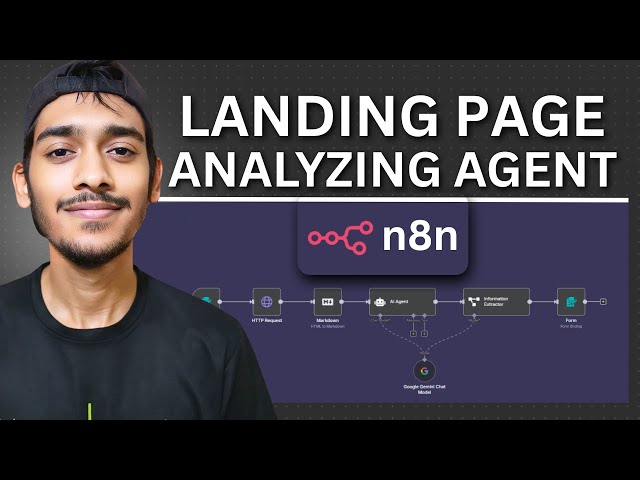](https://youtu.be/gsFl25jw-7I)"
},
"typeVersion": 1
}
],
"active": false,
"pinData": {},
"settings": {
"executionOrder": "v1"
},
"versionId": "0f6ecd02-d6ef-4d36-a122-4f8f07852ecd",
"connections": {
"1254e722-ebdc-4421-af8c-fa61e3096944": {
"main": [
[
{
"node": "1db518d9-3c1f-4c20-84f4-167684f959e9",
"type": "main",
"index": 0
}
]
]
},
"3f28ef06-fdbf-4488-8136-7826a1a0293a": {
"main": [
[
{
"node": "1254e722-ebdc-4421-af8c-fa61e3096944",
"type": "main",
"index": 0
}
]
]
},
"fcede911-8351-4b6b-9daa-3a6fa9d68473": {
"main": [
[
{
"node": "3f28ef06-fdbf-4488-8136-7826a1a0293a",
"type": "main",
"index": 0
}
]
]
},
"18698e25-23ce-4ca2-834c-e7cdd0521588": {
"ai_languageModel": [
[
{
"node": "1254e722-ebdc-4421-af8c-fa61e3096944",
"type": "ai_languageModel",
"index": 0
},
{
"node": "1db518d9-3c1f-4c20-84f4-167684f959e9",
"type": "ai_languageModel",
"index": 0
}
]
]
},
"950a73f5-aecb-4844-add2-c244f0a946a7": {
"main": [
[
{
"node": "fcede911-8351-4b6b-9daa-3a6fa9d68473",
"type": "main",
"index": 0
}
]
]
},
"1db518d9-3c1f-4c20-84f4-167684f959e9": {
"main": [
[
{
"node": "0d7250e0-8b9d-4626-a748-f7c056e2999b",
"type": "main",
"index": 0
}
]
]
}
}
}자주 묻는 질문
이 워크플로우를 어떻게 사용하나요?
위의 JSON 구성 코드를 복사하여 n8n 인스턴스에서 새 워크플로우를 생성하고 "JSON에서 가져오기"를 선택한 후, 구성을 붙여넣고 필요에 따라 인증 설정을 수정하세요.
이 워크플로우는 어떤 시나리오에 적합한가요?
중급 - AI 요약, 멀티모달 AI
유료인가요?
이 워크플로우는 완전히 무료이며 직접 가져와 사용할 수 있습니다. 다만, 워크플로우에서 사용하는 타사 서비스(예: OpenAI API)는 사용자 직접 비용을 지불해야 할 수 있습니다.
관련 워크플로우 추천
취업 신청 대리자
취업 신청 자동화 대리인
If
Form
Markdown
+
If
Form
Markdown
15 노드Rakin Jakaria
멀티모달 AI
AI 채용 도우미
Gemini AI, Gmail 및 스프레드시트를 사용한 자동화된 이력서 선별 및 응답 시스템
Gmail
Form Trigger
Google Sheets
+
Gmail
Form Trigger
Google Sheets
9 노드Rakin Jakaria
AI 요약
AI 리드 생성 에이전트
Apify, AI, Gmail을 사용한 자동 잠재 고객 생성 및 콜드 이메일 발송
If
Set
Wait
+
If
Set
Wait
20 노드Rakin Jakaria
리드 생성
Gemini와 Jina AI를 사용한 공급업체 실사 연구 자동화
Gemini 및 Jina AI를 사용한 공급업체 실사 조사 자동화
If
Set
Code
+
If
Set
Code
27 노드Adnan
문서 추출
AI를 사용하여 Morning Brew 스타일 Reddit 요약 자동 생성 및 DEV에 게시
AI를 사용한 Morning Brew 스타일 Reddit 요약 자동 생성 및 DEV 게시
If
Set
Wait
+
If
Set
Wait
26 노드Angel Menendez
AI 요약
AI 송장 어시스턴트
AI 송장 처리 에이전트
Set
Gmail
Filter
+
Set
Gmail
Filter
13 노드Rakin Jakaria
청구서 처리
