n8n과 Gemini AI 이미지 편집을 사용하여 이미지 분리 및 결합
고급
이것은Design, AI, Marketing분야의자동화 워크플로우로, 20개의 노드를 포함합니다.주로 Set, Merge, Aggregate, GoogleDrive, HttpRequest 등의 노드를 사용하며인공지능 기술을 결합하여 스마트 자동화를 구현합니다. n8n과 Gemini AI 이미지 편집을 사용하여 이미지를 분리 편집
사전 요구사항
- •Google Drive API 인증 정보
- •대상 API의 인증 정보가 필요할 수 있음
사용된 노드 (20)
워크플로우 미리보기
노드 연결 관계를 시각적으로 표시하며, 확대/축소 및 이동을 지원합니다
워크플로우 내보내기
다음 JSON 구성을 복사하여 n8n에 가져오면 이 워크플로우를 사용할 수 있습니다
{
"meta": {
"instanceId": "408f9fb9940c3cb18ffdef0e0150fe342d6e655c3a9fac21f0f644e8bedabcd9"
},
"nodes": [
{
"id": "bd94ff7b-0f66-45f7-bbab-bb2be0406532",
"name": "워크플로 실행 시",
"type": "n8n-nodes-base.manualTrigger",
"position": [
-540,
320
],
"parameters": {},
"typeVersion": 1
},
{
"id": "fdd66c07-8168-4f94-8ff5-ba4ceed476a9",
"name": "이미지 콘텐츠 가져오기",
"type": "n8n-nodes-base.set",
"position": [
1400,
320
],
"parameters": {
"options": {},
"assignments": {
"assignments": [
{
"id": "021aad70-de11-4387-844e-7e7dfd3b1044",
"name": "image",
"type": "string",
"value": "={{ $json.candidates[0].content.parts.find(part => part.inlineData).inlineData.data }}"
},
{
"id": "62877ef7-2057-4d35-a44b-1d58fa1f1769",
"name": "mimeType",
"type": "string",
"value": "={{ $json.candidates[0].content.parts.find(part => part.inlineData).inlineData.mimeType }}"
}
]
}
},
"typeVersion": 3.4
},
{
"id": "e23db650-d0fa-4d87-87ea-3ab2e78292d8",
"name": "드라이브에 업로드",
"type": "n8n-nodes-base.googleDrive",
"position": [
2020,
320
],
"parameters": {
"name": "=file_restored_{{ $itemIndex }}.{{ $binary.data.fileExtension }}",
"driveId": {
"__rl": true,
"mode": "list",
"value": "My Drive"
},
"options": {},
"folderId": {
"__rl": true,
"mode": "list",
"value": "root",
"cachedResultName": "/ (Root folder)"
}
},
"credentials": {
"googleDriveOAuth2Api": {
"id": "yOwz41gMQclOadgu",
"name": "Google Drive account"
}
},
"typeVersion": 3
},
{
"id": "0a8bd3f0-a6e9-4862-942c-20ce336ab24e",
"name": "메모지2",
"type": "n8n-nodes-base.stickyNote",
"position": [
1020,
60
],
"parameters": {
"color": 7,
"width": 640,
"height": 460,
"content": "## 2. Use Gemini LLM to Compose Images Together\n[Read more about Gemini's Text and Image to Image Editing](https://ai.google.dev/gemini-api/docs/image-generation#gemini-image-editing)\n\nComposing or \"Stitching\" images together may not seem particularly exciting but with Text-and-image-to-image capability, we can instruct the AI on \"how\" to put the images together. This is incredibly powerful feature when you need to use existing imagery or graphics in new pieces of work."
},
"typeVersion": 1
},
{
"id": "8a87bcea-7b60-46d8-9070-380397d9d0d8",
"name": "파일로 변환",
"type": "n8n-nodes-base.convertToFile",
"onError": "continueRegularOutput",
"position": [
1820,
320
],
"parameters": {
"options": {
"mimeType": "={{ $json.mimeType }}"
},
"operation": "toBinary",
"sourceProperty": "image"
},
"typeVersion": 1.1
},
{
"id": "0ea0a3bf-e4fb-4beb-8a02-405602e17558",
"name": "메모지3",
"type": "n8n-nodes-base.stickyNote",
"position": [
1700,
60
],
"parameters": {
"color": 7,
"width": 560,
"height": 460,
"content": "## 3. Upload to Google Drive\n[Read more about Google Drive node](https://docs.n8n.io/integrations/builtin/app-nodes/n8n-nodes-base.googledrive)\n\nGemini outputs the image data as a base64 string so conversion to binary is sometimes necessary such as when uploading to Google Drive. We're using Google drive here but you can upload to any destination of your choosing."
},
"typeVersion": 1
},
{
"id": "f6f9410f-f3ef-4b7b-88fe-774c30fe4e29",
"name": "파일에서 추출",
"type": "n8n-nodes-base.extractFromFile",
"position": [
600,
320
],
"parameters": {
"options": {},
"operation": "binaryToPropery"
},
"typeVersion": 1
},
{
"id": "c41e5653-bd37-4b17-9226-e9edf3d58899",
"name": "병합1",
"type": "n8n-nodes-base.merge",
"position": [
380,
320
],
"parameters": {
"numberInputs": 3
},
"typeVersion": 3.2
},
{
"id": "0fe5cc27-e378-4a62-8477-1b666c4dcbe6",
"name": "집계1",
"type": "n8n-nodes-base.aggregate",
"position": [
820,
320
],
"parameters": {
"options": {},
"aggregate": "aggregateAllItemData"
},
"typeVersion": 1
},
{
"id": "cd489b5f-0447-4d3e-84d1-a22142d02708",
"name": "캐릭터",
"type": "n8n-nodes-base.httpRequest",
"position": [
-300,
120
],
"parameters": {
"url": "https://res.cloudinary.com/daglih2g8/image/upload/f_auto,q_auto/v1/n8n-workflows/qwitjyhejockuxfvkk5g",
"options": {}
},
"typeVersion": 4.2
},
{
"id": "74e05106-26c0-4d59-adf9-274f2a1ddd7b",
"name": "달마시안",
"type": "n8n-nodes-base.httpRequest",
"position": [
-180,
320
],
"parameters": {
"url": "https://res.cloudinary.com/daglih2g8/image/upload/f_auto,q_auto/v1/n8n-workflows/gxcc0xnghpbthwt8fpec",
"options": {}
},
"typeVersion": 4.2
},
{
"id": "2bd84982-3984-4c22-a3de-0c871f5bc2ea",
"name": "메모지",
"type": "n8n-nodes-base.stickyNote",
"position": [
2300,
60
],
"parameters": {
"width": 480,
"height": 540,
"content": "## Final Output\n"
},
"typeVersion": 1
},
{
"id": "4e3155bf-983b-46b4-b6cb-38278edc34fb",
"name": "메모지1",
"type": "n8n-nodes-base.stickyNote",
"position": [
-300,
-180
],
"parameters": {
"width": 220,
"height": 280,
"content": "## Character\n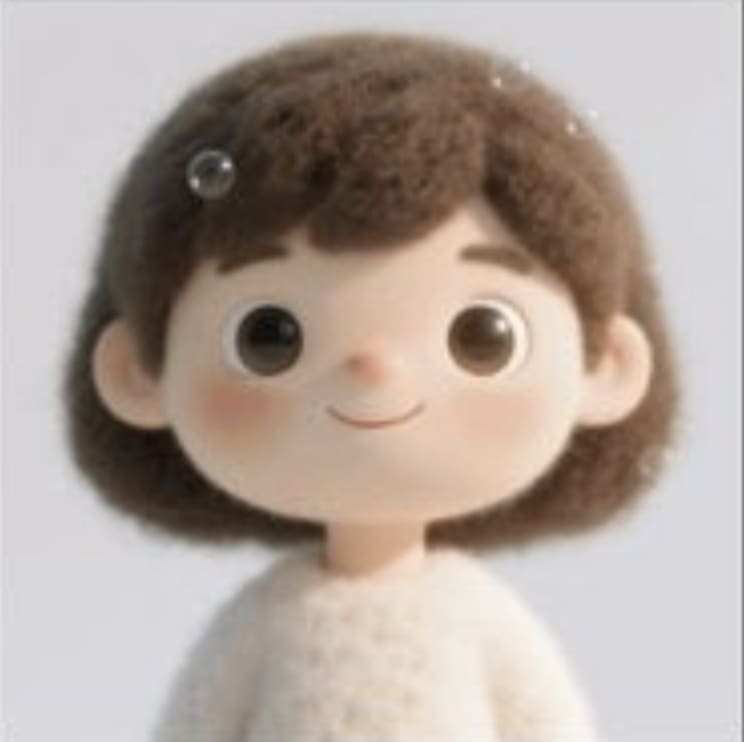"
},
"typeVersion": 1
},
{
"id": "01486147-0ddf-4055-9ebf-5bc6a884852c",
"name": "메모지4",
"type": "n8n-nodes-base.stickyNote",
"position": [
-40,
120
],
"parameters": {
"height": 300,
"content": "## Dalmation\n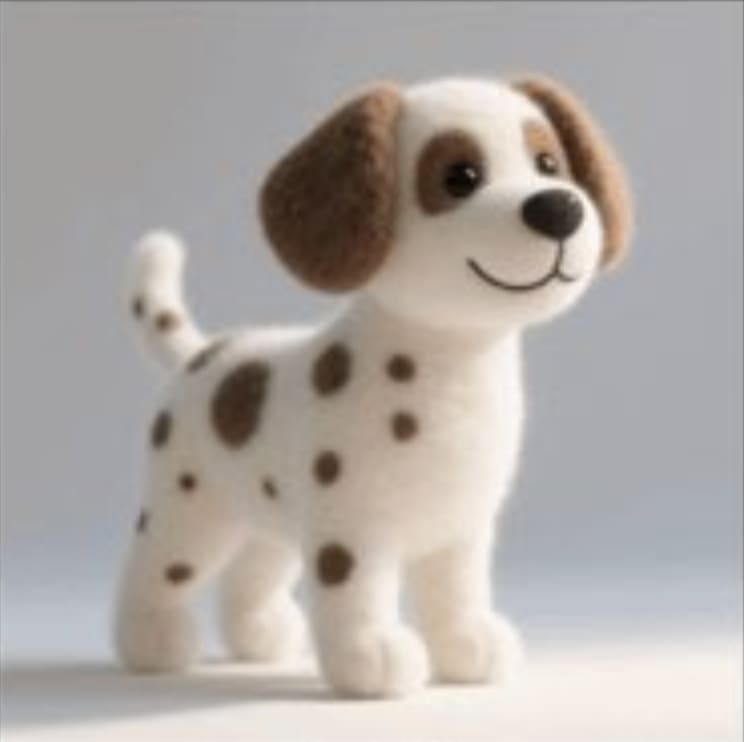"
},
"typeVersion": 1
},
{
"id": "e2153852-33b3-41dc-adcf-122027ada5a6",
"name": "메모지5",
"type": "n8n-nodes-base.stickyNote",
"position": [
-180,
520
],
"parameters": {
"height": 300,
"content": "## Sofa\n"
},
"typeVersion": 1
},
{
"id": "510619c4-1e9c-4466-95f1-5eaa72d6ecc5",
"name": "소파",
"type": "n8n-nodes-base.httpRequest",
"position": [
100,
520
],
"parameters": {
"url": "https://res.cloudinary.com/daglih2g8/image/upload/f_auto,q_auto/v1/n8n-workflows/nyghscauxtcfl4dve6of",
"options": {}
},
"typeVersion": 4.2
},
{
"id": "522cdb05-558c-4bd4-a4af-1a400bc641f9",
"name": "메모지6",
"type": "n8n-nodes-base.stickyNote",
"position": [
300,
60
],
"parameters": {
"color": 7,
"width": 680,
"height": 460,
"content": "## 1. Convert Separate Images to Base64 Strings\n[Read more about the Extract from File node](https://docs.n8n.io/integrations/builtin/core-nodes/n8n-nodes-base.extractfromfile)\n\nTo use our images in this workflow, we will need to convert the binary data to base64 strings. This is later passed to the Gemini API to work on."
},
"typeVersion": 1
},
{
"id": "ce28bdf0-a03e-486c-9dd4-2aeb0896519e",
"name": "메모지7",
"type": "n8n-nodes-base.stickyNote",
"position": [
-1080,
-220
],
"parameters": {
"width": 460,
"height": 960,
"content": "## Try It Out!\n### This n8n template demonstrates how to use AI to compose or \"stitch\" separate images together to generate a new image which retains the source assets and consistent style.\n\nUse cases are many: Try producing storyboard scenes with consistent characters, marketing material with existing product assets or trying on different articles on fashion!\n\n### How it works\n* We'll import our required assets via our Cloud storage using the HTTP node.\n* The images are then converted to base64 strings and aggregated so we can use it for our AI model.\n* Gemini's image generation model is used which takes all 3 images and a prompt that we define. Our prompt instructs the model on how to compose the final image.\n* Gemini generates a new image but uses the original 3 assets to do so. The consistency to the source images is very high and shows little signs of hallucinations!\n* Gemini's output is base64 so we use a \"Convert to file\" node to convert the data to binary.\n* The final binary image is then uploaded to Google Drive to complete the demonstration.\n\n### How to use\n* The manual trigger node is used as an example but feel free to replace this with other triggers such as webhook or even a form.\n* Technically, you should be able to compose even more images but of course, the generation will take longer and cost more.\n\n### Requirements\n* Gemini account for LLM and Image generation\n* Google drive for upload\n\n\n### Need Help?\nJoin the [Discord](https://discord.com/invite/XPKeKXeB7d) or ask in the [Forum](https://community.n8n.io/)!\n\nHappy Hacking!"
},
"typeVersion": 1
},
{
"id": "086cae2e-3b21-4262-917d-9d9f261d20d6",
"name": "Gemini 이미지 합성",
"type": "n8n-nodes-base.httpRequest",
"position": [
1180,
320
],
"parameters": {
"url": "https://generativelanguage.googleapis.com/v1beta/models/gemini-2.0-flash-preview-image-generation:generateContent",
"method": "POST",
"options": {},
"jsonBody": "={\n \"contents\": [\n {\n \"parts\": [\n {\n \"text\": \"The character is sitting on the sofa, and the dalmation is lying on the blanket sleeping on the floor. Retain the image style of the character image.\"\n },\n {\n \"inline_data\": {\n \"mime_type\": \"image/png\",\n \"data\": \"{{ $json.data[0].data }}\"\n }\n },\n {\n \"inline_data\": {\n \"mime_type\": \"image/png\",\n \"data\": \"{{ $json.data[1].data }}\"\n }\n },\n {\n \"inline_data\": {\n \"mime_type\": \"image/png\",\n \"data\": \"{{ $json.data[2].data }}\"\n }\n }\n ]\n }\n ],\n \"generationConfig\": {\n \"responseModalities\": [\n \"TEXT\",\n \"IMAGE\"\n ]\n }\n}",
"sendBody": true,
"specifyBody": "json",
"authentication": "predefinedCredentialType",
"nodeCredentialType": "googlePalmApi"
},
"credentials": {
"googlePalmApi": {
"id": "dSxo6ns5wn658r8N",
"name": "Google Gemini(PaLM) Api account"
}
},
"typeVersion": 4.2
},
{
"id": "48127e5f-441a-4c46-9c96-3953e26ae092",
"name": "메모지8",
"type": "n8n-nodes-base.stickyNote",
"position": [
-1080,
760
],
"parameters": {
"color": 5,
"width": 460,
"height": 140,
"content": "### Geo Restrictions!\nPlease note at time of writing, the Gemini Image Generation model is restricted to certain countries and regions. If you're getting model not found errors, it's possible the model may not be available in your country!"
},
"typeVersion": 1
}
],
"pinData": {},
"connections": {
"510619c4-1e9c-4466-95f1-5eaa72d6ecc5": {
"main": [
[
{
"node": "c41e5653-bd37-4b17-9226-e9edf3d58899",
"type": "main",
"index": 2
}
]
]
},
"c41e5653-bd37-4b17-9226-e9edf3d58899": {
"main": [
[
{
"node": "f6f9410f-f3ef-4b7b-88fe-774c30fe4e29",
"type": "main",
"index": 0
}
]
]
},
"cd489b5f-0447-4d3e-84d1-a22142d02708": {
"main": [
[
{
"node": "c41e5653-bd37-4b17-9226-e9edf3d58899",
"type": "main",
"index": 0
}
]
]
},
"74e05106-26c0-4d59-adf9-274f2a1ddd7b": {
"main": [
[
{
"node": "c41e5653-bd37-4b17-9226-e9edf3d58899",
"type": "main",
"index": 1
}
]
]
},
"0fe5cc27-e378-4a62-8477-1b666c4dcbe6": {
"main": [
[
{
"node": "086cae2e-3b21-4262-917d-9d9f261d20d6",
"type": "main",
"index": 0
}
]
]
},
"8a87bcea-7b60-46d8-9070-380397d9d0d8": {
"main": [
[
{
"node": "e23db650-d0fa-4d87-87ea-3ab2e78292d8",
"type": "main",
"index": 0
}
]
]
},
"f6f9410f-f3ef-4b7b-88fe-774c30fe4e29": {
"main": [
[
{
"node": "0fe5cc27-e378-4a62-8477-1b666c4dcbe6",
"type": "main",
"index": 0
}
]
]
},
"fdd66c07-8168-4f94-8ff5-ba4ceed476a9": {
"main": [
[
{
"node": "8a87bcea-7b60-46d8-9070-380397d9d0d8",
"type": "main",
"index": 0
}
]
]
},
"086cae2e-3b21-4262-917d-9d9f261d20d6": {
"main": [
[
{
"node": "fdd66c07-8168-4f94-8ff5-ba4ceed476a9",
"type": "main",
"index": 0
}
]
]
},
"bd94ff7b-0f66-45f7-bbab-bb2be0406532": {
"main": [
[
{
"node": "74e05106-26c0-4d59-adf9-274f2a1ddd7b",
"type": "main",
"index": 0
},
{
"node": "510619c4-1e9c-4466-95f1-5eaa72d6ecc5",
"type": "main",
"index": 0
},
{
"node": "cd489b5f-0447-4d3e-84d1-a22142d02708",
"type": "main",
"index": 0
}
]
]
}
}
}자주 묻는 질문
이 워크플로우를 어떻게 사용하나요?
위의 JSON 구성 코드를 복사하여 n8n 인스턴스에서 새 워크플로우를 생성하고 "JSON에서 가져오기"를 선택한 후, 구성을 붙여넣고 필요에 따라 인증 설정을 수정하세요.
이 워크플로우는 어떤 시나리오에 적합한가요?
고급 - 디자인, 인공지능, 마케팅
유료인가요?
이 워크플로우는 완전히 무료이며 직접 가져와 사용할 수 있습니다. 다만, 워크플로우에서 사용하는 타사 서비스(예: OpenAI API)는 사용자 직접 비용을 지불해야 할 수 있습니다.
관련 워크플로우 추천
n8n과 Gemini AI 이미지 편집을 기반으로 한 이미지 복구 서비스 구축
n8n과 Gemini AI 이미지 편집을 기반으로 한 이미지 복구 서비스 구축
Set
Split Out
Google Drive
+
Set
Split Out
Google Drive
17 노드Jimleuk
디자인
AI를 사용한 브랜드 스타일 블로그 생성 자동화
AI를 사용한 브랜드 스타일 블로그 생성 자동화
Set
Html
Limit
+
Set
Html
Limit
27 노드Jimleuk
인공지능
ComfyUI를 사용하여 AI 미디어 생성: 이미지, 비디오, 3D 및 오디오 브리지
ComfyUI를 사용하여 AI 미디어 생성: 이미지, 비디오, 3D 및 오디오 브리지
If
Set
Code
+
If
Set
Code
51 노드Nielo
디자인
AI 기반 YouTube 숏폼 비디오 자동화: OpenAI와 ElevenLabs를 사용한 생성 및 게시
AI 기반 YouTube Shorts 생성기(OpenAI 스크립트 및 ElevenLabs 보이스)
If
Set
Wait
+
If
Set
Wait
76 노드WIKIPILOT
디자인
에피소드 8: Instagram 인플루언서
GPT-4.1, Supabase 및 인공 승인을 활용한 Instagram 인플루언서 콘텐츠 자동화
If
Set
Gmail
+
If
Set
Gmail
55 노드NICKYAI
디자인
자동화 블로그 작성 및 소셜 미디어 프로모션 에이전트
GPT-4, Perplexity 및 WordPress를 사용한 SEO 블로그 생성 + 소셜 미디어 자동화
Set
Code
Gmail
+
Set
Code
Gmail
79 노드LukaszB
디자인
워크플로우 정보
난이도
고급
노드 수20
카테고리3
노드 유형9
저자

Jimleuk
@jimleukFreelance consultant based in the UK specialising in AI-powered automations. I work with select clients tackling their most challenging projects. For business enquiries, send me an email at hello@jimle.uk LinkedIn: https://www.linkedin.com/in/jimleuk/ X/Twitter: https://x.com/jimle_uk
외부 링크
n8n.io에서 보기 →
이 워크플로우 공유