Supabase 스토리지 내 파일과 대화하는 AI 에이전트
이것은Engineering, DevOps, Product, AI, IT Ops분야의자동화 워크플로우로, 33개의 노드를 포함합니다.주로 If, Merge, Switch, Supabase, Aggregate 등의 노드를 사용하며인공지능 기술을 결합하여 스마트 자동화를 구현합니다. 与Supabase存储中文件对话의AI스마트体
- •Supabase URL과 API Key
- •대상 API의 인증 정보가 필요할 수 있음
- •OpenAI API Key
사용된 노드 (33)
{
"meta": {
"instanceId": "6a2a7715680b8313f7cb4676321c5baa46680adfb913072f089f2766f42e43bd"
},
"nodes": [
{
"id": "f577f6bd-b1a4-48ec-9329-7bccc3fc1463",
"name": "모든 파일 가져오기",
"type": "n8n-nodes-base.httpRequest",
"position": [
400,
-100
],
"parameters": {
"url": "=https://yqtvdcvjboenlblgcivl.supabase.co/storage/v1/object/list/private",
"method": "POST",
"options": {},
"jsonBody": "={\n \"prefix\": \"\",\n \"limit\": 100,\n \"offset\": 0,\n \"sortBy\": {\n \"column\": \"name\",\n \"order\": \"asc\"\n }\n}",
"sendBody": true,
"specifyBody": "json",
"authentication": "predefinedCredentialType",
"nodeCredentialType": "supabaseApi"
},
"credentials": {
"supabaseApi": {
"id": "t8AQJzvZvrOMDLec",
"name": "Supabase account My Airtable Gen"
}
},
"typeVersion": 4.2
},
{
"id": "10693bc8-560d-4cf6-8bd0-2fe3f4d863d1",
"name": "기본 데이터 로더",
"type": "@n8n/n8n-nodes-langchain.documentDefaultDataLoader",
"position": [
1780,
100
],
"parameters": {
"options": {
"metadata": {
"metadataValues": [
{
"name": "=file_id",
"value": "={{ $json.id }}"
}
]
}
},
"jsonData": "={{ $('Merge').item.json.data ?? $('Merge').item.json.text }}",
"jsonMode": "expressionData"
},
"typeVersion": 1
},
{
"id": "49428060-e707-4269-8344-77b301f56f7c",
"name": "재귀적 문자 텍스트 분할기",
"type": "@n8n/n8n-nodes-langchain.textSplitterRecursiveCharacterTextSplitter",
"position": [
1780,
280
],
"parameters": {
"options": {},
"chunkSize": 500,
"chunkOverlap": 200
},
"typeVersion": 1
},
{
"id": "08742063-e235-4874-a128-b352786b19ce",
"name": "PDF 문서 추출",
"type": "n8n-nodes-base.extractFromFile",
"position": [
1240,
0
],
"parameters": {
"options": {},
"operation": "pdf"
},
"typeVersion": 1,
"alwaysOutputData": false
},
{
"id": "21f19360-d7ce-4106-ae5a-aa0f15b7c4aa",
"name": "OpenAI 임베딩",
"type": "@n8n/n8n-nodes-langchain.embeddingsOpenAi",
"position": [
1600,
80
],
"parameters": {
"model": "text-embedding-3-small",
"options": {}
},
"credentials": {
"openAiApi": {
"id": "fLfRtaXbR0EVD0pl",
"name": "OpenAi account"
}
},
"typeVersion": 1
},
{
"id": "4147409f-8686-418f-b979-04f8c8e7fe42",
"name": "파일 레코드 생성2",
"type": "n8n-nodes-base.supabase",
"position": [
1540,
-100
],
"parameters": {
"tableId": "files",
"fieldsUi": {
"fieldValues": [
{
"fieldId": "name",
"fieldValue": "={{ $('Loop Over Items').item.json.name }}"
},
{
"fieldId": "storage_id",
"fieldValue": "={{ $('Loop Over Items').item.json.id }}"
}
]
}
},
"credentials": {
"supabaseApi": {
"id": "t8AQJzvZvrOMDLec",
"name": "Supabase account My Airtable Gen"
}
},
"typeVersion": 1
},
{
"id": "016f1afe-172b-4609-b451-8d67609214d3",
"name": "조건문",
"type": "n8n-nodes-base.if",
"position": [
720,
-100
],
"parameters": {
"options": {},
"conditions": {
"options": {
"version": 2,
"leftValue": "",
"caseSensitive": true,
"typeValidation": "strict"
},
"combinator": "and",
"conditions": [
{
"id": "9b14e306-a04d-40f7-bc5b-b8eda8d8f7f2",
"operator": {
"type": "boolean",
"operation": "true",
"singleValue": true
},
"leftValue": "={{ \n !$('Aggregate').item.json.data || \n !Array.isArray($('Aggregate').item.json.data) || \n !$('Aggregate').item.json.data.some(item => \n item.storage_id === $('Loop Over Items').item.json.id \n ) \n}}",
"rightValue": ""
},
{
"id": "c3c0af88-9aea-4539-8948-1b69e601c27c",
"operator": {
"type": "string",
"operation": "notEquals"
},
"leftValue": "={{ $json.name }}",
"rightValue": ".emptyFolderPlaceholder"
}
]
}
},
"typeVersion": 2.2
},
{
"id": "75e8a7db-8c4a-4ad8-b902-062cbc93e1eb",
"name": "모든 파일 가져오기",
"type": "n8n-nodes-base.supabase",
"position": [
20,
-100
],
"parameters": {
"tableId": "files",
"operation": "getAll"
},
"credentials": {
"supabaseApi": {
"id": "t8AQJzvZvrOMDLec",
"name": "Supabase account My Airtable Gen"
}
},
"typeVersion": 1,
"alwaysOutputData": true
},
{
"id": "b22a3bab-f615-4d8a-8832-ce25b1a385fe",
"name": "다운로드",
"type": "n8n-nodes-base.httpRequest",
"position": [
900,
-100
],
"parameters": {
"url": "=https://yqtvdcvjboenlblgcivl.supabase.co/storage/v1/object/private/{{ $json.name }}",
"options": {},
"authentication": "predefinedCredentialType",
"nodeCredentialType": "supabaseApi"
},
"credentials": {
"supabaseApi": {
"id": "t8AQJzvZvrOMDLec",
"name": "Supabase account My Airtable Gen"
}
},
"typeVersion": 4.2
},
{
"id": "50d1fede-4bd0-4cd4-b74a-7d689fe211cc",
"name": "항목 반복 처리",
"type": "n8n-nodes-base.splitInBatches",
"position": [
560,
-100
],
"parameters": {
"options": {},
"batchSize": "=1"
},
"typeVersion": 3
},
{
"id": "f9c23b5e-0b40-4886-b54f-59fb46132d3f",
"name": "'워크플로 테스트' 클릭 시",
"type": "n8n-nodes-base.manualTrigger",
"position": [
-160,
-100
],
"parameters": {},
"typeVersion": 1
},
{
"id": "0a0ec290-2c3d-40ba-8d03-6abf75202e73",
"name": "집계",
"type": "n8n-nodes-base.aggregate",
"position": [
220,
-100
],
"parameters": {
"options": {},
"aggregate": "aggregateAllItemData"
},
"typeVersion": 1,
"alwaysOutputData": true
},
{
"id": "32b3e2e1-2d25-4dd1-93e8-3f693beb7b6f",
"name": "채팅 메시지 수신 시",
"type": "@n8n/n8n-nodes-langchain.chatTrigger",
"position": [
800,
-1020
],
"webhookId": "3c40d311-7996-4ed4-b2fa-c73bea5f4cf5",
"parameters": {
"options": {}
},
"typeVersion": 1.1
},
{
"id": "79073b5c-a4ad-45a6-bbfa-e900a05bfde3",
"name": "OpenAI 채팅 모델1",
"type": "@n8n/n8n-nodes-langchain.lmChatOpenAi",
"position": [
940,
-820
],
"parameters": {
"options": {}
},
"credentials": {
"openAiApi": {
"id": "zJhr5piyEwVnWtaI",
"name": "OpenAi club"
}
},
"typeVersion": 1
},
{
"id": "f8663483-76d5-4fc8-ad07-7eec815ff7a6",
"name": "OpenAI 임베딩2",
"type": "@n8n/n8n-nodes-langchain.embeddingsOpenAi",
"position": [
1020,
-540
],
"parameters": {
"model": "text-embedding-3-small",
"options": {}
},
"credentials": {
"openAiApi": {
"id": "SphXAX7rlwRLkiox",
"name": "Test club key"
}
},
"typeVersion": 1
},
{
"id": "a1458799-d379-46de-93e6-a5ba0c665163",
"name": "OpenAI 채팅 모델2",
"type": "@n8n/n8n-nodes-langchain.lmChatOpenAi",
"position": [
1300,
-680
],
"parameters": {
"options": {}
},
"credentials": {
"openAiApi": {
"id": "SphXAX7rlwRLkiox",
"name": "Test club key"
}
},
"typeVersion": 1
},
{
"id": "d6eeda2f-c984-406d-a625-726840308413",
"name": "벡터 저장소 도구1",
"type": "@n8n/n8n-nodes-langchain.toolVectorStore",
"position": [
1100,
-820
],
"parameters": {
"name": "knowledge_base",
"topK": 8,
"description": "Retrieve data about user request"
},
"typeVersion": 1
},
{
"id": "e1d9a348-7d44-4ad1-adbd-2c9a31e06876",
"name": "스위치",
"type": "n8n-nodes-base.switch",
"position": [
1060,
-100
],
"parameters": {
"rules": {
"values": [
{
"outputKey": "txt",
"conditions": {
"options": {
"version": 1,
"leftValue": "",
"caseSensitive": true,
"typeValidation": "strict"
},
"combinator": "and",
"conditions": [
{
"operator": {
"type": "boolean",
"operation": "true",
"singleValue": true
},
"leftValue": "={{$binary.data?.fileExtension == undefined }}",
"rightValue": "txt"
}
]
},
"renameOutput": true
},
{
"outputKey": "pdf",
"conditions": {
"options": {
"version": 1,
"leftValue": "",
"caseSensitive": true,
"typeValidation": "strict"
},
"combinator": "and",
"conditions": [
{
"id": "bf04cbec-dd86-4607-988f-4c96b6fd4b58",
"operator": {
"type": "string",
"operation": "equals"
},
"leftValue": "={{$binary.data.fileExtension }}",
"rightValue": "pdf"
}
]
},
"renameOutput": true
}
]
},
"options": {}
},
"typeVersion": 3.1
},
{
"id": "d38afb92-87ae-4e2a-a712-ec24b1efd105",
"name": "Supabase 벡터 저장소에 삽입",
"type": "@n8n/n8n-nodes-langchain.vectorStoreSupabase",
"position": [
1700,
-100
],
"parameters": {
"mode": "insert",
"options": {
"queryName": "match_documents"
},
"tableName": {
"__rl": true,
"mode": "list",
"value": "documents",
"cachedResultName": "documents"
}
},
"credentials": {
"supabaseApi": {
"id": "t8AQJzvZvrOMDLec",
"name": "Supabase account My Airtable Gen"
}
},
"typeVersion": 1
},
{
"id": "1a903b2e-cab0-4798-b820-ec08d6a71ddd",
"name": "병합",
"type": "n8n-nodes-base.merge",
"position": [
1380,
-100
],
"parameters": {},
"typeVersion": 3
},
{
"id": "3afd552e-4995-493e-9cd5-ef496dfe359f",
"name": "AI 에이전트",
"type": "@n8n/n8n-nodes-langchain.agent",
"position": [
1020,
-1020
],
"parameters": {
"options": {}
},
"typeVersion": 1.7
},
{
"id": "d9688acc-311b-42fd-afa8-2c0e493be34b",
"name": "Supabase 벡터 저장소",
"type": "@n8n/n8n-nodes-langchain.vectorStoreSupabase",
"position": [
1020,
-660
],
"parameters": {
"options": {
"metadata": {
"metadataValues": [
{
"name": "file_id",
"value": "300b0128-0955-4058-b0d3-a9aefe728432"
}
]
}
},
"tableName": {
"__rl": true,
"mode": "list",
"value": "documents",
"cachedResultName": "documents"
}
},
"credentials": {
"supabaseApi": {
"id": "t8AQJzvZvrOMDLec",
"name": "Supabase account My Airtable Gen"
}
},
"typeVersion": 1
},
{
"id": "66df007c-0418-4551-950e-32e7d79840bd",
"name": "스티키 노트",
"type": "n8n-nodes-base.stickyNote",
"position": [
340,
-220
],
"parameters": {
"height": 89.3775420487804,
"content": "### Replace Storage name, database ID and credentials."
},
"typeVersion": 1
},
{
"id": "b164b520-20dd-44a4-aa3b-647391786b20",
"name": "스티키 노트1",
"type": "n8n-nodes-base.stickyNote",
"position": [
-20,
-220
],
"parameters": {
"height": 80,
"content": "### Replace credentials."
},
"typeVersion": 1
},
{
"id": "8688c219-5af4-4e54-9fd1-91851829445b",
"name": "스티키 노트2",
"type": "n8n-nodes-base.stickyNote",
"position": [
1540,
-220
],
"parameters": {
"height": 80,
"content": "### Replace credentials."
},
"typeVersion": 1
},
{
"id": "45c6ece4-f849-4496-8149-31385f5e36a4",
"name": "스티키 노트3",
"type": "n8n-nodes-base.stickyNote",
"position": [
840,
-220
],
"parameters": {
"height": 89.3775420487804,
"content": "### Replace Storage name, database ID and credentials."
},
"typeVersion": 1
},
{
"id": "2ca07cb0-b5f4-4761-b954-faf2131872d9",
"name": "스티키 노트4",
"type": "n8n-nodes-base.stickyNote",
"position": [
1500,
220
],
"parameters": {
"height": 80,
"content": "### Replace credentials."
},
"typeVersion": 1
},
{
"id": "8d682dae-6f88-42f0-a717-affffd37d882",
"name": "스티키 노트5",
"type": "n8n-nodes-base.stickyNote",
"position": [
1140,
-520
],
"parameters": {
"height": 80,
"content": "### Replace credentials."
},
"typeVersion": 1
},
{
"id": "796b5dca-d60e-43a9-afe8-194244643557",
"name": "스티키 노트9",
"type": "n8n-nodes-base.stickyNote",
"position": [
-520,
-940
],
"parameters": {
"color": 7,
"width": 330.5152611046425,
"height": 239.5888196628349,
"content": "### ... or watch set up video [10 min]\n[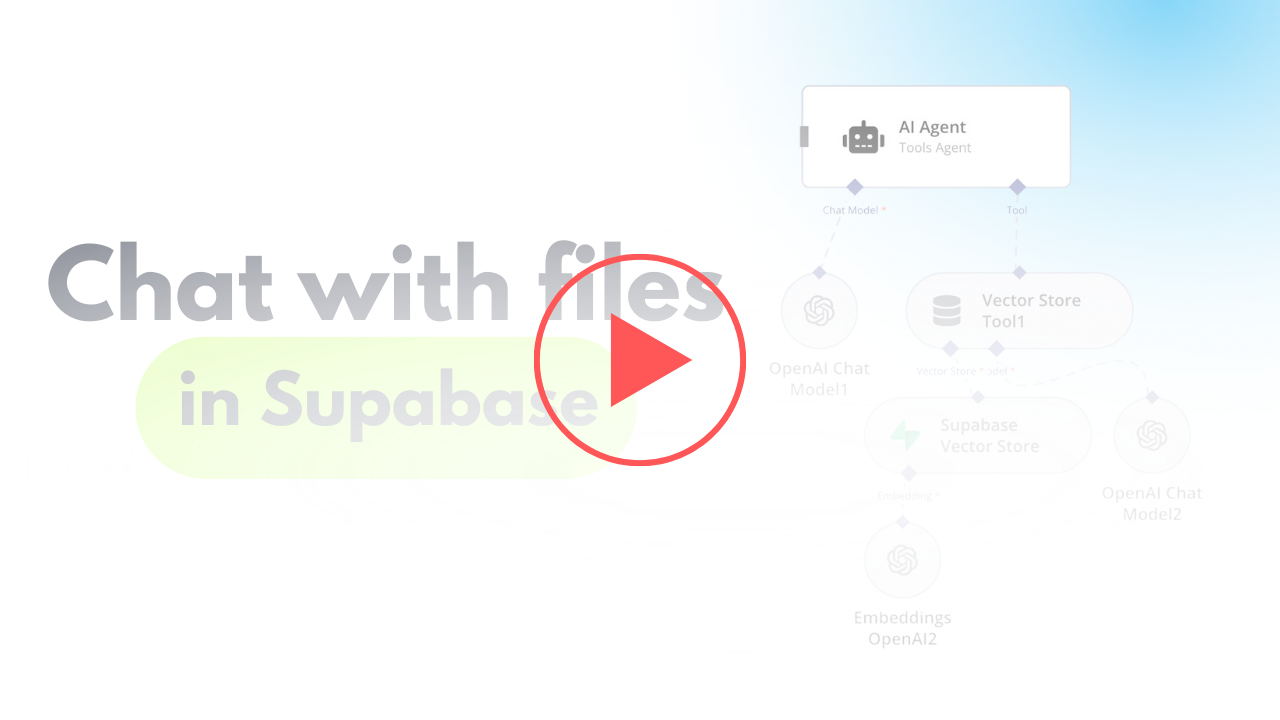](https://www.youtube.com/watch?v=glWUkdZe_3w)\n"
},
"typeVersion": 1
},
{
"id": "eba121de-a3f7-4ba5-8396-f7d64e648322",
"name": "스티키 노트7",
"type": "n8n-nodes-base.stickyNote",
"position": [
-820,
-1460
],
"parameters": {
"color": 7,
"width": 636.2128494576581,
"height": 497.1532689930921,
"content": "\n## AI Agent To Chat With Files In Supabase Storage\n**Made by [Mark Shcherbakov](https://www.linkedin.com/in/marklowcoding/) from community [5minAI](https://www.skool.com/5minai-2861)**\n\nManually retrieving and analyzing specific information from large document repositories is time-consuming and inefficient. This workflow automates the process by vectorizing documents and enabling AI-powered interactions, making it easy to query and retrieve context-based information from uploaded files.\n\nThe workflow integrates Supabase with an AI-powered chatbot to process, store, and query text and PDF files. The steps include:\n- Fetching and comparing files to avoid duplicate processing.\n- Handling file downloads and extracting content based on the file type.\n- Converting documents into vectorized data for contextual information retrieval.\n- Storing and querying vectorized data from a Supabase vector store.\n\n"
},
"typeVersion": 1
},
{
"id": "df054036-d6b9-4f53-86cb-85ad96f07d0e",
"name": "스티키 노트6",
"type": "n8n-nodes-base.stickyNote",
"position": [
-820,
-940
],
"parameters": {
"color": 7,
"width": 280.2462120317618,
"height": 545.9087885077763,
"content": "### Set up steps\n\n1. **Fetch File List from Supabase**:\n - Use Supabase to retrieve the stored file list from a specified bucket.\n - Add logic to manage empty folder placeholders returned by Supabase, avoiding incorrect processing.\n\n2. **Compare and Filter Files**:\n - Aggregate the files retrieved from storage and compare them to the existing list in the Supabase `files` table.\n - Exclude duplicates and skip placeholder files to ensure only unprocessed files are handled.\n\n3. **Handle File Downloads**:\n - Download new files using detailed storage configurations for public/private access.\n - Adjust the storage settings and GET requests to match your Supabase setup.\n\n4. **File Type Processing**:\n - Use a Switch node to target specific file types (e.g., PDFs or text files).\n - Employ relevant tools to process the content:\n - For PDFs, extract embedded content.\n - For text files, directly process the text data.\n\n5. **Content Chunking**:\n - Break large text data into smaller chunks using the Text Splitter node.\n - Define chunk size (default: 500 tokens) and overlap to retain necessary context across chunks.\n\n6. **Vector Embedding Creation**:\n - Generate vectorized embeddings for the processed content using OpenAI's embedding tools.\n - Ensure metadata, such as file ID, is included for easy data retrieval.\n\n7. **Store Vectorized Data**:\n - Save the vectorized information into a dedicated Supabase vector store.\n - Use the default schema and table provided by Supabase for seamless setup.\n\n8. **AI Chatbot Integration**:\n - Add a chatbot node to handle user input and retrieve relevant document chunks.\n - Use metadata like file ID for targeted queries, especially when multiple documents are involved."
},
"typeVersion": 1
},
{
"id": "450a1e49-4be9-451a-9d05-2860e29c3695",
"name": "스티키 노트8",
"type": "n8n-nodes-base.stickyNote",
"position": [
540,
-1160
],
"parameters": {
"color": 5,
"width": 951.7421645394404,
"height": 809.7437181509877,
"content": "## Scenario 2 - AI agent"
},
"typeVersion": 1
},
{
"id": "c3814c5d-8881-4598-897e-268019bee1bc",
"name": "스티키 노트10",
"type": "n8n-nodes-base.stickyNote",
"position": [
-260,
-280
],
"parameters": {
"color": 5,
"width": 2304.723519246249,
"height": 739.2522526116408,
"content": "## Scenario 1 - Flow for adding new files from Supabase storage"
},
"typeVersion": 1
}
],
"pinData": {},
"connections": {
"016f1afe-172b-4609-b451-8d67609214d3": {
"main": [
[
{
"node": "b22a3bab-f615-4d8a-8832-ce25b1a385fe",
"type": "main",
"index": 0
}
],
[
{
"node": "50d1fede-4bd0-4cd4-b74a-7d689fe211cc",
"type": "main",
"index": 0
}
]
]
},
"1a903b2e-cab0-4798-b820-ec08d6a71ddd": {
"main": [
[
{
"node": "4147409f-8686-418f-b979-04f8c8e7fe42",
"type": "main",
"index": 0
}
]
]
},
"e1d9a348-7d44-4ad1-adbd-2c9a31e06876": {
"main": [
[
{
"node": "1a903b2e-cab0-4798-b820-ec08d6a71ddd",
"type": "main",
"index": 0
}
],
[
{
"node": "08742063-e235-4874-a128-b352786b19ce",
"type": "main",
"index": 0
}
]
]
},
"b22a3bab-f615-4d8a-8832-ce25b1a385fe": {
"main": [
[
{
"node": "e1d9a348-7d44-4ad1-adbd-2c9a31e06876",
"type": "main",
"index": 0
}
]
]
},
"0a0ec290-2c3d-40ba-8d03-6abf75202e73": {
"main": [
[
{
"node": "75e8a7db-8c4a-4ad8-b902-062cbc93e1eb",
"type": "main",
"index": 0
}
]
]
},
"75e8a7db-8c4a-4ad8-b902-062cbc93e1eb": {
"main": [
[
{
"node": "50d1fede-4bd0-4cd4-b74a-7d689fe211cc",
"type": "main",
"index": 0
}
]
]
},
"50d1fede-4bd0-4cd4-b74a-7d689fe211cc": {
"main": [
null,
[
{
"node": "016f1afe-172b-4609-b451-8d67609214d3",
"type": "main",
"index": 0
}
]
]
},
"21f19360-d7ce-4106-ae5a-aa0f15b7c4aa": {
"ai_embedding": [
[
{
"node": "d38afb92-87ae-4e2a-a712-ec24b1efd105",
"type": "ai_embedding",
"index": 0
}
]
]
},
"f8663483-76d5-4fc8-ad07-7eec815ff7a6": {
"ai_embedding": [
[
{
"node": "d9688acc-311b-42fd-afa8-2c0e493be34b",
"type": "ai_embedding",
"index": 0
}
]
]
},
"79073b5c-a4ad-45a6-bbfa-e900a05bfde3": {
"ai_languageModel": [
[
{
"node": "3afd552e-4995-493e-9cd5-ef496dfe359f",
"type": "ai_languageModel",
"index": 0
}
]
]
},
"a1458799-d379-46de-93e6-a5ba0c665163": {
"ai_languageModel": [
[
{
"node": "d6eeda2f-c984-406d-a625-726840308413",
"type": "ai_languageModel",
"index": 0
}
]
]
},
"d6eeda2f-c984-406d-a625-726840308413": {
"ai_tool": [
[
{
"node": "3afd552e-4995-493e-9cd5-ef496dfe359f",
"type": "ai_tool",
"index": 0
}
]
]
},
"4147409f-8686-418f-b979-04f8c8e7fe42": {
"main": [
[
{
"node": "d38afb92-87ae-4e2a-a712-ec24b1efd105",
"type": "main",
"index": 0
}
]
]
},
"10693bc8-560d-4cf6-8bd0-2fe3f4d863d1": {
"ai_document": [
[
{
"node": "d38afb92-87ae-4e2a-a712-ec24b1efd105",
"type": "ai_document",
"index": 0
}
]
]
},
"08742063-e235-4874-a128-b352786b19ce": {
"main": [
[
{
"node": "1a903b2e-cab0-4798-b820-ec08d6a71ddd",
"type": "main",
"index": 1
}
]
]
},
"d9688acc-311b-42fd-afa8-2c0e493be34b": {
"ai_vectorStore": [
[
{
"node": "d6eeda2f-c984-406d-a625-726840308413",
"type": "ai_vectorStore",
"index": 0
}
]
]
},
"32b3e2e1-2d25-4dd1-93e8-3f693beb7b6f": {
"main": [
[
{
"node": "3afd552e-4995-493e-9cd5-ef496dfe359f",
"type": "main",
"index": 0
}
]
]
},
"d38afb92-87ae-4e2a-a712-ec24b1efd105": {
"main": [
[
{
"node": "50d1fede-4bd0-4cd4-b74a-7d689fe211cc",
"type": "main",
"index": 0
}
]
]
},
"49428060-e707-4269-8344-77b301f56f7c": {
"ai_textSplitter": [
[
{
"node": "10693bc8-560d-4cf6-8bd0-2fe3f4d863d1",
"type": "ai_textSplitter",
"index": 0
}
]
]
},
"f9c23b5e-0b40-4886-b54f-59fb46132d3f": {
"main": [
[
{
"node": "75e8a7db-8c4a-4ad8-b902-062cbc93e1eb",
"type": "main",
"index": 0
}
]
]
}
}
}이 워크플로우를 어떻게 사용하나요?
위의 JSON 구성 코드를 복사하여 n8n 인스턴스에서 새 워크플로우를 생성하고 "JSON에서 가져오기"를 선택한 후, 구성을 붙여넣고 필요에 따라 인증 설정을 수정하세요.
이 워크플로우는 어떤 시나리오에 적합한가요?
고급 - 엔지니어링, 데브옵스, 제품, 인공지능, IT 운영
유료인가요?
이 워크플로우는 완전히 무료이며 직접 가져와 사용할 수 있습니다. 다만, 워크플로우에서 사용하는 타사 서비스(예: OpenAI API)는 사용자 직접 비용을 지불해야 할 수 있습니다.
관련 워크플로우 추천

Mark Shcherbakov
@lowcodingdevI am a business analyst with a development background, dedicated to helping small businesses and entrepreneurs leverage cloud services for increased efficiency. My expertise lies in automating manual workflows, integrating data from multiple cloud service providers, creating insightful dashboards, and building custom CRM systems.
이 워크플로우 공유