UGC Nano Banana
上級
これはContent Creation, Multimodal AI分野の自動化ワークフローで、17個のノードを含みます。主にSet, SplitOut, GoogleDrive, HttpRequest, SplitInBatchesなどのノードを使用。 Nano Bananaを使って高品質のUGC画像を作成(より安く、より速く)
前提条件
- •Google Drive API認証情報
- •ターゲットAPIの認証情報が必要な場合あり
使用ノード (17)
ワークフロープレビュー
ノード接続関係を可視化、ズームとパンをサポート
ワークフローをエクスポート
以下のJSON設定をn8nにインポートして、このワークフローを使用できます
{
"id": "",
"meta": {
"instanceId": "",
"templateCredsSetupCompleted": true
},
"name": "UGC Nano Banana",
"tags": [],
"nodes": [
{
"id": "Mistral-Cloud-Chat-Model-0",
"name": "Mistral Cloud Chat Model",
"type": "@n8n/n8n-nodes-langchain.lmChatMistralCloud",
"position": [
-192,
192
],
"parameters": {
"model": "mistral-large-latest",
"options": {}
},
"credentials": {
"mistralCloudApi": {
"id": "",
"name": "Mistral Cloud account"
}
},
"typeVersion": 1
},
{
"id": "Generate-Image-1",
"name": "Generate Image",
"type": "n8n-nodes-base.httpRequest",
"onError": "continueRegularOutput",
"position": [
496,
128
],
"parameters": {
"url": "https://fal.run/fal-ai/gemini-25-flash-image/edit",
"method": "POST",
"options": {},
"jsonBody": "={\n \"prompt\": \"{{ $json.prompt }}\",\n \"image_urls\": [\n\"https://drive.google.com/uc?export=view&id={{ $('Google Drive Trigger').first().json.id }}\"\n ],\n \"num_images\": 1,\n \"output_format\": \"jpeg\",\n \"sync_mode\": false\n} ",
"sendBody": true,
"sendHeaders": true,
"specifyBody": "json",
"headerParameters": {
"parameters": [
{
"name": "Authorization",
"value": "=Key {{ $('Setup').first().json.FalAPIKey }}"
},
{
"name": "Content-Type",
"value": "application/json"
}
]
}
},
"retryOnFail": false,
"typeVersion": 4.2
},
{
"id": "Google-Trigger-2",
"name": "Google ドライブ Trigger",
"type": "n8n-nodes-base.googleDriveTrigger",
"position": [
-592,
-16
],
"parameters": {
"event": "fileCreated",
"options": {},
"pollTimes": {
"item": [
{
"mode": "everyMinute"
}
]
},
"triggerOn": "specificFolder",
"folderToWatch": {
"__rl": true,
"mode": "list",
"value": "",
"cachedResultUrl": "https://drive.google.com/drive/folders/",
"cachedResultName": "UGC"
}
},
"credentials": {
"googleDriveOAuth2Api": {
"id": "",
"name": "Google Drive account"
}
},
"typeVersion": 1
},
{
"id": "--3",
"name": "ループ処理",
"type": "n8n-nodes-base.splitInBatches",
"position": [
352,
-16
],
"parameters": {
"options": {}
},
"typeVersion": 3
},
{
"id": "Upload-file-4",
"name": "Upload file",
"type": "n8n-nodes-base.googleDrive",
"position": [
864,
128
],
"parameters": {
"name": "={{ $('Google Drive Trigger').first().json.name.match(/^[^.]+/)[0].concat($('Loop Over Items').item.json.prompt_number) }}",
"driveId": {
"__rl": true,
"mode": "list",
"value": "My Drive"
},
"options": {},
"folderId": {
"__rl": true,
"mode": "list",
"value": "",
"cachedResultUrl": "https://drive.google.com/drive/folders/",
"cachedResultName": "UGC"
}
},
"credentials": {
"googleDriveOAuth2Api": {
"id": "",
"name": "Google Drive account"
}
},
"typeVersion": 3
},
{
"id": "--5",
"name": "構造化出力パーサー",
"type": "@n8n/n8n-nodes-langchain.outputParserStructured",
"position": [
-16,
192
],
"parameters": {
"jsonSchemaExample": "{\n \"ugc_prompts\": [\n {\n \"prompt_number\": \"integer\",\n \"prompt\": \"string\"\n }\n ]\n}\n"
},
"typeVersion": 1.3
},
{
"id": "-do-nothing-6",
"name": "操作なし, do nothing",
"type": "n8n-nodes-base.noOp",
"position": [
560,
-32
],
"parameters": {},
"typeVersion": 1
},
{
"id": "Retrieve-Image-7",
"name": "Retrieve Image",
"type": "n8n-nodes-base.httpRequest",
"position": [
672,
128
],
"parameters": {
"url": "={{ $json.images[0].url }}",
"options": {}
},
"typeVersion": 4.2
},
{
"id": "-up-8",
"name": "設定up",
"type": "n8n-nodes-base.set",
"position": [
-384,
-16
],
"parameters": {
"options": {},
"assignments": {
"assignments": [
{
"id": "",
"name": "FalAPIKey",
"type": "string",
"value": "[YOUR_API_KEY]"
}
]
}
},
"typeVersion": 3.4
},
{
"id": "Generate-Prompts-9",
"name": "Generate Prompts",
"type": "@n8n/n8n-nodes-langchain.chainLlm",
"position": [
-176,
-16
],
"parameters": {
"text": "You are an expert content creator specializing in UGC (User-Generated Content) style marketing images. ",
"batching": {},
"messages": {
"messageValues": [
{
"type": "HumanMessagePromptTemplate",
"message": "=The product the Promote is a {{ $('Google Drive Trigger').item.json.name.match(/^[^.]+/)[0] }}\n\nYour task is to generate 50 creative, diverse, and realistic situations prompts for an image-to-image generation model. Each prompt should describe a different situation or scenario where the product is being used. \n\nRequirements for each prompt:\n1. Specify the environment or setting (e.g., home, office, kitchen). \n2. Include a human or realistic context interacting with the product (e.g., holding it, using it, displaying it). \n3. Highlight at least one functionality or feature of the product in the scene. \n4. Keep the prompts concise (1–2 sentences), vivid, and visually descriptive. \n5. Maintain diversity: do not repeat the same type of scene. Include different times of day, moods, activities, or locations.\n\nOutput format (JSON array):\n{\n \"ugc_prompts\": [\n {\"prompt\": \"First prompt here...\"},\n {\"prompt\": \"Second prompt here...\"},\n ...\n {\"prompt\": \"Fiftieth prompt here...\"}\n ]\n}\n\nExample input: \nProduct: \"Smart Water Bottle\" \n\nExample output:\n{\n \"ugc_prompts\": [\n {\"prompt\": \"A young woman jogging in a park, drinking from the Smart Water Bottle, enjoying cold water on a sunny morning.\"},\n {\"prompt\": \"A man sitting at his office desk, checking water intake on his Smart Water Bottle synced with his phone.\"},\n {\"prompt\": \"A family hiking on a trail, each carrying a Smart Water Bottle to stay hydrated.\"},...\n ]\n}\n\nDON'T RETURN ANYTHING ELSE THAN THE JSON!"
}
]
},
"promptType": "define",
"hasOutputParser": true
},
"typeVersion": 1.7
},
{
"id": "--10",
"name": "分割出力",
"type": "n8n-nodes-base.splitOut",
"position": [
144,
-16
],
"parameters": {
"options": {},
"fieldToSplitOut": "output.ugc_prompts"
},
"typeVersion": 1
},
{
"id": "-6-11",
"name": "付箋6",
"type": "n8n-nodes-base.stickyNote",
"position": [
128,
-608
],
"parameters": {
"width": 700,
"height": 512,
"content": "## How to set up?\n### 1. Accounts & APIs\nIn the **Edit Field \"Setup\" Node** replace all **[YOUR_API_TOKEN]** with your API Token :\n- Fal.ai (gemini-25-flash-image/edit): https://fal.ai/models/fal-ai/gemini-25-flash-image/edit/api\n\nIn **Credentials** on your n8n Dashboard, connect the following accounts using **Client ID / Secret**: \n- Google Drive: https://docs.n8n.io/integrations/builtin/credentials/google/\n\n### 2. Requirements\n- Base Image of your Product preferably have a **White Background**\n- Your Google Drive Folder and every Files it contains should be **publicly available**\n\n### 3. Customizations\n- Change the amount of total UGC Generated: In Generate Prompts → Message → \"Your task is to generate 50\"\n- Modify the instructions to generate the UGC Prompts: In Generate Prompts → Message\n- Change the amount of Base Image: In Generate Image → Body Parameters → JSON → image_urls\n- Change the amount of UGC Generated per prompt: In Generate Image → Body Parameters → JSON → num_images\n- Modify the Folder where UGC Generated are stored: In Upload File → Parent Folder"
},
"typeVersion": 1
},
{
"id": "-5-12",
"name": "付箋5",
"type": "n8n-nodes-base.stickyNote",
"position": [
-400,
-608
],
"parameters": {
"width": 516,
"height": 512,
"content": "## How it works?\n**1 -** Trigger: Upload a new Product Image (with white background) to a Folder in your Google Drive\n**2 -** Generate 50 different Image Prompts for your Product\n**3 -** Loop over each Prompt Generated\n**4 -** Generate UGC Content thanks to Fal.ai (Nano Banana)\n**5 -** Upload UGC Content on the initial Google Drive Folder\n\n**📺 Youtube Video Tutorial :**\n[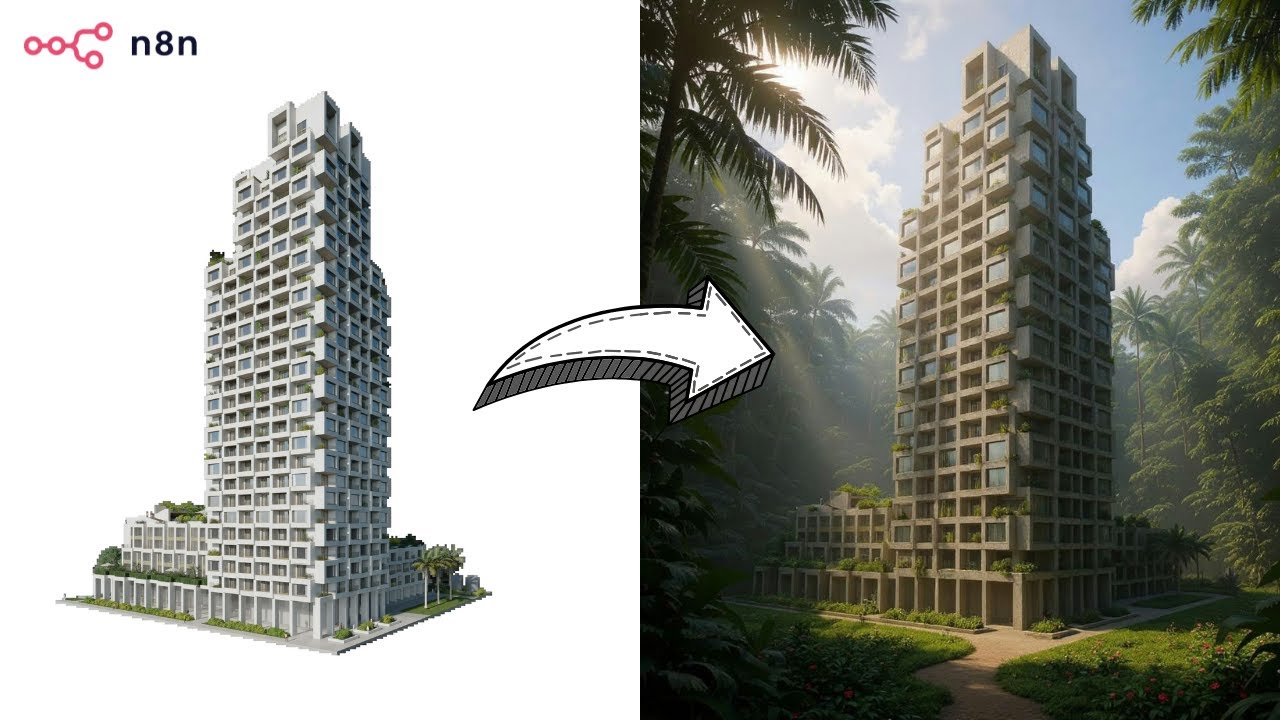](https://www.youtube.com/watch?v=0SVj70-dA0Q)"
},
"typeVersion": 1
},
{
"id": "--13",
"name": "付箋",
"type": "n8n-nodes-base.stickyNote",
"position": [
-656,
-80
],
"parameters": {
"color": 7,
"width": 908,
"height": 432,
"content": "## **Prompts Generation**"
},
"typeVersion": 1
},
{
"id": "-1-14",
"name": "付箋1",
"type": "n8n-nodes-base.stickyNote",
"position": [
272,
-80
],
"parameters": {
"color": 7,
"width": 780,
"height": 432,
"content": "## **UGC Production**\n"
},
"typeVersion": 1
},
{
"id": "-7-15",
"name": "付箋7",
"type": "n8n-nodes-base.stickyNote",
"position": [
848,
-608
],
"parameters": {
"width": 204,
"height": 512,
"content": "## BASE IMAGE\n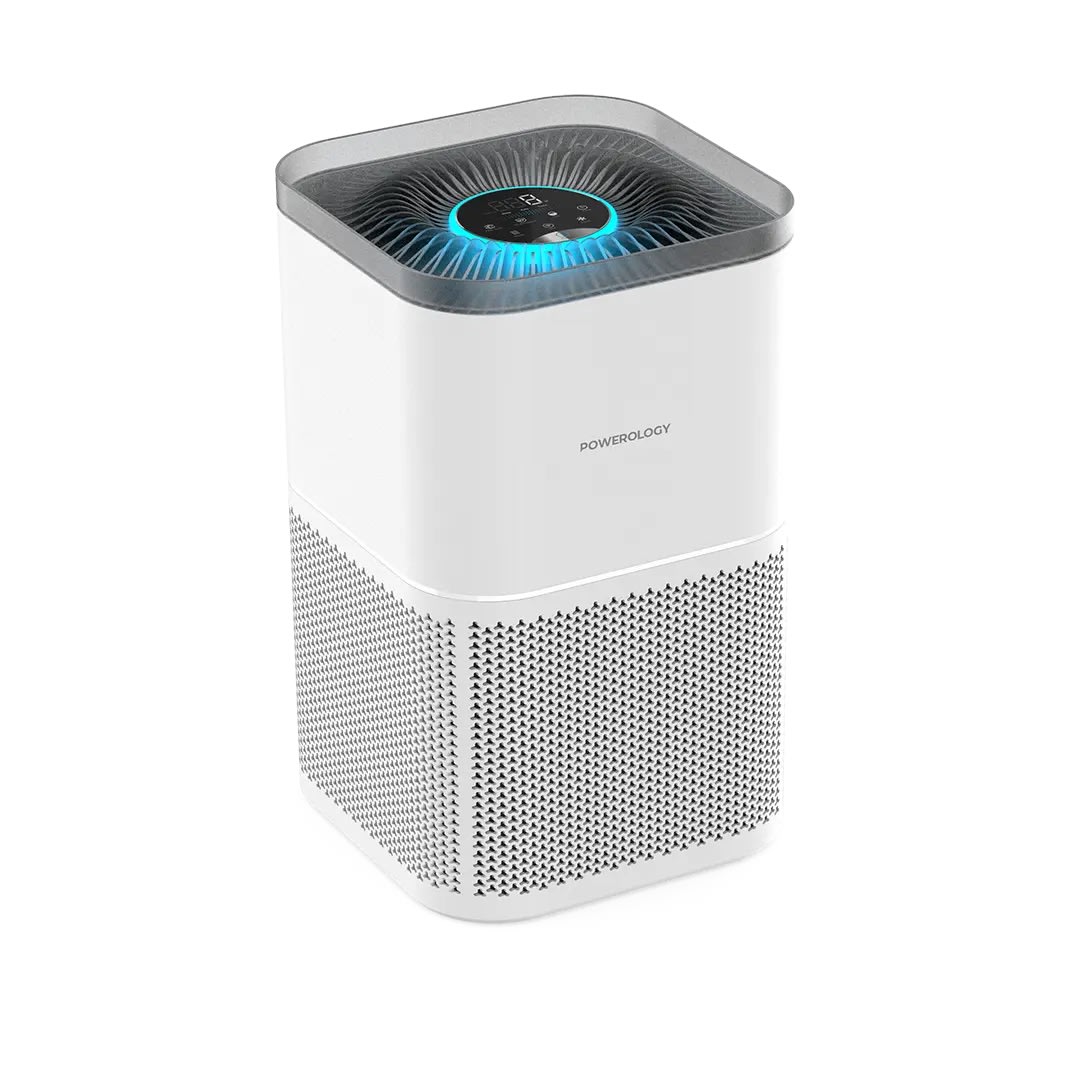\n## OUTPUT \n"
},
"typeVersion": 1
},
{
"id": "-9-16",
"name": "付箋9",
"type": "n8n-nodes-base.stickyNote",
"position": [
-656,
-608
],
"parameters": {
"width": 244,
"height": 512,
"content": "## Who’s it for?\n- Content Creators\n- E-commerce Stores\n- Marketing Team\n\n**Description**: Generate unique UGC images for your products. Simply upload a product image into a Google Drive folder, and the workflow will instantly generate 50 unique, high-quality AI UGC images using **Nano Banana** via Fal.ai. \nAll results are automatically saved back into the same folder, **ready to use** across social media, e-commerce stores, and marketing campaigns.\n\n**Cost: 0.039$ / image**"
},
"typeVersion": 1
}
],
"active": false,
"pinData": {},
"settings": {
"executionOrder": "v1"
},
"versionId": "",
"connections": {
"Setup": {
"main": [
[
{
"node": "Generate-Prompts-9",
"type": "main",
"index": 0
}
]
]
},
"Split Out": {
"main": [
[
{
"node": "Loop Over Items",
"type": "main",
"index": 0
}
]
]
},
"Upload-file-4": {
"main": [
[
{
"node": "Loop Over Items",
"type": "main",
"index": 0
}
]
]
},
"Generate-Image-1": {
"main": [
[
{
"node": "Retrieve-Image-7",
"type": "main",
"index": 0
}
]
]
},
"Retrieve-Image-7": {
"main": [
[
{
"node": "Upload-file-4",
"type": "main",
"index": 0
}
]
]
},
"Loop Over Items": {
"main": [
[
{
"node": "No Operation, do nothing",
"type": "main",
"index": 0
}
],
[
{
"node": "Generate-Image-1",
"type": "main",
"index": 0
}
]
]
},
"Generate-Prompts-9": {
"main": [
[
{
"node": "Split Out",
"type": "main",
"index": 0
}
]
]
},
"Google Drive Trigger": {
"main": [
[
{
"node": "Setup",
"type": "main",
"index": 0
}
]
]
},
"Mistral-Cloud-Chat-Model-0": {
"ai_languageModel": [
[
{
"node": "Generate-Prompts-9",
"type": "ai_languageModel",
"index": 0
}
]
]
},
"Structured Output Parser": {
"ai_outputParser": [
[
{
"node": "Generate-Prompts-9",
"type": "ai_outputParser",
"index": 0
}
]
]
}
}
}よくある質問
このワークフローの使い方は?
上記のJSON設定コードをコピーし、n8nインスタンスで新しいワークフローを作成して「JSONからインポート」を選択、設定を貼り付けて認証情報を必要に応じて変更してください。
このワークフローはどんな場面に適していますか?
上級 - コンテンツ作成, マルチモーダルAI
有料ですか?
このワークフローは完全無料です。ただし、ワークフローで使用するサードパーティサービス(OpenAI APIなど)は別途料金が発生する場合があります。
関連ワークフロー
OpenAI、RunwayML、ElevenLabsを使って無顔の短い動画を自動化
OpenAI、RunwayML、ElevenLabs を使ってアニメ顔の短い動画を自動化:スクリプトからソーシャルメディアへ
Set
Code
Wait
+
Set
Code
Wait
56 ノードLeeWei
コンテンツ作成
キーワードからGPT-5とfal.ai画像を使ってWordPressまで自動SEOブログ生成のプロセス
GPT-5とfal.ai画像を使用したキーワードからWordPressへのSEOブログ自動化プロセス
Set
Code
Wait
+
Set
Code
Wait
96 ノードPaul
コンテンツ作成
WordPressブログの自動化プロフェッショナル版(先端研究)v2.1マーケットプラグイン
GPT-4o、Perplexity AI、そして多言語対応を使ったSEO最適化ブログ作成の自動化
If
Set
Xml
+
If
Set
Xml
125 ノードDaniel Ng
コンテンツ作成
財務書類の自動処理
Google Gemini OCRを使った財務文書自動処理ツール
Set
Code
Merge
+
Set
Code
Merge
76 ノードDidac Fernandez
コンテンツ作成
ポッドキャスト automatic 制作:ドキュメントからダイナミック音声
GPT-4oとOpenAI TTSを使ってドキュメントをポッドキャスト音声に変換
Set
Split Out
Aggregate
+
Set
Split Out
Aggregate
19 ノードNanaB
コンテンツ作成
PerplexityとGPTを使用して、キーワードとメディアを含むWordPressのSEO最適化ブログを作成
WordPress向けSEO最適化されたブログの作成(Perplexity、GPTベース、キーワードとメディア付き)
Set
Code
Limit
+
Set
Code
Limit
124 ノードPaul
コンテンツ作成
