Gmailエージェント
中級
これはAI Chatbot, Multimodal AI分野の自動化ワークフローで、12個のノードを含みます。主にGmailTool, Agent, GoogleSheetsTool, ChatTrigger, LmChatGoogleGeminiなどのノードを使用。 Gemini AIアシスタントと連絡先管理を使ったGmailタスクの自動化
前提条件
- •Googleアカウント + Gmail API認証情報
- •Google Sheets API認証情報
- •Google Gemini API Key
ワークフロープレビュー
ノード接続関係を可視化、ズームとパンをサポート
ワークフローをエクスポート
以下のJSON設定をn8nにインポートして、このワークフローを使用できます
{
"id": "dCoGIILwTYxSwiHV",
"meta": {
"instanceId": "061ca141d020a6e1355b8c7fe05f92a699e37e92079ad2e150a506ee8bbe9e11"
},
"name": "Gmail Agent",
"tags": [],
"nodes": [
{
"id": "bd41a12c-009b-4812-9807-a68f75a09a81",
"name": "チャットメッセージ受信時",
"type": "@n8n/n8n-nodes-langchain.chatTrigger",
"position": [
752,
288
],
"webhookId": "a5718612-cc72-403e-9ee5-b5ad46da024f",
"parameters": {
"options": {}
},
"typeVersion": 1.1
},
{
"id": "a6cfb7de-5f06-437c-a509-9b45ebcfa14c",
"name": "AIエージェント",
"type": "@n8n/n8n-nodes-langchain.agent",
"position": [
1008,
288
],
"parameters": {
"options": {
"systemMessage": "=You are Rakin’s smart Gmail assistant.\n\nInstructions:\n\nFor any Gmail-related task from Rakin, use the appropriate Gmail tool (Send, Reply, Label, Delete, Get Many).\n\nIf only a name is given (no email), fetch the email from Google Sheets.\n\nAuto-complete any missing details (links, answers, summaries) needed for emails or replies.\n\nApply relevant labels like:\n\nyoutube-viewers\nsales-inquiry\nmeeting-request\npotential-clients\ncollaboration-requests\n\nwhen appropriate.\n\nStay efficient, accurate, and helpful at all times."
}
},
"typeVersion": 2
},
{
"id": "2387aefe-f80c-4e94-b516-1afea31163e7",
"name": "送信",
"type": "n8n-nodes-base.gmailTool",
"position": [
912,
496
],
"webhookId": "f82621ed-6e2e-464b-98c4-c81523615c43",
"parameters": {
"sendTo": "={{ /*n8n-auto-generated-fromAI-override*/ $fromAI('To', ``, 'string') }}",
"message": "={{ /*n8n-auto-generated-fromAI-override*/ $fromAI('Message', ``, 'string') }}",
"options": {
"appendAttribution": false
},
"subject": "={{ /*n8n-auto-generated-fromAI-override*/ $fromAI('Subject', ``, 'string') }}",
"emailType": "text"
},
"typeVersion": 2.1
},
{
"id": "90f756fd-d40d-4475-a02d-ddf9592d655b",
"name": "返信",
"type": "n8n-nodes-base.gmailTool",
"position": [
1024,
496
],
"webhookId": "f82621ed-6e2e-464b-98c4-c81523615c43",
"parameters": {
"message": "={{ /*n8n-auto-generated-fromAI-override*/ $fromAI('Message', ``, 'string') }}",
"options": {
"appendAttribution": false
},
"emailType": "text",
"messageId": "={{ /*n8n-auto-generated-fromAI-override*/ $fromAI('Message_ID', ``, 'string') }}",
"operation": "reply"
},
"typeVersion": 2.1
},
{
"id": "7eb3e8d2-cc51-403d-ae01-71078a207513",
"name": "ラベル",
"type": "n8n-nodes-base.gmailTool",
"position": [
1152,
496
],
"webhookId": "f82621ed-6e2e-464b-98c4-c81523615c43",
"parameters": {
"labelIds": "={{ /*n8n-auto-generated-fromAI-override*/ $fromAI('Label_Names_or_IDs', ``, 'string') }}",
"messageId": "={{ /*n8n-auto-generated-fromAI-override*/ $fromAI('Message_ID', ``, 'string') }}",
"operation": "addLabels"
},
"typeVersion": 2.1
},
{
"id": "34450898-1c3b-4755-848d-93a5c3076d83",
"name": "削除",
"type": "n8n-nodes-base.gmailTool",
"position": [
1264,
496
],
"webhookId": "f82621ed-6e2e-464b-98c4-c81523615c43",
"parameters": {
"messageId": "={{ /*n8n-auto-generated-fromAI-override*/ $fromAI('Message_ID', ``, 'string') }}",
"operation": "delete"
},
"typeVersion": 2.1
},
{
"id": "862846c3-3488-4932-a93d-69287299e971",
"name": "一括取得",
"type": "n8n-nodes-base.gmailTool",
"position": [
1392,
496
],
"webhookId": "f82621ed-6e2e-464b-98c4-c81523615c43",
"parameters": {
"simple": "={{ /*n8n-auto-generated-fromAI-override*/ $fromAI('Simplify', ``, 'boolean') }}",
"filters": {},
"options": {},
"operation": "getAll",
"returnAll": "={{ /*n8n-auto-generated-fromAI-override*/ $fromAI('Return_All', ``, 'boolean') }}"
},
"typeVersion": 2.1
},
{
"id": "1e39bc28-629a-4902-9e92-ed3d43296ed5",
"name": "シート",
"type": "n8n-nodes-base.googleSheetsTool",
"position": [
1504,
496
],
"parameters": {
"options": {},
"sheetName": {
"__rl": true,
"mode": "list",
"value": "gid=0",
"cachedResultUrl": "https://docs.google.com/spreadsheets/d/1UTOyNDNeRJj6nRuladtP61ljeZg6xXK3O1Kn3Dq7t_A/edit#gid=0",
"cachedResultName": "Sheet1"
},
"documentId": {
"__rl": true,
"mode": "list",
"value": "1UTOyNDNeRJj6nRuladtP61ljeZg6xXK3O1Kn3Dq7t_A",
"cachedResultUrl": "https://docs.google.com/spreadsheets/d/1UTOyNDNeRJj6nRuladtP61ljeZg6xXK3O1Kn3Dq7t_A/edit?usp=drivesdk",
"cachedResultName": "Contact Details"
}
},
"typeVersion": 4.6
},
{
"id": "f7320f18-2a7b-4c55-99eb-1e68ad348b51",
"name": "Gemini",
"type": "@n8n/n8n-nodes-langchain.lmChatGoogleGemini",
"position": [
672,
496
],
"parameters": {
"options": {}
},
"typeVersion": 1
},
{
"id": "c8857e6d-f0da-4d54-a7b4-c57009ce65d9",
"name": "メモリ",
"type": "@n8n/n8n-nodes-langchain.memoryBufferWindow",
"position": [
784,
496
],
"parameters": {},
"typeVersion": 1.3
},
{
"id": "133b9714-bf54-440f-8e1b-79e5be3463f6",
"name": "付箋",
"type": "n8n-nodes-base.stickyNote",
"position": [
-64,
-304
],
"parameters": {
"color": 4,
"width": 660,
"height": 980,
"content": "# 🛠️ Setup Guide\n### 👤 Author: [Rakin Jakaria](https://www.youtube.com/@rakinjakaria)\n### 🔌 Steps to Connect:\n1. **Gmail OAuth2 Setup** \n - Connect your Gmail account to n8n using OAuth2 authentication.\n - Go to **Credentials** in n8n and create a new **Gmail OAuth2** credential.\n - Follow the authentication flow to authorize n8n to access your Gmail account.\n - Apply this credential to all Gmail nodes (Send, Reply, Label, Delete, Get Many).\n\n2. **Google Gemini API Key** \n - Visit [Google AI Studio](https://aistudio.google.com/) and generate your Gemini API key.\n - Create a new **Google Gemini (PaLM) API** credential in n8n.\n - Paste your API key into the **Gemini** language model node.\n\n3. **Google Sheets Integration** \n - Set up **Google Sheets OAuth2** credentials in n8n.\n - Create or connect to your existing Google Sheets document for contact management.\n - Update the **Sheet** node with your specific spreadsheet ID and sheet name.\n - Ensure your sheet has columns for names and email addresses.\n\n4. **Chat Trigger Configuration** \n - The **Chat Trigger** node creates a webhook URL for your Gmail agent.\n - Copy the webhook URL from the Chat Trigger node.\n - Use this URL to interact with your Gmail agent via chat interface.\n\n5. **AI Agent System Prompt Customization** \n - Modify the system message in the **AI Agent** node to match your specific needs.\n - Update the predefined labels (youtube-viewers, sales-inquiry, etc.) to your Gmail labels.\n - Customize the assistant's name and behavior instructions.\n\n6. **Memory Configuration** \n - The **Memory** node stores conversation context.\n - Adjust the buffer window size based on your chat length requirements.\n\n---\n💡 **Pro Tips:**\n- Test each Gmail operation individually before running the full workflow.\n- Create Gmail labels beforehand for better email organization.\n- Monitor your Google API usage to avoid rate limits.\n\nNeed help? Check out Rakin's [YouTube Tutorials](https://www.youtube.com/@rakinjakaria) for detailed setup instructions."
},
"typeVersion": 1
},
{
"id": "fc096be2-2970-4170-badd-e98cab6feb5d",
"name": "付箋3",
"type": "n8n-nodes-base.stickyNote",
"position": [
656,
-304
],
"parameters": {
"color": 4,
"width": 480,
"height": 448,
"content": "## Start here: Step-by Step Youtube Tutorial :star:\n[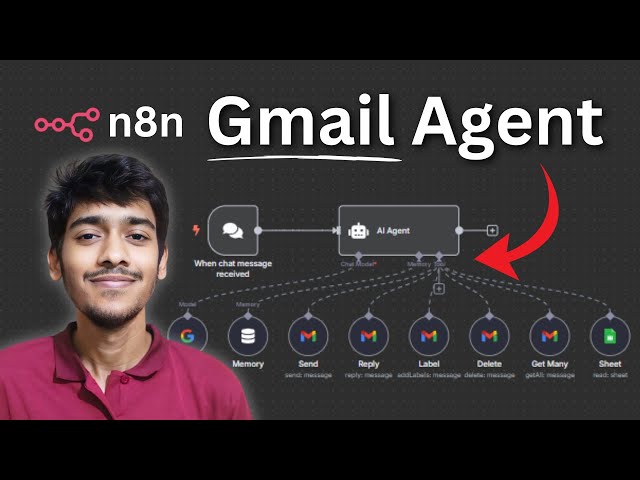](https://youtu.be/Qogyc2mPa80?si=_TcQZjBdtLHy2mdz)"
},
"typeVersion": 1
}
],
"active": false,
"pinData": {},
"settings": {
"executionOrder": "v1"
},
"versionId": "5d7c251c-1d3f-476e-9090-f101d95bdbea",
"connections": {
"2387aefe-f80c-4e94-b516-1afea31163e7": {
"ai_tool": [
[
{
"node": "a6cfb7de-5f06-437c-a509-9b45ebcfa14c",
"type": "ai_tool",
"index": 0
}
]
]
},
"7eb3e8d2-cc51-403d-ae01-71078a207513": {
"ai_tool": [
[
{
"node": "a6cfb7de-5f06-437c-a509-9b45ebcfa14c",
"type": "ai_tool",
"index": 0
}
]
]
},
"90f756fd-d40d-4475-a02d-ddf9592d655b": {
"ai_tool": [
[
{
"node": "a6cfb7de-5f06-437c-a509-9b45ebcfa14c",
"type": "ai_tool",
"index": 0
}
]
]
},
"1e39bc28-629a-4902-9e92-ed3d43296ed5": {
"ai_tool": [
[
{
"node": "a6cfb7de-5f06-437c-a509-9b45ebcfa14c",
"type": "ai_tool",
"index": 0
}
]
]
},
"34450898-1c3b-4755-848d-93a5c3076d83": {
"ai_tool": [
[
{
"node": "a6cfb7de-5f06-437c-a509-9b45ebcfa14c",
"type": "ai_tool",
"index": 0
}
]
]
},
"f7320f18-2a7b-4c55-99eb-1e68ad348b51": {
"ai_languageModel": [
[
{
"node": "a6cfb7de-5f06-437c-a509-9b45ebcfa14c",
"type": "ai_languageModel",
"index": 0
}
]
]
},
"c8857e6d-f0da-4d54-a7b4-c57009ce65d9": {
"ai_memory": [
[
{
"node": "a6cfb7de-5f06-437c-a509-9b45ebcfa14c",
"type": "ai_memory",
"index": 0
}
]
]
},
"862846c3-3488-4932-a93d-69287299e971": {
"ai_tool": [
[
{
"node": "a6cfb7de-5f06-437c-a509-9b45ebcfa14c",
"type": "ai_tool",
"index": 0
}
]
]
},
"bd41a12c-009b-4812-9807-a68f75a09a81": {
"main": [
[
{
"node": "a6cfb7de-5f06-437c-a509-9b45ebcfa14c",
"type": "main",
"index": 0
}
]
]
}
}
}よくある質問
このワークフローの使い方は?
上記のJSON設定コードをコピーし、n8nインスタンスで新しいワークフローを作成して「JSONからインポート」を選択、設定を貼り付けて認証情報を必要に応じて変更してください。
このワークフローはどんな場面に適していますか?
中級 - AIチャットボット, マルチモーダルAI
有料ですか?
このワークフローは完全無料です。ただし、ワークフローで使用するサードパーティサービス(OpenAI APIなど)は別途料金が発生する場合があります。
関連ワークフロー
会議予約アシスタント
会議管理アシスタント
Telegram
Gmail Tool
Date Time Tool
+
Telegram
Gmail Tool
Date Time Tool
13 ノードRakin Jakaria
AIチャットボット
💥 ChatGPT-5を使って最初のAIエージェントを構築する
GPT-5、Googleカレンダー、およびスプレッドシートを使って知識ベースとスケジュールAIアシスタントを作成
Gmail Tool
Agent
Google Sheets Tool
+
Gmail Tool
Agent
Google Sheets Tool
14 ノードDr. Firas
その他
Google Calendar+Gmailマネージャー
Gemini/GPT駆動のAIアシスタントでGoogleカレンダーとGmailを管理する
Gmail Tool
Date Time Tool
Agent
+
Gmail Tool
Date Time Tool
Agent
16 ノードPraneel S
AIチャットボット
チャットボットWebhook
AIを活用したGmailとカレンダーアシスタントで、Geminiチャットインターフェースと統合
Set
Webhook
Gmail Tool
+
Set
Webhook
Gmail Tool
19 ノードPraneel S
その他
WhatsApp顧客支援を自動化:音声文字起こし、FAQ、予約スケジュールも含む
WhatsApp カスタマーサポートを自動化(音声文字起こし、FAQ、予約調整込み)
If
Set
Switch
+
If
Set
Switch
23 ノードAureusR
その他
メモリ、Google Suite、複数のAIリサーチ画像を備えたWhatsAppアシスタントの構築
メモリ、Google Suite、そして複数のAIによる研究イメージングを備えたWhatsAppアシスタントを構築
If
Set
Code
+
If
Set
Code
71 ノードIniyavan JC
AIチャットボット
