🉑Google翻訳とGPT-4oを使用して言語学習Ankiフラッシュカードを生成
上級
これはOther, AI分野の自動化ワークフローで、21個のノードを含みます。主にIf, Set, Merge, GoogleDrive, HttpRequestなどのノードを使用、AI技術を活用したスマート自動化を実現。 🉑 Google TranslateとGPT-4oを使用して言語学習Ankiフラッシュカードを生成
前提条件
- •Google Drive API認証情報
- •ターゲットAPIの認証情報が必要な場合あり
- •Google Sheets API認証情報
- •OpenAI API Key
使用ノード (21)
ワークフロープレビュー
ノード接続関係を可視化、ズームとパンをサポート
ワークフローをエクスポート
以下のJSON設定をn8nにインポートして、このワークフローを使用できます
{
"meta": {
"instanceId": "6a5e68bcca67c4cdb3e0b698d01739aea084e1ec06e551db64aeff43d174cb23",
"templateCredsSetupCompleted": true
},
"nodes": [
{
"id": "bc49829b-45f2-4910-9c37-907271982f14",
"name": "付箋3",
"type": "n8n-nodes-base.stickyNote",
"position": [
-2240,
-840
],
"parameters": {
"width": 780,
"height": 540,
"content": "### 5. Do you need more details?\nFind a step-by-step guide in this tutorial\n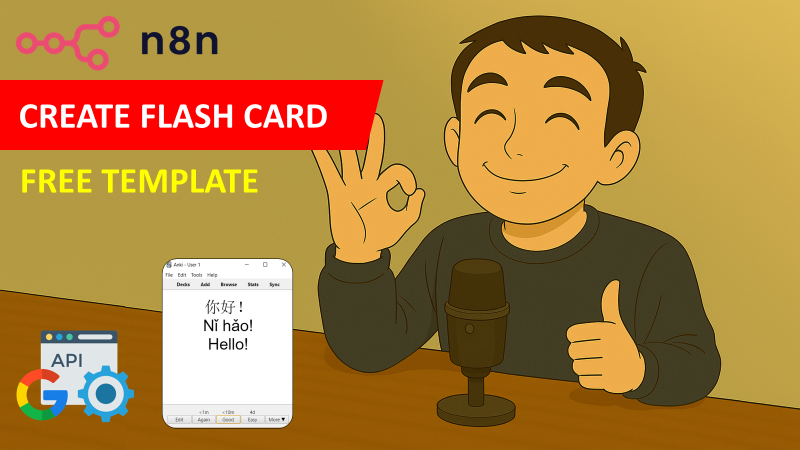\n[🎥 Watch My Tutorial](https://youtu.be/2mRZJATUTDw)"
},
"typeVersion": 1
},
{
"id": "f0defc20-f099-4c7c-83a7-bb687b86a6b7",
"name": "Google 翻訳",
"type": "n8n-nodes-base.googleTranslate",
"notes": "Translation -> 中文",
"position": [
-3500,
-420
],
"parameters": {
"text": "={{ $json.initialText }}",
"translateTo": "zh-CN"
},
"notesInFlow": true,
"typeVersion": 2
},
{
"id": "588d011c-d7e0-4b31-87be-d0c7ff6bf4b7",
"name": "AI エージェント",
"type": "@n8n/n8n-nodes-langchain.agent",
"notes": "Pinyin + Example",
"position": [
-3080,
-380
],
"parameters": {
"text": "={{ $json.translatedText }}",
"options": {
"systemMessage": "# Role\nYou are a helpful translation agent that will help users to extract the pinyin from Chinese characters to create flashcard for language learning.\n\n# Context\nYou will receive a word or sentence in simplified Chinese characters; you are expected to extract the pinyin and generate a simple sentence in Chinese to illustrate the sense of the word. \n\n# Tasks\n1. Generate the pinyin of the characters presented\n2. Propose a short sentence in mandarin to illustrate the definition of the word.\n\n# Notes\n- Generate the output in JSON format following the example below:\n{\"pinyin\": \"Cāngkù\",\n\"sentence\": \"卡车抵达仓库。\"}\n\n- Be very diligent in thinking about the task being asked from you.\n- Generate concise sentences as they need to fit in flash cards.\n"
},
"promptType": "define",
"hasOutputParser": true
},
"notesInFlow": true,
"typeVersion": 1.7
},
{
"id": "cc04e0be-0eea-4d92-a85f-10bd75c03081",
"name": "OpenAI チャットモデル",
"type": "@n8n/n8n-nodes-langchain.lmChatOpenAi",
"position": [
-3080,
-200
],
"parameters": {
"model": {
"__rl": true,
"mode": "list",
"value": "gpt-4o-mini"
},
"options": {}
},
"typeVersion": 1.2
},
{
"id": "d98262f4-9066-420b-a440-fdbc83ca0ef0",
"name": "構造化出力パーサー",
"type": "@n8n/n8n-nodes-langchain.outputParserStructured",
"position": [
-2900,
-200
],
"parameters": {
"jsonSchemaExample": "{\n \"pinyin\": \"Cāngkù\",\n \"sentence\": \"货物存放在仓库里。\"\n}"
},
"typeVersion": 1.2
},
{
"id": "e4ed388f-7520-4df2-8e37-d2b85b1ce532",
"name": "マージ",
"type": "n8n-nodes-base.merge",
"position": [
-2580,
-400
],
"parameters": {
"mode": "combineBySql"
},
"typeVersion": 3
},
{
"id": "c1431b36-77ee-4b50-a4e1-05489e998894",
"name": "Trigger Added Row",
"type": "n8n-nodes-base.googleSheetsTrigger",
"notes": "Write a word in a new row",
"position": [
-3920,
-420
],
"parameters": {
"event": "rowAdded",
"options": {
"valueRender": "UNFORMATTED_VALUE",
"dateTimeRenderOption": "SERIAL_NUMBER"
},
"pollTimes": {
"item": [
{
"mode": "everyMinute"
}
]
},
"sheetName": {
"__rl": true,
"mode": "list",
"value": 1051887098,
"cachedResultUrl": "",
"cachedResultName": ""
},
"documentId": {
"__rl": true,
"mode": "list",
"value": "<YOUR_GOOGLE_SHEET_ID>",
"cachedResultUrl": "",
"cachedResultName": ""
}
},
"notesInFlow": true,
"typeVersion": 1
},
{
"id": "4bafdddc-3c7f-40d4-ab17-75c6728bd5a3",
"name": "操作なし, do nothing",
"type": "n8n-nodes-base.noOp",
"notes": "If cell empty, do nothing",
"position": [
-3500,
-260
],
"parameters": {},
"notesInFlow": true,
"typeVersion": 1
},
{
"id": "adabd9e0-13de-409b-a3ce-3c76c9624fc0",
"name": "Upload Picture",
"type": "n8n-nodes-base.googleDrive",
"position": [
-2740,
460
],
"parameters": {
"name": "={{ $('Trigger Added Row').item.json.initialText }}.jpeg",
"driveId": {
"__rl": true,
"mode": "list",
"value": "My Drive",
"cachedResultUrl": "https://drive.google.com/drive/my-drive",
"cachedResultName": "My Drive"
},
"options": {},
"folderId": {
"__rl": true,
"mode": "url",
"value": ""
}
},
"typeVersion": 3
},
{
"id": "9cfa6722-ff5e-4ee2-a4ca-2b4175767c84",
"name": "Get Picture",
"type": "n8n-nodes-base.httpRequest",
"position": [
-2900,
460
],
"parameters": {
"url": "={{ $json.photos[0].src.medium }}",
"options": {}
},
"typeVersion": 4.2
},
{
"id": "4bfa5fc7-dd76-4611-916e-5b33a0a9acdb",
"name": "Call API Pexels",
"type": "n8n-nodes-base.httpRequest",
"position": [
-3080,
460
],
"parameters": {
"url": "https://api.pexels.com/v1/search",
"options": {},
"sendQuery": true,
"sendHeaders": true,
"queryParameters": {
"parameters": [
{
"name": "query",
"value": "={{ $('Trigger Added Row').item.json.initialText }}"
}
]
},
"headerParameters": {
"parameters": [
{
"name": "Authorization",
"value": "<PEXELS_API_KEY>"
}
]
}
},
"typeVersion": 4.2
},
{
"id": "01c5dc70-3cf5-483e-bad7-4814ca7b1f97",
"name": "Take initialText",
"type": "n8n-nodes-base.set",
"position": [
-3240,
460
],
"parameters": {
"options": {},
"assignments": {
"assignments": [
{
"id": "80661db0-175f-4346-a95b-5d1e73f82fb8",
"name": "entry",
"type": "string",
"value": "={{ $json.initialText }}"
}
]
}
},
"typeVersion": 3.4
},
{
"id": "7630fc44-3a0c-442b-9c3b-17bd831cdb50",
"name": "Extract Image Link",
"type": "n8n-nodes-base.set",
"position": [
-2580,
460
],
"parameters": {
"options": {},
"assignments": {
"assignments": [
{
"id": "019a529f-9447-4d49-9a91-04666d2c8fb6",
"name": "image_link",
"type": "string",
"value": "={{ $json.webContentLink }}"
}
]
}
},
"typeVersion": 3.4
},
{
"id": "69645673-87c7-48cc-982f-b4e747fdf1ec",
"name": "Final マージ",
"type": "n8n-nodes-base.merge",
"position": [
-2100,
20
],
"parameters": {
"mode": "combine",
"options": {},
"combineBy": "combineByPosition"
},
"typeVersion": 3
},
{
"id": "1ee7aca7-5b9d-424f-b49f-2ee9ca7fafdc",
"name": "Extract Pinyin and Example",
"type": "n8n-nodes-base.set",
"position": [
-2780,
-380
],
"parameters": {
"options": {},
"assignments": {
"assignments": [
{
"id": "c67839b8-abd5-47c9-b1e2-db599fbb5e9e",
"name": "phonetic",
"type": "string",
"value": "={{ $json.output.pinyin }}"
},
{
"id": "3983d009-85c4-46fd-8651-90462249f164",
"name": "example",
"type": "string",
"value": "={{ $json.output.sentence }}"
}
]
}
},
"typeVersion": 3.4
},
{
"id": "baee6926-5031-43fa-94b8-8c7d36a9a6f0",
"name": "Extract Fields",
"type": "n8n-nodes-base.set",
"notes": "Initial text and its translation",
"position": [
-3000,
-540
],
"parameters": {
"options": {},
"assignments": {
"assignments": [
{
"id": "6d08361f-bb45-40a0-9934-f1e7bf90a171",
"name": "initialText",
"type": "string",
"value": "={{ $('Trigger Added Row').item.json.initialText }}"
},
{
"id": "0a64ccc0-5a8b-4925-9111-6b7e8c0f9368",
"name": "translatedText",
"type": "string",
"value": "={{ $json.translatedText }}"
},
{
"id": "84a2cfbd-a6da-4a94-a26c-153cbf73fefb",
"name": "image_name",
"type": "string",
"value": "={{ $('Trigger Added Row').item.json.initialText }}.jpeg"
}
]
}
},
"notesInFlow": true,
"typeVersion": 3.4
},
{
"id": "1f86fb6b-3ec7-4ea3-9748-a69db5d0c9f2",
"name": "initialText is empty?",
"type": "n8n-nodes-base.if",
"notes": "Verify is the word is not empty",
"position": [
-3700,
-420
],
"parameters": {
"options": {},
"conditions": {
"options": {
"version": 2,
"leftValue": "",
"caseSensitive": true,
"typeValidation": "strict"
},
"combinator": "and",
"conditions": [
{
"id": "266614ab-f9e3-486d-929f-ce14ce67e5ff",
"operator": {
"type": "string",
"operation": "notEmpty",
"singleValue": true
},
"leftValue": "={{ $json.initialText }}",
"rightValue": ""
}
]
}
},
"notesInFlow": true,
"typeVersion": 2.2
},
{
"id": "5c1afb76-3b5a-4c35-80b9-4a05f2d2aa2d",
"name": "付箋",
"type": "n8n-nodes-base.stickyNote",
"position": [
-3280,
140
],
"parameters": {
"color": 7,
"width": 820,
"height": 480,
"content": "## 3. Retrieve Images from Pexels Free Database\nExtract from Google sheet the word you want to translate to download an illustrating image from the free database of pexels.com\n\n### How to set up?\n- **HTTP Request Node (Call API Pexels)**: add in the header field 'Authorization' the API key provided by Pexels. *(Register here for the free API key: https://www.pexels.com/onboarding/)*\n[Learn more about the HTTP Request Node](https://docs.n8n.io/integrations/builtin/core-nodes/n8n-nodes-base.httprequest/)\n- **Upload the picture to Google Drive**:\n 1. Add your Google Drive API credentials to access the folder for images\n 2. Select your parent drive using the list, an URL or ID\n 3. Select the folder in which you want to save the pictures using the list, an URL or ID\n [Learn more about the Google Drive Upload Node](https://docs.n8n.io/integrations/builtin/app-nodes/n8n-nodes-base.googledrive)\n\n"
},
"typeVersion": 1
},
{
"id": "ebacc192-9dba-4cab-ae0f-d5a2e885c208",
"name": "付箋1",
"type": "n8n-nodes-base.stickyNote",
"position": [
-3960,
-780
],
"parameters": {
"color": 7,
"width": 600,
"height": 680,
"content": "## 1. Google Sheet Trigger & Translation using API\nTrigger the workflow when the user adds a word in English in a new row of the column initialText.\n\n### How to set up?\n- **Trigger on Row Added of Google Sheet**:\n 1. Add your Google Sheet API credentials to access the Google Sheet file\n 2. Select the file using the list, an URL or an ID\n 3. Select the sheet in which the vocabulary list is stored\n [Learn more about the Google Sheet on Row Added Trigger](https://docs.n8n.io/integrations/builtin/trigger-nodes/n8n-nodes-base.googlesheetstrigger/)\n- **Google Translate API**:\n 1. Add your Google Translate API credentials\n 2. Select the target language *(Exemple: ZH-CN for Mainland China Mandarin)*\n [Learn more about the Google Translate API Node](https://docs.n8n.io/integrations/builtin/trigger-nodes/n8n-nodes-base.googlesheetstrigger/)\n\n"
},
"typeVersion": 1
},
{
"id": "5bdeb1de-d535-484d-83d6-12d72d8e5ba7",
"name": "付箋2",
"type": "n8n-nodes-base.stickyNote",
"position": [
-3220,
-800
],
"parameters": {
"color": 7,
"width": 760,
"height": 740,
"content": "## 2. Simple AI agent to get the phonetic transcription and generate an sentence example\nThe agent will take the translated word as an input and will output the phonetic transcription and the sentence.\n\n### How to set up?\n- **AI Agent with the Chat Model**:\n 1. Add a chat model with the required credentials *(Example: Open AI 4o-mini)*\n 2. Adapt the system prompt with the target translation language and the format of the sentence\n [Learn more about the AI Agent Node](https://docs.n8n.io/integrations/builtin/cluster-nodes/root-nodes/n8n-nodes-langchain.agent)\n\n"
},
"typeVersion": 1
},
{
"id": "4f3f2a71-f137-4e91-8b1e-8a7342bac293",
"name": "Add Results in Sheet",
"type": "n8n-nodes-base.googleSheets",
"notes": "initialtext, translation, sentence",
"position": [
-1940,
20
],
"parameters": {
"columns": {
"value": {
"phonetic": "={{ $json.phonetic }}",
"sentence": "={{ $json.example }}",
"image_link": "={{ $json.image_name }}",
"image_name": "={{ $json.image_link }}",
"initialText": "={{ $json.initialText }}",
"translatedText": "={{ $json.translatedText }}"
},
"schema": [
{
"id": "initialText",
"type": "string",
"display": true,
"removed": false,
"required": false,
"displayName": "initialText",
"defaultMatch": false,
"canBeUsedToMatch": true
},
{
"id": "translatedText",
"type": "string",
"display": true,
"required": false,
"displayName": "translatedText",
"defaultMatch": false,
"canBeUsedToMatch": true
},
{
"id": "phonetic",
"type": "string",
"display": true,
"required": false,
"displayName": "phonetic",
"defaultMatch": false,
"canBeUsedToMatch": true
},
{
"id": "sentence",
"type": "string",
"display": true,
"required": false,
"displayName": "sentence",
"defaultMatch": false,
"canBeUsedToMatch": true
},
{
"id": "image_name",
"type": "string",
"display": true,
"required": false,
"displayName": "image_name",
"defaultMatch": false,
"canBeUsedToMatch": true
},
{
"id": "image_link",
"type": "string",
"display": true,
"required": false,
"displayName": "image_link",
"defaultMatch": false,
"canBeUsedToMatch": true
},
{
"id": "row_number",
"type": "string",
"display": true,
"removed": true,
"readOnly": true,
"required": false,
"displayName": "row_number",
"defaultMatch": false,
"canBeUsedToMatch": true
}
],
"mappingMode": "defineBelow",
"matchingColumns": [
"initialText"
],
"attemptToConvertTypes": false,
"convertFieldsToString": false
},
"options": {},
"operation": "update",
"sheetName": {
"__rl": true,
"mode": "list",
"value": "<YOUR_GOOGLE_SHEET_TAB_ID>",
"cachedResultUrl": "",
"cachedResultName": ""
},
"documentId": {
"__rl": true,
"mode": "list",
"value": "<YOUR_GOOGLE_SHEET_ID>",
"cachedResultUrl": "",
"cachedResultName": ""
}
},
"notesInFlow": true,
"typeVersion": 4.5
},
{
"id": "42a20d7e-03bf-4f4e-877b-04ff185cbf1c",
"name": "付箋4",
"type": "n8n-nodes-base.stickyNote",
"position": [
-2220,
-280
],
"parameters": {
"color": 7,
"width": 580,
"height": 460,
"content": "## 4. Combine Results to Update the Google Sheet\nCombine initial text, translation, example sentence and image link to fill the new row.\n\n### How to set up?\n- **Add Results in Google Sheet**:\n 1. Add your Google Sheet API credentials to access the Google Sheet file\n 2. Select the file using the list, an URL or an ID\n 3. Select the sheet in which the vocabulary list is stored\n [Learn more about the Google Sheet Node](https://docs.n8n.io/integrations/builtin/app-nodes/n8n-nodes-base.googlesheets)\n\n"
},
"typeVersion": 1
}
],
"pinData": {},
"connections": {
"Merge": {
"main": [
[
{
"node": "Final Merge",
"type": "main",
"index": 0
}
]
]
},
"AI Agent": {
"main": [
[
{
"node": "1ee7aca7-5b9d-424f-b49f-2ee9ca7fafdc",
"type": "main",
"index": 0
}
]
]
},
"Final Merge": {
"main": [
[
{
"node": "4f3f2a71-f137-4e91-8b1e-8a7342bac293",
"type": "main",
"index": 0
}
]
]
},
"9cfa6722-ff5e-4ee2-a4ca-2b4175767c84": {
"main": [
[
{
"node": "adabd9e0-13de-409b-a3ce-3c76c9624fc0",
"type": "main",
"index": 0
}
]
]
},
"baee6926-5031-43fa-94b8-8c7d36a9a6f0": {
"main": [
[
{
"node": "Merge",
"type": "main",
"index": 0
}
]
]
},
"adabd9e0-13de-409b-a3ce-3c76c9624fc0": {
"main": [
[
{
"node": "7630fc44-3a0c-442b-9c3b-17bd831cdb50",
"type": "main",
"index": 0
}
]
]
},
"4bfa5fc7-dd76-4611-916e-5b33a0a9acdb": {
"main": [
[
{
"node": "9cfa6722-ff5e-4ee2-a4ca-2b4175767c84",
"type": "main",
"index": 0
}
]
]
},
"Google Translate": {
"main": [
[
{
"node": "baee6926-5031-43fa-94b8-8c7d36a9a6f0",
"type": "main",
"index": 0
},
{
"node": "AI Agent",
"type": "main",
"index": 0
}
]
]
},
"01c5dc70-3cf5-483e-bad7-4814ca7b1f97": {
"main": [
[
{
"node": "4bfa5fc7-dd76-4611-916e-5b33a0a9acdb",
"type": "main",
"index": 0
}
]
]
},
"OpenAI Chat Model": {
"ai_languageModel": [
[
{
"node": "AI Agent",
"type": "ai_languageModel",
"index": 0
}
]
]
},
"c1431b36-77ee-4b50-a4e1-05489e998894": {
"main": [
[
{
"node": "1f86fb6b-3ec7-4ea3-9748-a69db5d0c9f2",
"type": "main",
"index": 0
},
{
"node": "01c5dc70-3cf5-483e-bad7-4814ca7b1f97",
"type": "main",
"index": 0
}
]
]
},
"7630fc44-3a0c-442b-9c3b-17bd831cdb50": {
"main": [
[
{
"node": "Final Merge",
"type": "main",
"index": 1
}
]
]
},
"1f86fb6b-3ec7-4ea3-9748-a69db5d0c9f2": {
"main": [
[
{
"node": "Google Translate",
"type": "main",
"index": 0
}
],
[
{
"node": "No Operation, do nothing",
"type": "main",
"index": 0
}
]
]
},
"Structured Output Parser": {
"ai_outputParser": [
[
{
"node": "AI Agent",
"type": "ai_outputParser",
"index": 0
}
]
]
},
"1ee7aca7-5b9d-424f-b49f-2ee9ca7fafdc": {
"main": [
[
{
"node": "Merge",
"type": "main",
"index": 1
}
]
]
}
}
}よくある質問
このワークフローの使い方は?
上記のJSON設定コードをコピーし、n8nインスタンスで新しいワークフローを作成して「JSONからインポート」を選択、設定を貼り付けて認証情報を必要に応じて変更してください。
このワークフローはどんな場面に適していますか?
上級 - その他, 人工知能
有料ですか?
このワークフローは完全無料です。ただし、ワークフローで使用するサードパーティサービス(OpenAI APIなど)は別途料金が発生する場合があります。
関連ワークフロー
音楽生成ワーキングフロー
Suno API、Flux、Runway、Creatomate を使って AI ソングとミュージックビデオを生成
Set
Wait
Merge
+
Set
Wait
Merge
60 ノードJoseph
その他
🗞️ AIドライブの持続可能性マーケティングブリーフィング(Gmail、GPT-4o使用)
🗞️ AI駆動型持続可能性マーケティングブリーフィング(Gmail、GPT-4oを使用)
If
Set
Code
+
If
Set
Code
21 ノードSamir Saci
人工知能
n8nノードの探索(可視化リファレンスライブラリ内)
n8nノードを可視化リファレンスライブラリで探索
If
Ftp
Set
+
If
Ftp
Set
113 ノードI versus AI
その他
ペットショップ 4
ペットショップ予約AIエージェント
If
Set
Code
+
If
Set
Code
187 ノードBruno Dias
人工知能
AI エージェント レストラン [テンプレート]
🤖 WhatsApp、Instagram、MessengerのAIレストランアシスタント
If
N8n
Set
+
If
N8n
Set
239 ノードAmanda Benks
その他
基于AIの潜在顧客信息增强(Bright Data MCPとGoogle Sheets)
基于AIの潜在顧客信息增强:使用Bright Data MCPとGoogle Sheets
If
Set
Wait
+
If
Set
Wait
51 ノードCyril Nicko Gaspar
営業
ワークフロー情報
難易度
上級
ノード数21
カテゴリー2
ノードタイプ13
作成者

Samir Saci
@samirsaciAutomation, AI and Analytics for Supply Chain & Business Optimization Helping businesses streamline operations using n8n, AI agents, and data science to enhance efficiency and sustainability. Linkedin: www.linkedin.com/in/samir-saci
外部リンク
n8n.ioで表示 →
このワークフローを共有