Nano🍌
Ceci est unContent Creation, Multimodal AIworkflow d'automatisation du domainecontenant 10 nœuds.Utilise principalement des nœuds comme Set, Code, Form, FormTrigger, HttpRequest. Générer des publicités pour des produits de modèles de mode avec l'IA Gemini via OpenRouter
- •Peut nécessiter les informations d'identification d'authentification de l'API cible
Nœuds utilisés (10)
Catégorie
{
"id": "S1ljxgDqXGEf3jTi",
"meta": {
"instanceId": "125e3b631be5af75b5d8304f7125cd5c84e5ea96c148171cca4bfb3fcc88fe9b",
"templateCredsSetupCompleted": true
},
"name": "Nano 🍌",
"tags": [],
"nodes": [
{
"id": "42aa6ec4-6cfb-418f-a31a-844ef6870c31",
"name": "À la soumission du formulaire",
"type": "n8n-nodes-base.formTrigger",
"position": [
128,
224
],
"webhookId": "3b255328-041e-4e2e-bca8-176e9846ac7e",
"parameters": {
"options": {
"buttonLabel": "Generate ✨",
"appendAttribution": false
},
"formTitle": "Advertise Image Generator",
"formFields": {
"values": [
{
"fieldType": "file",
"fieldLabel": "Product Image",
"multipleFiles": false,
"requiredField": true,
"acceptFileTypes": ".jpg, .png"
},
{
"fieldType": "dropdown",
"fieldLabel": "Character Model",
"fieldOptions": {
"values": [
{
"option": "Male"
},
{
"option": "Female"
}
]
}
}
]
},
"formDescription": "Convert Simple Product Images to High Quality Advertise Images"
},
"typeVersion": 2.2
},
{
"id": "e0f74ffe-df13-47bc-a7a9-ef9e1b53f661",
"name": "Modifier les champs",
"type": "n8n-nodes-base.set",
"position": [
784,
224
],
"parameters": {
"options": {},
"assignments": {
"assignments": [
{
"id": "6355ac9e-1f4c-42a3-8167-8bb8298cd369",
"name": "data",
"type": "string",
"value": "={{ $json.choices[0].message.images[0].image_url.url }}"
},
{
"id": "dc98bc1c-4048-4fcb-80c5-73dc99b78ddd",
"name": "base",
"type": "string",
"value": "={{ $json.choices[0].message.images[0].image_url.url.split(',')[1] }}"
},
{
"id": "8033a47e-f50c-43ae-b404-99d0fb5cf4eb",
"name": "mime",
"type": "string",
"value": "={{ $json.choices[0].message.images[0].image_url.url.split(';')[0].split(':')[1] }}"
},
{
"id": "0e516163-02cc-4242-ba70-ac2bce94d2dd",
"name": "fileName",
"type": "string",
"value": ".png"
}
]
}
},
"typeVersion": 3.4
},
{
"id": "9adba7f4-44db-4598-b248-e84cf60840b8",
"name": "Convertir en fichier",
"type": "n8n-nodes-base.convertToFile",
"position": [
960,
224
],
"parameters": {
"options": {},
"operation": "toBinary",
"sourceProperty": "base"
},
"typeVersion": 1.1
},
{
"id": "b69deac9-3191-4a1f-9df7-6a1812fb689f",
"name": "Extraire du fichier",
"type": "n8n-nodes-base.extractFromFile",
"position": [
304,
224
],
"parameters": {
"options": {},
"operation": "binaryToPropery",
"binaryPropertyName": "Product_Image"
},
"typeVersion": 1
},
{
"id": "13e6ff65-5bbd-4724-a6e4-0f1d52dca7ab",
"name": "Code",
"type": "n8n-nodes-base.code",
"position": [
464,
224
],
"parameters": {
"jsCode": "const items = $input.all();\nconst updatedItems = items.map((item) => {\n const base64Url = item?.json?.data;\n const url = `data:image/png;base64,${base64Url}`;\n return { url };\n});\nreturn updatedItems;\n"
},
"typeVersion": 2
},
{
"id": "cf9b77d0-3172-4bdf-b7a9-7c35144a6aa6",
"name": "Formulaire",
"type": "n8n-nodes-base.form",
"position": [
1120,
224
],
"webhookId": "60191061-42cf-4116-ba6a-a93931099c53",
"parameters": {
"options": {},
"operation": "completion",
"respondWith": "returnBinary",
"completionTitle": "Image Generation Completed",
"completionMessage": "Generated Image Will be Automatically Downloaded in Your Device"
},
"typeVersion": 1
},
{
"id": "b627e7a3-f07b-4f9b-aadb-a7b8ee2a6379",
"name": "Nano 🍌",
"type": "n8n-nodes-base.httpRequest",
"position": [
624,
224
],
"parameters": {
"url": "https://openrouter.ai/api/v1/chat/completions",
"method": "POST",
"options": {},
"jsonBody": "={\n \"model\": \"google/gemini-2.5-flash-image-preview:free\",\n \"messages\": [\n {\n \"role\": \"user\",\n \"content\": [\n {\n \"type\": \"text\",\n \"text\": \"This image is a picture of a product. Generate a new, photorealistic image of a {{ $('On form submission').item.json['Character Model'] }} fashion model actively using this exact product in a natural setting. The {{ $('On form submission').item.json['Character Model'] }} model should look happy and engaged with the product. Pay close attention to the product's design, colors, and details from the reference image.\"\n },\n {\n \"type\": \"image_url\",\n \"image_url\": {\n \"url\": \"{{ $json.url }}\"\n }\n }\n ]\n }\n ]\n}",
"sendBody": true,
"sendHeaders": true,
"specifyBody": "json",
"authentication": "predefinedCredentialType",
"headerParameters": {
"parameters": [
{
"name": "Authorization",
"value": "Bearer $OPENROUTER_API_KEY"
}
]
},
"nodeCredentialType": "openRouterApi"
},
"credentials": {
"openRouterApi": {
"id": "393kOAsHfUJpG8EB",
"name": "OpenRouter account"
},
"httpHeaderAuth": {
"id": "fS11SjNqBiNnF7L3",
"name": "Header Auth account"
}
},
"typeVersion": 4.2
},
{
"id": "288fd023-d62c-4bb4-a82f-a49dc39f55b6",
"name": "Note adhésive",
"type": "n8n-nodes-base.stickyNote",
"position": [
64,
96
],
"parameters": {
"color": 7,
"width": 1280,
"height": 368,
"content": "# Nano 🍌"
},
"typeVersion": 1
},
{
"id": "8ee789d2-81dc-4d25-a792-e46448f0c812",
"name": "Note adhésive1",
"type": "n8n-nodes-base.stickyNote",
"position": [
64,
-560
],
"parameters": {
"width": 608,
"height": 608,
"content": "---\n\n# 🛠 Setup Guide\n\nFollow these steps to get started:\n\n1. **Set up the Image Upload Form**\n Customize the form fields (Product Image, Character Model) in the **Form Trigger** node. This is how users will submit their product images and model preferences.\n\n2. **Configure your [OpenRouter](https://openrouter.ai/) API credentials**\n Add your OpenRouter API key in the **HTTP Request** node credentials. This connects to Google's Gemini model for image generation.\n\n3. **Verify image processing settings**\n The workflow automatically handles base64 conversion and file processing through the **Code** and **Convert to File** nodes. No additional configuration needed here.\n\n4. **Customize the output form**\n Adjust the completion message and download settings in the **Form** node to match your branding.\n\n5. **Test with sample product images**\n Once configured, upload product images to generate high-quality advertisements featuring models using your products.\n\nOnce all connections are set, your workflow will **accept product images, generate professional advertisements with models, and deliver downloadable results** 🚀"
},
"typeVersion": 1
},
{
"id": "d2a21307-97b9-49e8-bebe-36d4be8405f7",
"name": "Note adhésive3",
"type": "n8n-nodes-base.stickyNote",
"position": [
720,
-400
],
"parameters": {
"width": 480,
"height": 448,
"content": "## Start here: Step-by Step Youtube Tutorial :star:\n[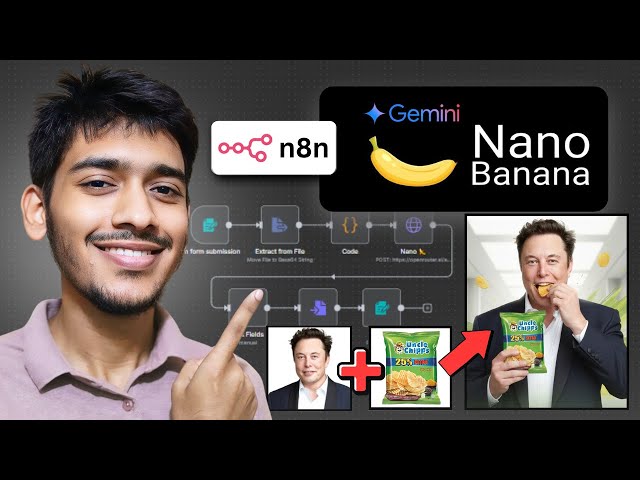](https://youtu.be/UGf01FYaAzY?si=xaO5N1xeXotZ0tYN)"
},
"typeVersion": 1
}
],
"active": false,
"pinData": {},
"settings": {
"executionOrder": "v1"
},
"versionId": "11ea2c53-5d02-4008-836f-3b67bee93b10",
"connections": {
"13e6ff65-5bbd-4724-a6e4-0f1d52dca7ab": {
"main": [
[
{
"node": "b627e7a3-f07b-4f9b-aadb-a7b8ee2a6379",
"type": "main",
"index": 0
}
]
]
},
"b627e7a3-f07b-4f9b-aadb-a7b8ee2a6379": {
"main": [
[
{
"node": "e0f74ffe-df13-47bc-a7a9-ef9e1b53f661",
"type": "main",
"index": 0
}
]
]
},
"e0f74ffe-df13-47bc-a7a9-ef9e1b53f661": {
"main": [
[
{
"node": "9adba7f4-44db-4598-b248-e84cf60840b8",
"type": "main",
"index": 0
}
]
]
},
"9adba7f4-44db-4598-b248-e84cf60840b8": {
"main": [
[
{
"node": "cf9b77d0-3172-4bdf-b7a9-7c35144a6aa6",
"type": "main",
"index": 0
}
]
]
},
"b69deac9-3191-4a1f-9df7-6a1812fb689f": {
"main": [
[
{
"node": "13e6ff65-5bbd-4724-a6e4-0f1d52dca7ab",
"type": "main",
"index": 0
}
]
]
},
"42aa6ec4-6cfb-418f-a31a-844ef6870c31": {
"main": [
[
{
"node": "b69deac9-3191-4a1f-9df7-6a1812fb689f",
"type": "main",
"index": 0
}
]
]
}
}
}Comment utiliser ce workflow ?
Copiez le code de configuration JSON ci-dessus, créez un nouveau workflow dans votre instance n8n et sélectionnez "Importer depuis le JSON", collez la configuration et modifiez les paramètres d'authentification selon vos besoins.
Dans quelles scénarios ce workflow est-il adapté ?
Intermédiaire - Création de contenu, IA Multimodale
Est-ce payant ?
Ce workflow est entièrement gratuit et peut être utilisé directement. Veuillez noter que les services tiers utilisés dans le workflow (comme l'API OpenAI) peuvent nécessiter un paiement de votre part.
Workflows recommandés

Zakwan
@zakwanzahidPartager ce workflow