Agent IA pour dialoguer avec la base de données Supabase-PostgreSQL
Ceci est unEngineering, DevOps, Product, AIworkflow d'automatisation du domainecontenant 11 nœuds.Utilise principalement des nœuds comme PostgresTool, Agent, ToolCode, ChatTrigger, LmChatOpenAi, combinant la technologie d'intelligence artificielle pour une automatisation intelligente. Agent IA pour dialoguer avec des bases de données Supabase/PostgreSQL
- •Informations de connexion à la base de données PostgreSQL
- •Clé API OpenAI
Nœuds utilisés (11)
{
"nodes": [
{
"id": "0a4e65b7-39be-44eb-8c66-913ebfe8a87a",
"name": "Note adhésive 3",
"type": "n8n-nodes-base.stickyNote",
"position": [
1140,
840
],
"parameters": {
"color": 3,
"width": 215,
"height": 80,
"content": "**Replace password and username for Supabase**"
},
"typeVersion": 1
},
{
"id": "2cea21fc-f3fe-47b7-a7b6-12acb0bc03ac",
"name": "Note adhésive 5",
"type": "n8n-nodes-base.stickyNote",
"position": [
-160,
320
],
"parameters": {
"color": 7,
"width": 280.2462120317618,
"height": 545.9087885077763,
"content": "### Set up steps\n\n#### Preparation\n1. **Create Accounts**:\n - [N8N](https://n8n.partnerlinks.io/2hr10zpkki6a): For workflow automation.\n - [Supabase](https://supabase.com/): For database hosting and management.\n - [OpenAI](https://openai.com/): For building the conversational AI agent.\n2. **Configure Database Connection**:\n - Set up a PostgreSQL database in Supabase.\n - Use appropriate credentials (`username`, `password`, `host`, and `database` name) in your workflow.\n\n#### N8N Workflow\n\nAI agent with tools:\n\n1. **Code Tool**:\n - Execute SQL queries based on user input.\n2. **Database Schema Tool**:\n - Retrieve a list of all tables in the database.\n - Use a predefined SQL query to fetch table definitions, including column names, types, and references.\n3. **Table Definition**:\n - Retrieve a list of columns with types for one table."
},
"typeVersion": 1
},
{
"id": "eacc0c8c-11d5-44fb-8ff1-10533a233693",
"name": "Note adhésive 6",
"type": "n8n-nodes-base.stickyNote",
"position": [
-160,
-200
],
"parameters": {
"color": 7,
"width": 636.2128494576581,
"height": 497.1532689930921,
"content": "\n## AI Agent to chat with Supabase/PostgreSQL DB\n**Made by [Mark Shcherbakov](https://www.linkedin.com/in/marklowcoding/) from community [5minAI](https://www.skool.com/5minai-2861)**\n\nAccessing and analyzing database data often requires SQL expertise or dedicated reports, which can be time-consuming. This workflow empowers users to interact with a database conversationally through an AI-powered agent. It dynamically generates SQL queries based on user requests, streamlining data retrieval and analysis.\n\nThis workflow integrates OpenAI with a Supabase database, enabling users to interact with their data via an AI agent. The agent can:\n- Retrieve records from the database.\n- Extract and analyze JSON data stored in tables.\n- Provide summaries, aggregations, or specific data points based on user queries.\n\n"
},
"typeVersion": 1
},
{
"id": "be1559ea-1f75-4e7c-9bdd-3add8d8be70b",
"name": "Note adhésive 7",
"type": "n8n-nodes-base.stickyNote",
"position": [
140,
320
],
"parameters": {
"color": 7,
"width": 330.5152611046425,
"height": 239.5888196628349,
"content": "### ... or watch set up video [20 min]\n[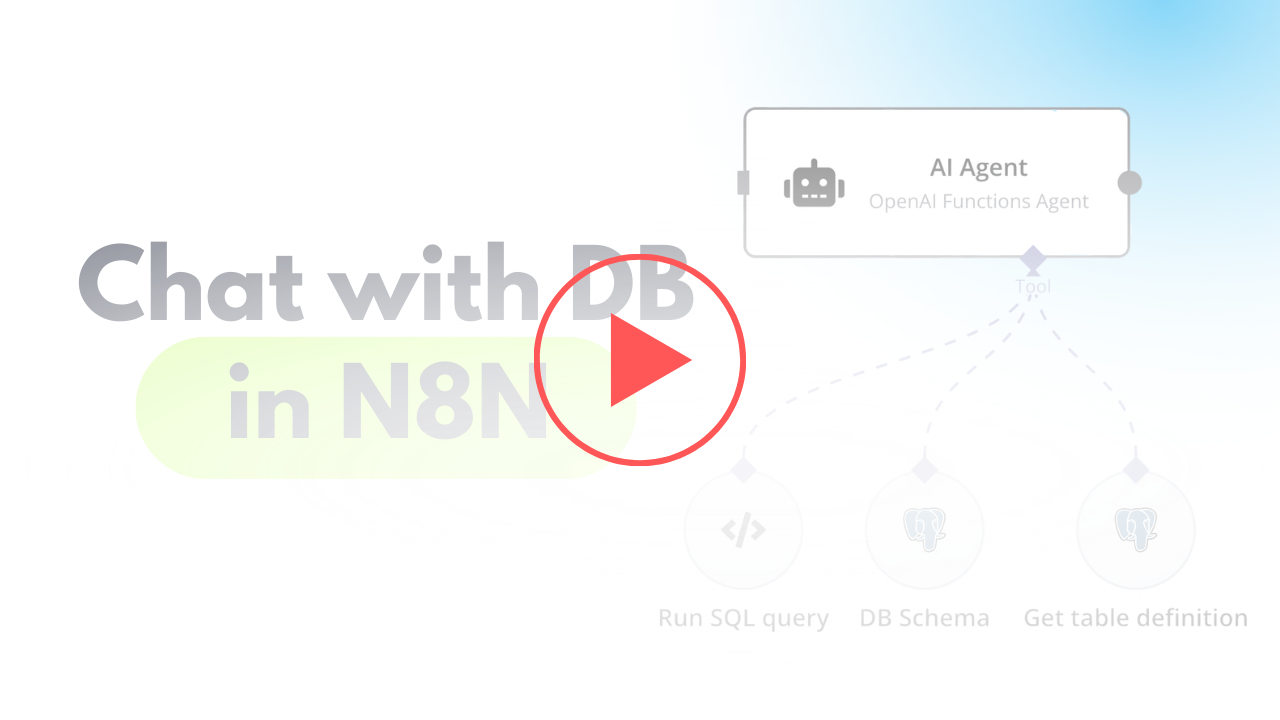](https://www.youtube.com/watch?v=-GgKzhCNxjk)\n"
},
"typeVersion": 1
},
{
"id": "4ea87754-dead-49ea-848c-ed86c98e217b",
"name": "Lorsqu'un message de chat est reçu",
"type": "@n8n/n8n-nodes-langchain.chatTrigger",
"position": [
720,
400
],
"webhookId": "6e95bc27-99a6-417c-8bf7-2831d7f7a4be",
"parameters": {
"options": {}
},
"typeVersion": 1.1
},
{
"id": "c20d6e57-eb41-4682-a7f5-5bb4323df476",
"name": "Modèle de chat OpenAI",
"type": "@n8n/n8n-nodes-langchain.lmChatOpenAi",
"position": [
760,
680
],
"parameters": {
"options": {}
},
"credentials": {
"openAiApi": {
"id": "zJhr5piyEwVnWtaI",
"name": "OpenAi club"
}
},
"typeVersion": 1
},
{
"id": "8d3b1faf-643c-4070-996d-a59cb06e1827",
"name": "Schéma de la base de données",
"type": "n8n-nodes-base.postgresTool",
"position": [
1180,
660
],
"parameters": {
"query": "SELECT table_schema, table_name\nFROM information_schema.tables\nWHERE table_type = 'BASE TABLE' AND table_schema = 'public';",
"options": {},
"operation": "executeQuery",
"descriptionType": "manual",
"toolDescription": "Get list of all tables in database"
},
"credentials": {
"postgres": {
"id": "AO9cER6p8uX7V07T",
"name": "Postgres 5minai"
}
},
"typeVersion": 2.5
},
{
"id": "d9346ade-79d1-44c2-8fa6-b337ad8b0544",
"name": "Obtenir la définition de la table",
"type": "n8n-nodes-base.postgresTool",
"position": [
1340,
660
],
"parameters": {
"query": "SELECT \n c.column_name,\n c.data_type,\n c.is_nullable,\n c.column_default,\n tc.constraint_type,\n ccu.table_name AS referenced_table,\n ccu.column_name AS referenced_column\nFROM \n information_schema.columns c\nLEFT JOIN \n information_schema.key_column_usage kcu \n ON c.table_name = kcu.table_name \n AND c.column_name = kcu.column_name\nLEFT JOIN \n information_schema.table_constraints tc \n ON kcu.constraint_name = tc.constraint_name\n AND tc.constraint_type = 'FOREIGN KEY'\nLEFT JOIN\n information_schema.constraint_column_usage ccu\n ON tc.constraint_name = ccu.constraint_name\nWHERE \n c.table_name = '{{ $fromAI(\"table_name\") }}' -- Your table name\n AND c.table_schema = 'public' -- Ensure it's in the right schema\nORDER BY \n c.ordinal_position;\n",
"options": {},
"operation": "executeQuery",
"descriptionType": "manual",
"toolDescription": "Get table definition to find all columns and types."
},
"credentials": {
"postgres": {
"id": "AO9cER6p8uX7V07T",
"name": "Postgres 5minai"
}
},
"typeVersion": 2.5
},
{
"id": "b88a21e0-d2ff-4431-bd84-dfd43edeb5c4",
"name": "Note adhésive",
"type": "n8n-nodes-base.stickyNote",
"position": [
960,
280
],
"parameters": {
"width": 215,
"height": 80,
"content": "**Finetune the prompt of assistant**"
},
"typeVersion": 1
},
{
"id": "fbe9eb68-5990-485c-820f-08234ea33194",
"name": "Agent IA",
"type": "@n8n/n8n-nodes-langchain.agent",
"position": [
940,
400
],
"parameters": {
"text": "={{ $('When chat message received').item.json.chatInput }}",
"agent": "openAiFunctionsAgent",
"options": {
"systemMessage": "You are DB assistant. You need to run queries in DB aligned with user requests.\n\nRun custom SQL query to aggregate data and response to user.\n\nFetch all data to analyse it for response if needed.\n"
},
"promptType": "define"
},
"typeVersion": 1.6
},
{
"id": "7f82d6d9-d7d6-4443-bbaa-c9b276a376e3",
"name": "Exécuter une requête SQL",
"type": "n8n-nodes-base.postgresTool",
"position": [
1040,
660
],
"parameters": {
"query": "{{ $fromAI(\"query\",\"SQL query for PostgreSQL DB in Supabase\") }}",
"options": {},
"operation": "executeQuery",
"descriptionType": "manual",
"toolDescription": "Run custom SQL queries using knowledge about Output structure to provide needed response for user request.\nUse ->> operator to extract JSON data."
},
"credentials": {
"postgres": {
"id": "AO9cER6p8uX7V07T",
"name": "Postgres 5minai"
}
},
"typeVersion": 2.5
}
],
"pinData": {},
"connections": {
"8d3b1faf-643c-4070-996d-a59cb06e1827": {
"ai_tool": [
[
{
"node": "fbe9eb68-5990-485c-820f-08234ea33194",
"type": "ai_tool",
"index": 0
}
]
]
},
"7f82d6d9-d7d6-4443-bbaa-c9b276a376e3": {
"ai_tool": [
[
{
"node": "fbe9eb68-5990-485c-820f-08234ea33194",
"type": "ai_tool",
"index": 0
}
]
]
},
"c20d6e57-eb41-4682-a7f5-5bb4323df476": {
"ai_languageModel": [
[
{
"node": "fbe9eb68-5990-485c-820f-08234ea33194",
"type": "ai_languageModel",
"index": 0
}
]
]
},
"d9346ade-79d1-44c2-8fa6-b337ad8b0544": {
"ai_tool": [
[
{
"node": "fbe9eb68-5990-485c-820f-08234ea33194",
"type": "ai_tool",
"index": 0
}
]
]
},
"4ea87754-dead-49ea-848c-ed86c98e217b": {
"main": [
[
{
"node": "fbe9eb68-5990-485c-820f-08234ea33194",
"type": "main",
"index": 0
}
]
]
}
}
}Comment utiliser ce workflow ?
Copiez le code de configuration JSON ci-dessus, créez un nouveau workflow dans votre instance n8n et sélectionnez "Importer depuis le JSON", collez la configuration et modifiez les paramètres d'authentification selon vos besoins.
Dans quelles scénarios ce workflow est-il adapté ?
Intermédiaire - Ingénierie, DevOps, Produit, Intelligence Artificielle
Est-ce payant ?
Ce workflow est entièrement gratuit et peut être utilisé directement. Veuillez noter que les services tiers utilisés dans le workflow (comme l'API OpenAI) peuvent nécessiter un paiement de votre part.
Workflows recommandés

Mark Shcherbakov
@lowcodingdevI am a business analyst with a development background, dedicated to helping small businesses and entrepreneurs leverage cloud services for increased efficiency. My expertise lies in automating manual workflows, integrating data from multiple cloud service providers, creating insightful dashboards, and building custom CRM systems.
Partager ce workflow