nano🍌
Este es unContent Creation, Multimodal AIflujo de automatización del dominio deautomatización que contiene 10 nodos.Utiliza principalmente nodos como Set, Code, Form, FormTrigger, HttpRequest. Usar Gemini AI a través de OpenRouter para generar anuncios de productos para modelos de moda
- •Pueden requerirse credenciales de autenticación para la API de destino
Nodos utilizados (10)
Categoría
{
"id": "S1ljxgDqXGEf3jTi",
"meta": {
"instanceId": "125e3b631be5af75b5d8304f7125cd5c84e5ea96c148171cca4bfb3fcc88fe9b",
"templateCredsSetupCompleted": true
},
"name": "Nano 🍌",
"tags": [],
"nodes": [
{
"id": "42aa6ec4-6cfb-418f-a31a-844ef6870c31",
"name": "Al enviar formulario",
"type": "n8n-nodes-base.formTrigger",
"position": [
128,
224
],
"webhookId": "3b255328-041e-4e2e-bca8-176e9846ac7e",
"parameters": {
"options": {
"buttonLabel": "Generate ✨",
"appendAttribution": false
},
"formTitle": "Advertise Image Generator",
"formFields": {
"values": [
{
"fieldType": "file",
"fieldLabel": "Product Image",
"multipleFiles": false,
"requiredField": true,
"acceptFileTypes": ".jpg, .png"
},
{
"fieldType": "dropdown",
"fieldLabel": "Character Model",
"fieldOptions": {
"values": [
{
"option": "Male"
},
{
"option": "Female"
}
]
}
}
]
},
"formDescription": "Convert Simple Product Images to High Quality Advertise Images"
},
"typeVersion": 2.2
},
{
"id": "e0f74ffe-df13-47bc-a7a9-ef9e1b53f661",
"name": "Editar campos",
"type": "n8n-nodes-base.set",
"position": [
784,
224
],
"parameters": {
"options": {},
"assignments": {
"assignments": [
{
"id": "6355ac9e-1f4c-42a3-8167-8bb8298cd369",
"name": "data",
"type": "string",
"value": "={{ $json.choices[0].message.images[0].image_url.url }}"
},
{
"id": "dc98bc1c-4048-4fcb-80c5-73dc99b78ddd",
"name": "base",
"type": "string",
"value": "={{ $json.choices[0].message.images[0].image_url.url.split(',')[1] }}"
},
{
"id": "8033a47e-f50c-43ae-b404-99d0fb5cf4eb",
"name": "mime",
"type": "string",
"value": "={{ $json.choices[0].message.images[0].image_url.url.split(';')[0].split(':')[1] }}"
},
{
"id": "0e516163-02cc-4242-ba70-ac2bce94d2dd",
"name": "fileName",
"type": "string",
"value": ".png"
}
]
}
},
"typeVersion": 3.4
},
{
"id": "9adba7f4-44db-4598-b248-e84cf60840b8",
"name": "Convertir a archivo",
"type": "n8n-nodes-base.convertToFile",
"position": [
960,
224
],
"parameters": {
"options": {},
"operation": "toBinary",
"sourceProperty": "base"
},
"typeVersion": 1.1
},
{
"id": "b69deac9-3191-4a1f-9df7-6a1812fb689f",
"name": "Extraer de archivo",
"type": "n8n-nodes-base.extractFromFile",
"position": [
304,
224
],
"parameters": {
"options": {},
"operation": "binaryToPropery",
"binaryPropertyName": "Product_Image"
},
"typeVersion": 1
},
{
"id": "13e6ff65-5bbd-4724-a6e4-0f1d52dca7ab",
"name": "Código",
"type": "n8n-nodes-base.code",
"position": [
464,
224
],
"parameters": {
"jsCode": "const items = $input.all();\nconst updatedItems = items.map((item) => {\n const base64Url = item?.json?.data;\n const url = `data:image/png;base64,${base64Url}`;\n return { url };\n});\nreturn updatedItems;\n"
},
"typeVersion": 2
},
{
"id": "cf9b77d0-3172-4bdf-b7a9-7c35144a6aa6",
"name": "Formulario",
"type": "n8n-nodes-base.form",
"position": [
1120,
224
],
"webhookId": "60191061-42cf-4116-ba6a-a93931099c53",
"parameters": {
"options": {},
"operation": "completion",
"respondWith": "returnBinary",
"completionTitle": "Image Generation Completed",
"completionMessage": "Generated Image Will be Automatically Downloaded in Your Device"
},
"typeVersion": 1
},
{
"id": "b627e7a3-f07b-4f9b-aadb-a7b8ee2a6379",
"name": "Nano 🍌",
"type": "n8n-nodes-base.httpRequest",
"position": [
624,
224
],
"parameters": {
"url": "https://openrouter.ai/api/v1/chat/completions",
"method": "POST",
"options": {},
"jsonBody": "={\n \"model\": \"google/gemini-2.5-flash-image-preview:free\",\n \"messages\": [\n {\n \"role\": \"user\",\n \"content\": [\n {\n \"type\": \"text\",\n \"text\": \"This image is a picture of a product. Generate a new, photorealistic image of a {{ $('On form submission').item.json['Character Model'] }} fashion model actively using this exact product in a natural setting. The {{ $('On form submission').item.json['Character Model'] }} model should look happy and engaged with the product. Pay close attention to the product's design, colors, and details from the reference image.\"\n },\n {\n \"type\": \"image_url\",\n \"image_url\": {\n \"url\": \"{{ $json.url }}\"\n }\n }\n ]\n }\n ]\n}",
"sendBody": true,
"sendHeaders": true,
"specifyBody": "json",
"authentication": "predefinedCredentialType",
"headerParameters": {
"parameters": [
{
"name": "Authorization",
"value": "Bearer $OPENROUTER_API_KEY"
}
]
},
"nodeCredentialType": "openRouterApi"
},
"credentials": {
"openRouterApi": {
"id": "393kOAsHfUJpG8EB",
"name": "OpenRouter account"
},
"httpHeaderAuth": {
"id": "fS11SjNqBiNnF7L3",
"name": "Header Auth account"
}
},
"typeVersion": 4.2
},
{
"id": "288fd023-d62c-4bb4-a82f-a49dc39f55b6",
"name": "Nota adhesiva",
"type": "n8n-nodes-base.stickyNote",
"position": [
64,
96
],
"parameters": {
"color": 7,
"width": 1280,
"height": 368,
"content": "# Nano 🍌"
},
"typeVersion": 1
},
{
"id": "8ee789d2-81dc-4d25-a792-e46448f0c812",
"name": "Nota adhesiva1",
"type": "n8n-nodes-base.stickyNote",
"position": [
64,
-560
],
"parameters": {
"width": 608,
"height": 608,
"content": "---\n\n# 🛠 Setup Guide\n\nFollow these steps to get started:\n\n1. **Set up the Image Upload Form**\n Customize the form fields (Product Image, Character Model) in the **Form Trigger** node. This is how users will submit their product images and model preferences.\n\n2. **Configure your [OpenRouter](https://openrouter.ai/) API credentials**\n Add your OpenRouter API key in the **HTTP Request** node credentials. This connects to Google's Gemini model for image generation.\n\n3. **Verify image processing settings**\n The workflow automatically handles base64 conversion and file processing through the **Code** and **Convert to File** nodes. No additional configuration needed here.\n\n4. **Customize the output form**\n Adjust the completion message and download settings in the **Form** node to match your branding.\n\n5. **Test with sample product images**\n Once configured, upload product images to generate high-quality advertisements featuring models using your products.\n\nOnce all connections are set, your workflow will **accept product images, generate professional advertisements with models, and deliver downloadable results** 🚀"
},
"typeVersion": 1
},
{
"id": "d2a21307-97b9-49e8-bebe-36d4be8405f7",
"name": "Nota adhesiva3",
"type": "n8n-nodes-base.stickyNote",
"position": [
720,
-400
],
"parameters": {
"width": 480,
"height": 448,
"content": "## Start here: Step-by Step Youtube Tutorial :star:\n[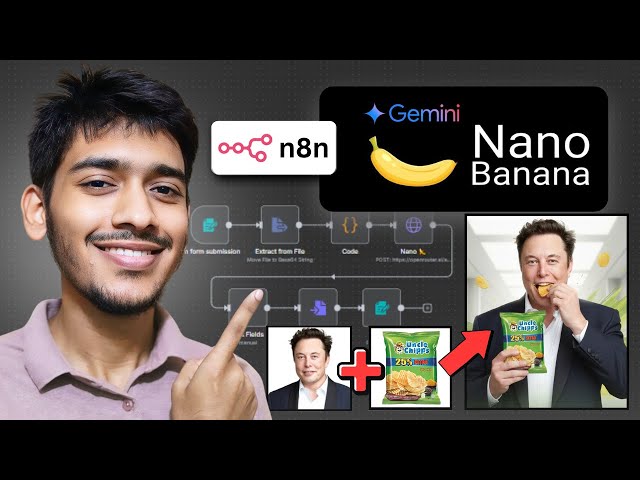](https://youtu.be/UGf01FYaAzY?si=xaO5N1xeXotZ0tYN)"
},
"typeVersion": 1
}
],
"active": false,
"pinData": {},
"settings": {
"executionOrder": "v1"
},
"versionId": "11ea2c53-5d02-4008-836f-3b67bee93b10",
"connections": {
"13e6ff65-5bbd-4724-a6e4-0f1d52dca7ab": {
"main": [
[
{
"node": "b627e7a3-f07b-4f9b-aadb-a7b8ee2a6379",
"type": "main",
"index": 0
}
]
]
},
"b627e7a3-f07b-4f9b-aadb-a7b8ee2a6379": {
"main": [
[
{
"node": "e0f74ffe-df13-47bc-a7a9-ef9e1b53f661",
"type": "main",
"index": 0
}
]
]
},
"e0f74ffe-df13-47bc-a7a9-ef9e1b53f661": {
"main": [
[
{
"node": "9adba7f4-44db-4598-b248-e84cf60840b8",
"type": "main",
"index": 0
}
]
]
},
"9adba7f4-44db-4598-b248-e84cf60840b8": {
"main": [
[
{
"node": "cf9b77d0-3172-4bdf-b7a9-7c35144a6aa6",
"type": "main",
"index": 0
}
]
]
},
"b69deac9-3191-4a1f-9df7-6a1812fb689f": {
"main": [
[
{
"node": "13e6ff65-5bbd-4724-a6e4-0f1d52dca7ab",
"type": "main",
"index": 0
}
]
]
},
"42aa6ec4-6cfb-418f-a31a-844ef6870c31": {
"main": [
[
{
"node": "b69deac9-3191-4a1f-9df7-6a1812fb689f",
"type": "main",
"index": 0
}
]
]
}
}
}¿Cómo usar este flujo de trabajo?
Copie el código de configuración JSON de arriba, cree un nuevo flujo de trabajo en su instancia de n8n y seleccione "Importar desde JSON", pegue la configuración y luego modifique la configuración de credenciales según sea necesario.
¿En qué escenarios es adecuado este flujo de trabajo?
Intermedio - Creación de contenido, IA Multimodal
¿Es de pago?
Este flujo de trabajo es completamente gratuito, puede importarlo y usarlo directamente. Sin embargo, tenga en cuenta que los servicios de terceros utilizados en el flujo de trabajo (como la API de OpenAI) pueden requerir un pago por su cuenta.
Flujos de trabajo relacionados recomendados

Zakwan
@zakwanzahidCompartir este flujo de trabajo