Nano🍌
Fortgeschritten
Dies ist ein Content Creation, Multimodal AI-Bereich Automatisierungsworkflow mit 10 Nodes. Hauptsächlich werden Set, Code, Form, FormTrigger, HttpRequest und andere Nodes verwendet. Generieren Sie Werbeanzeigen für Fashion-Modelle mit Gemini AI über OpenRouter
Voraussetzungen
- •Möglicherweise sind Ziel-API-Anmeldedaten erforderlich
Verwendete Nodes (10)
Kategorie
Workflow-Vorschau
Visualisierung der Node-Verbindungen, mit Zoom und Pan
Workflow exportieren
Kopieren Sie die folgende JSON-Konfiguration und importieren Sie sie in n8n
{
"id": "S1ljxgDqXGEf3jTi",
"meta": {
"instanceId": "125e3b631be5af75b5d8304f7125cd5c84e5ea96c148171cca4bfb3fcc88fe9b",
"templateCredsSetupCompleted": true
},
"name": "Nano 🍌",
"tags": [],
"nodes": [
{
"id": "42aa6ec4-6cfb-418f-a31a-844ef6870c31",
"name": "Bei Formularabgabe",
"type": "n8n-nodes-base.formTrigger",
"position": [
128,
224
],
"webhookId": "3b255328-041e-4e2e-bca8-176e9846ac7e",
"parameters": {
"options": {
"buttonLabel": "Generate ✨",
"appendAttribution": false
},
"formTitle": "Advertise Image Generator",
"formFields": {
"values": [
{
"fieldType": "file",
"fieldLabel": "Product Image",
"multipleFiles": false,
"requiredField": true,
"acceptFileTypes": ".jpg, .png"
},
{
"fieldType": "dropdown",
"fieldLabel": "Character Model",
"fieldOptions": {
"values": [
{
"option": "Male"
},
{
"option": "Female"
}
]
}
}
]
},
"formDescription": "Convert Simple Product Images to High Quality Advertise Images"
},
"typeVersion": 2.2
},
{
"id": "e0f74ffe-df13-47bc-a7a9-ef9e1b53f661",
"name": "Felder bearbeiten",
"type": "n8n-nodes-base.set",
"position": [
784,
224
],
"parameters": {
"options": {},
"assignments": {
"assignments": [
{
"id": "6355ac9e-1f4c-42a3-8167-8bb8298cd369",
"name": "data",
"type": "string",
"value": "={{ $json.choices[0].message.images[0].image_url.url }}"
},
{
"id": "dc98bc1c-4048-4fcb-80c5-73dc99b78ddd",
"name": "base",
"type": "string",
"value": "={{ $json.choices[0].message.images[0].image_url.url.split(',')[1] }}"
},
{
"id": "8033a47e-f50c-43ae-b404-99d0fb5cf4eb",
"name": "mime",
"type": "string",
"value": "={{ $json.choices[0].message.images[0].image_url.url.split(';')[0].split(':')[1] }}"
},
{
"id": "0e516163-02cc-4242-ba70-ac2bce94d2dd",
"name": "fileName",
"type": "string",
"value": ".png"
}
]
}
},
"typeVersion": 3.4
},
{
"id": "9adba7f4-44db-4598-b248-e84cf60840b8",
"name": "In Datei konvertieren",
"type": "n8n-nodes-base.convertToFile",
"position": [
960,
224
],
"parameters": {
"options": {},
"operation": "toBinary",
"sourceProperty": "base"
},
"typeVersion": 1.1
},
{
"id": "b69deac9-3191-4a1f-9df7-6a1812fb689f",
"name": "Aus Datei extrahieren",
"type": "n8n-nodes-base.extractFromFile",
"position": [
304,
224
],
"parameters": {
"options": {},
"operation": "binaryToPropery",
"binaryPropertyName": "Product_Image"
},
"typeVersion": 1
},
{
"id": "13e6ff65-5bbd-4724-a6e4-0f1d52dca7ab",
"name": "Code",
"type": "n8n-nodes-base.code",
"position": [
464,
224
],
"parameters": {
"jsCode": "const items = $input.all();\nconst updatedItems = items.map((item) => {\n const base64Url = item?.json?.data;\n const url = `data:image/png;base64,${base64Url}`;\n return { url };\n});\nreturn updatedItems;\n"
},
"typeVersion": 2
},
{
"id": "cf9b77d0-3172-4bdf-b7a9-7c35144a6aa6",
"name": "Formular",
"type": "n8n-nodes-base.form",
"position": [
1120,
224
],
"webhookId": "60191061-42cf-4116-ba6a-a93931099c53",
"parameters": {
"options": {},
"operation": "completion",
"respondWith": "returnBinary",
"completionTitle": "Image Generation Completed",
"completionMessage": "Generated Image Will be Automatically Downloaded in Your Device"
},
"typeVersion": 1
},
{
"id": "b627e7a3-f07b-4f9b-aadb-a7b8ee2a6379",
"name": "Nano 🍌",
"type": "n8n-nodes-base.httpRequest",
"position": [
624,
224
],
"parameters": {
"url": "https://openrouter.ai/api/v1/chat/completions",
"method": "POST",
"options": {},
"jsonBody": "={\n \"model\": \"google/gemini-2.5-flash-image-preview:free\",\n \"messages\": [\n {\n \"role\": \"user\",\n \"content\": [\n {\n \"type\": \"text\",\n \"text\": \"This image is a picture of a product. Generate a new, photorealistic image of a {{ $('On form submission').item.json['Character Model'] }} fashion model actively using this exact product in a natural setting. The {{ $('On form submission').item.json['Character Model'] }} model should look happy and engaged with the product. Pay close attention to the product's design, colors, and details from the reference image.\"\n },\n {\n \"type\": \"image_url\",\n \"image_url\": {\n \"url\": \"{{ $json.url }}\"\n }\n }\n ]\n }\n ]\n}",
"sendBody": true,
"sendHeaders": true,
"specifyBody": "json",
"authentication": "predefinedCredentialType",
"headerParameters": {
"parameters": [
{
"name": "Authorization",
"value": "Bearer $OPENROUTER_API_KEY"
}
]
},
"nodeCredentialType": "openRouterApi"
},
"credentials": {
"openRouterApi": {
"id": "393kOAsHfUJpG8EB",
"name": "OpenRouter account"
},
"httpHeaderAuth": {
"id": "fS11SjNqBiNnF7L3",
"name": "Header Auth account"
}
},
"typeVersion": 4.2
},
{
"id": "288fd023-d62c-4bb4-a82f-a49dc39f55b6",
"name": "Notizzettel",
"type": "n8n-nodes-base.stickyNote",
"position": [
64,
96
],
"parameters": {
"color": 7,
"width": 1280,
"height": 368,
"content": "# Nano 🍌"
},
"typeVersion": 1
},
{
"id": "8ee789d2-81dc-4d25-a792-e46448f0c812",
"name": "Notizzettel1",
"type": "n8n-nodes-base.stickyNote",
"position": [
64,
-560
],
"parameters": {
"width": 608,
"height": 608,
"content": "---\n\n# 🛠 Setup Guide\n\nFollow these steps to get started:\n\n1. **Set up the Image Upload Form**\n Customize the form fields (Product Image, Character Model) in the **Form Trigger** node. This is how users will submit their product images and model preferences.\n\n2. **Configure your [OpenRouter](https://openrouter.ai/) API credentials**\n Add your OpenRouter API key in the **HTTP Request** node credentials. This connects to Google's Gemini model for image generation.\n\n3. **Verify image processing settings**\n The workflow automatically handles base64 conversion and file processing through the **Code** and **Convert to File** nodes. No additional configuration needed here.\n\n4. **Customize the output form**\n Adjust the completion message and download settings in the **Form** node to match your branding.\n\n5. **Test with sample product images**\n Once configured, upload product images to generate high-quality advertisements featuring models using your products.\n\nOnce all connections are set, your workflow will **accept product images, generate professional advertisements with models, and deliver downloadable results** 🚀"
},
"typeVersion": 1
},
{
"id": "d2a21307-97b9-49e8-bebe-36d4be8405f7",
"name": "Notizzettel3",
"type": "n8n-nodes-base.stickyNote",
"position": [
720,
-400
],
"parameters": {
"width": 480,
"height": 448,
"content": "## Start here: Step-by Step Youtube Tutorial :star:\n[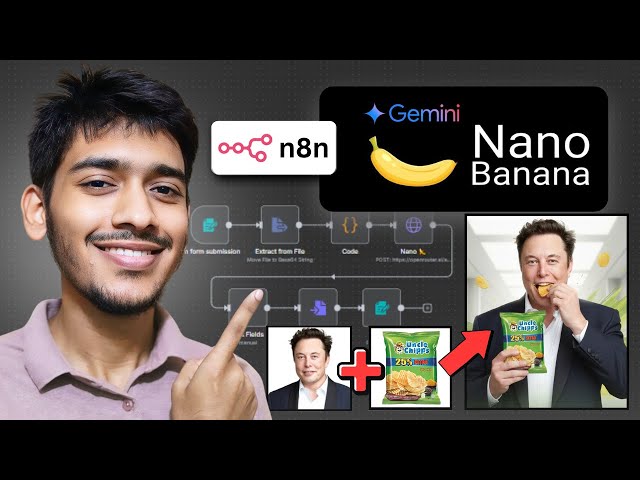](https://youtu.be/UGf01FYaAzY?si=xaO5N1xeXotZ0tYN)"
},
"typeVersion": 1
}
],
"active": false,
"pinData": {},
"settings": {
"executionOrder": "v1"
},
"versionId": "11ea2c53-5d02-4008-836f-3b67bee93b10",
"connections": {
"13e6ff65-5bbd-4724-a6e4-0f1d52dca7ab": {
"main": [
[
{
"node": "b627e7a3-f07b-4f9b-aadb-a7b8ee2a6379",
"type": "main",
"index": 0
}
]
]
},
"b627e7a3-f07b-4f9b-aadb-a7b8ee2a6379": {
"main": [
[
{
"node": "e0f74ffe-df13-47bc-a7a9-ef9e1b53f661",
"type": "main",
"index": 0
}
]
]
},
"e0f74ffe-df13-47bc-a7a9-ef9e1b53f661": {
"main": [
[
{
"node": "9adba7f4-44db-4598-b248-e84cf60840b8",
"type": "main",
"index": 0
}
]
]
},
"9adba7f4-44db-4598-b248-e84cf60840b8": {
"main": [
[
{
"node": "cf9b77d0-3172-4bdf-b7a9-7c35144a6aa6",
"type": "main",
"index": 0
}
]
]
},
"b69deac9-3191-4a1f-9df7-6a1812fb689f": {
"main": [
[
{
"node": "13e6ff65-5bbd-4724-a6e4-0f1d52dca7ab",
"type": "main",
"index": 0
}
]
]
},
"42aa6ec4-6cfb-418f-a31a-844ef6870c31": {
"main": [
[
{
"node": "b69deac9-3191-4a1f-9df7-6a1812fb689f",
"type": "main",
"index": 0
}
]
]
}
}
}Häufig gestellte Fragen
Wie verwende ich diesen Workflow?
Kopieren Sie den obigen JSON-Code, erstellen Sie einen neuen Workflow in Ihrer n8n-Instanz und wählen Sie "Aus JSON importieren". Fügen Sie die Konfiguration ein und passen Sie die Anmeldedaten nach Bedarf an.
Für welche Szenarien ist dieser Workflow geeignet?
Fortgeschritten - Content-Erstellung, Multimodales KI
Ist es kostenpflichtig?
Dieser Workflow ist völlig kostenlos. Beachten Sie jedoch, dass Drittanbieterdienste (wie OpenAI API), die im Workflow verwendet werden, möglicherweise kostenpflichtig sind.
Verwandte Workflows
YouTube-Videos in Blogbeiträge umwandeln
Erstelle Blogartikel aus YouTube-Videos mit Mistral AI und Gemini-Bildgenerierung
Set
Code
Merge
+
Set
Code
Merge
56 NodesZakwan
Content-Erstellung
UGC-Bildgenerator durch Formularübermittlung mit NanoBanana 🍌 und Telegramm
Generieren von UGC-Bildern aus Formulareinreichungen mit Google Gemini und Telegram
Set
Code
Merge
+
Set
Code
Merge
15 NodesJaures NYA
Content-Erstellung
Erzeugung von SEO-Inhalten aus Trendtabellen in den Speicher (SharePoint/Drive/Dropbox)
Automatisierte Erstellung von SEO-Inhalten aus Trends mit GPT-4o, FAL AI und Mehrspeicherunterstützung
If
Set
Code
+
If
Set
Code
47 Nodesplemeo
Content-Erstellung
Abgeschlossen - Generierung von Produktwerbungen mit Veo3
Automatisierte Erstellung von KI-Video-Werbung mit Google Veo 3, Gemini und Airtable
Code
Form
Wait
+
Code
Form
Wait
16 NodesIntuz
Content-Erstellung
WordPress-Blog-Automatisierung Professional Edition (Deep Research) v2.1 Markt
Automatisierung der Erstellung von SEO-optimierten Blogs mit GPT-4o, Perplexity AI und mehrsprachiger Unterstützung
If
Set
Xml
+
If
Set
Xml
125 NodesDaniel Ng
Content-Erstellung
Automatisierte Erstellung von viralen Inhalten mit OpenAI, ElevenLabs und Fal.ai für Videos, Podcasts und ASMR
Automatisiere die Erstellung viralen Contents für Videos, Podcasts und ASMR mit OpenAI, ElevenLabs und Fal.ai
Set
Code
Wait
+
Set
Code
Wait
97 NodesAdam Crafts
Content-Erstellung
Workflow-Informationen
Schwierigkeitsgrad
Fortgeschritten
Anzahl der Nodes10
Kategorie2
Node-Typen8
Autor

Zakwan
@zakwanzahidExterne Links
Auf n8n.io ansehen →
Diesen Workflow teilen