Bewerbungsstellvertreter
Fortgeschritten
Dies ist ein Multimodal AI-Bereich Automatisierungsworkflow mit 15 Nodes. Hauptsächlich werden If, Form, Markdown, GmailTool, FormTrigger und andere Nodes verwendet. Bewerbungsautomatisierungs-Agent
Voraussetzungen
- •Google-Konto + Gmail API-Anmeldedaten
- •Möglicherweise sind Ziel-API-Anmeldedaten erforderlich
- •Google Sheets API-Anmeldedaten
- •OpenAI API Key
Verwendete Nodes (15)
Kategorie
Workflow-Vorschau
Visualisierung der Node-Verbindungen, mit Zoom und Pan
Workflow exportieren
Kopieren Sie die folgende JSON-Konfiguration und importieren Sie sie in n8n
{
"id": "TgerHOX1Lk3hIGiM",
"meta": {
"instanceId": "061ca141d020a6e1355b8c7fe05f92a699e37e92079ad2e150a506ee8bbe9e11"
},
"name": "Job Applying Agent",
"tags": [],
"nodes": [
{
"id": "edb25e44-ef64-4997-ba1f-a101c9cbbba3",
"name": "Bei Formularabgabe",
"type": "n8n-nodes-base.formTrigger",
"position": [
-832,
176
],
"webhookId": "cd48da96-9083-435f-8587-d4f38bec0f5a",
"parameters": {
"options": {
"appendAttribution": false
},
"formTitle": "Lead Agent",
"formFields": {
"values": [
{
"fieldLabel": "Target Business Website",
"requiredField": true
},
{
"fieldType": "dropdown",
"fieldLabel": "Applying As",
"fieldOptions": {
"values": [
{
"option": "Video Editor"
},
{
"option": "SEO Expert"
},
{
"option": "Full-Stack Developer"
},
{
"option": "Social Media Manager"
}
]
},
"requiredField": true
}
]
},
"responseMode": "lastNode",
"formDescription": "Give the Target Business URL"
},
"typeVersion": 2.2
},
{
"id": "b5b96cc7-730d-48bd-a03d-a592c417a422",
"name": "KI-Agent",
"type": "@n8n/n8n-nodes-langchain.agent",
"position": [
800,
160
],
"parameters": {
"text": "=Business/Company Info: {{ $('Information Extractor').item.json.output.Summary }}\nEmaill Address: {{ $('Information Extractor').item.json.output['Email Address'] }}\n\nApplied Position: {{ $('On form submission').item.json['Applying As'] }}",
"options": {
"systemMessage": "=You task is to make a perfect Email based on the applied position for the Company/Business. And send the email with a perfect subject to the email address.\nMy Name is Jamal Mia. And my working experience data is given for the applied position in the google Sheet."
},
"promptType": "define"
},
"typeVersion": 2.1
},
{
"id": "f3a53306-65df-4baa-95bc-83e3b16f1b02",
"name": "OpenAI-Chat-Modell",
"type": "@n8n/n8n-nodes-langchain.lmChatOpenAi",
"position": [
800,
384
],
"parameters": {
"model": {
"__rl": true,
"mode": "list",
"value": "gpt-5",
"cachedResultName": "gpt-5"
},
"options": {}
},
"typeVersion": 1.2
},
{
"id": "b6871b1c-92dd-4cd5-883d-a1df5eed3a05",
"name": "Nachricht senden in Gmail",
"type": "n8n-nodes-base.gmailTool",
"position": [
1184,
432
],
"webhookId": "4c34f0dd-0d7f-4358-a3b9-2554cc0488c8",
"parameters": {
"sendTo": "={{ /*n8n-auto-generated-fromAI-override*/ $fromAI('To', ``, 'string') }}",
"message": "={{ /*n8n-auto-generated-fromAI-override*/ $fromAI('Message', ``, 'string') }}",
"options": {
"senderName": "Jamal Mia",
"appendAttribution": false
},
"subject": "={{ /*n8n-auto-generated-fromAI-override*/ $fromAI('Subject', ``, 'string') }}",
"emailType": "text"
},
"typeVersion": 2.1
},
{
"id": "dbe11241-a8df-497a-87c1-b3f68cf2818d",
"name": "Zeile(n) abrufen in Google Tabellen",
"type": "n8n-nodes-base.googleSheetsTool",
"position": [
992,
432
],
"parameters": {
"options": {},
"sheetName": {
"__rl": true,
"mode": "list",
"value": "gid=0",
"cachedResultUrl": "https://docs.google.com/spreadsheets/d/1PMZvVn239wT2EXWZ45WL5UE_12PNZOMzlH54V03DXoM/edit#gid=0",
"cachedResultName": "Sheet1"
},
"documentId": {
"__rl": true,
"mode": "list",
"value": "1PMZvVn239wT2EXWZ45WL5UE_12PNZOMzlH54V03DXoM",
"cachedResultUrl": "https://docs.google.com/spreadsheets/d/1PMZvVn239wT2EXWZ45WL5UE_12PNZOMzlH54V03DXoM/edit?usp=drivesdk",
"cachedResultName": "Working Experience Data"
}
},
"typeVersion": 4.6
},
{
"id": "d9efc3ed-4370-4440-855a-e7a2dd2b25bc",
"name": "Formular",
"type": "n8n-nodes-base.form",
"position": [
1328,
160
],
"webhookId": "a6e69f44-4568-4ebc-af72-100ffdc05c39",
"parameters": {
"options": {},
"operation": "completion",
"completionTitle": "Agent Response",
"completionMessage": "={{ $json.output }}"
},
"typeVersion": 1
},
{
"id": "a1da7bcc-2f62-4511-80b4-1eff9e446ff9",
"name": "HTTP-Anfrage",
"type": "n8n-nodes-base.httpRequest",
"position": [
-624,
176
],
"parameters": {
"url": "={{ $json[\"Target Business Website\"] }}",
"options": {}
},
"typeVersion": 4.2
},
{
"id": "32d6f5b9-f806-4984-9e43-7e4f76245e4c",
"name": "Markdown",
"type": "n8n-nodes-base.markdown",
"position": [
-416,
176
],
"parameters": {
"html": "={{ $json.data }}",
"options": {}
},
"typeVersion": 1
},
{
"id": "61fae134-469e-4991-8e98-523b99c65123",
"name": "Informationsextraktor",
"type": "@n8n/n8n-nodes-langchain.informationExtractor",
"position": [
-208,
176
],
"parameters": {
"text": "={{ $json.data }}",
"options": {},
"attributes": {
"attributes": [
{
"name": "Email Address",
"required": true,
"description": "only 1 email address from the data in perfect email format"
},
{
"name": "Summary",
"required": true,
"description": "a simple summary about the Company/Business"
}
]
}
},
"typeVersion": 1.2
},
{
"id": "ef4190f4-487d-4f08-97a0-853c57352535",
"name": "OpenAI-Chat-Modell1",
"type": "@n8n/n8n-nodes-langchain.lmChatOpenAi",
"position": [
-160,
352
],
"parameters": {
"model": {
"__rl": true,
"mode": "list",
"value": "gpt-5",
"cachedResultName": "gpt-5"
},
"options": {}
},
"typeVersion": 1.2
},
{
"id": "2565ac6d-5423-4ded-ab2b-15db5025f158",
"name": "Wenn",
"type": "n8n-nodes-base.if",
"position": [
256,
176
],
"parameters": {
"options": {},
"conditions": {
"options": {
"version": 2,
"leftValue": "",
"caseSensitive": true,
"typeValidation": "strict"
},
"combinator": "and",
"conditions": [
{
"id": "44e1e352-e6ec-43fd-b49c-23f46eba15b5",
"operator": {
"type": "string",
"operation": "contains"
},
"leftValue": "={{ $json.output[\"Email Address\"] }}",
"rightValue": "@"
}
]
}
},
"typeVersion": 2.2
},
{
"id": "43dd189f-42f0-498a-af10-1f87c5ae948b",
"name": "Keine Operation, do nothing",
"type": "n8n-nodes-base.noOp",
"position": [
528,
272
],
"parameters": {},
"typeVersion": 1
},
{
"id": "6bb7b6b1-04da-42f8-8f05-ed25f2cc3820",
"name": "Haftnotiz",
"type": "n8n-nodes-base.stickyNote",
"position": [
0,
0
],
"parameters": {
"color": 7,
"width": 464,
"height": 80,
"content": "# Job Applier Agent - GPT 5"
},
"typeVersion": 1
},
{
"id": "1e8fdc0b-7144-4e1a-802b-e6a405fb5da2",
"name": "Haftnotiz1",
"type": "n8n-nodes-base.stickyNote",
"position": [
-832,
592
],
"parameters": {
"color": 7,
"width": 768,
"height": 608,
"content": "---\n# 🛠 Setup Guide\nFollow these steps to get started:\n1. **Set up the Job Applier Form**\n Customize the form fields (Target Business Website, Applying As) in the **Form Trigger** node. Add more job positions to the dropdown (currently Video Editor, SEO Expert, Full-Stack Developer, Social Media Manager).\n\n2. **Add your [OpenAI](https://platform.openai.com/) API credentials**\n Connect your OpenAI account in both **OpenAI Chat Model** nodes to power the GPT-5 AI for information extraction and personalized email generation.\n\n3. **Connect your [Google Sheets](https://docs.google.com/spreadsheets/) with experience data**\n Link your Google Sheet in the **Get row(s) in sheet** node. Make sure your sheet contains your skills, portfolio, experience, and achievements for each job type you're applying for.\n\n4. **Link your [Gmail](https://mail.google.com/) account**\n Connect your Gmail OAuth2 credentials in the **Send a message in Gmail** node to automatically send job application emails with your personalized sender name.\n\n5. **Update your personal information**\n Change the sender name from \"Jamal Mia\" to your actual name in the Gmail node settings, and update your experience data in the connected Google Sheet.\n\n6. **Customize AI prompts**\n Modify the system message in the **AI Agent** node to reflect your unique value proposition and application style for better personalized emails.\n\nOnce all connections are set, your workflow will **scrape business websites, extract contact info, and send personalized job applications automatically** 🚀\n---"
},
"typeVersion": 1
},
{
"id": "7e1d3203-adbd-4e4d-a146-b39ba5fa62d8",
"name": "Haftnotiz3",
"type": "n8n-nodes-base.stickyNote",
"position": [
0,
672
],
"parameters": {
"color": 7,
"width": 480,
"height": 464,
"content": "## Start here: Step-by Step Youtube Tutorial :star:\n\n[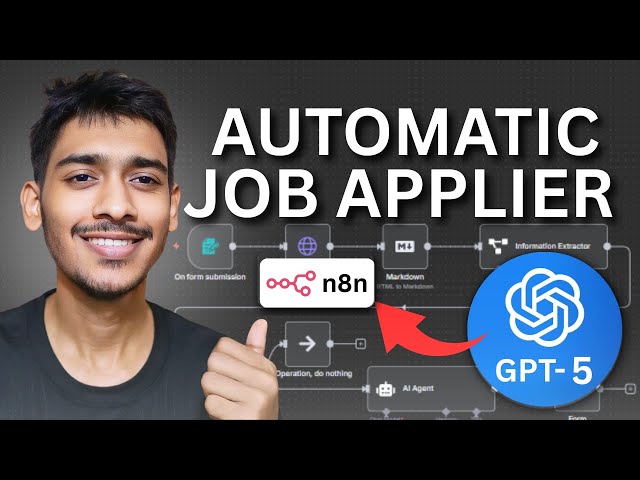](https://youtu.be/ysrBjL1aKkU)"
},
"typeVersion": 1
}
],
"active": false,
"pinData": {},
"settings": {
"executionOrder": "v1"
},
"versionId": "d71c296f-542f-40c4-92f0-ac43c291ef10",
"connections": {
"2565ac6d-5423-4ded-ab2b-15db5025f158": {
"main": [
[
{
"node": "b5b96cc7-730d-48bd-a03d-a592c417a422",
"type": "main",
"index": 0
}
],
[
{
"node": "No Operation, do nothing",
"type": "main",
"index": 0
}
]
]
},
"b5b96cc7-730d-48bd-a03d-a592c417a422": {
"main": [
[
{
"node": "d9efc3ed-4370-4440-855a-e7a2dd2b25bc",
"type": "main",
"index": 0
}
]
]
},
"32d6f5b9-f806-4984-9e43-7e4f76245e4c": {
"main": [
[
{
"node": "61fae134-469e-4991-8e98-523b99c65123",
"type": "main",
"index": 0
}
]
]
},
"HTTP Request": {
"main": [
[
{
"node": "32d6f5b9-f806-4984-9e43-7e4f76245e4c",
"type": "main",
"index": 0
}
]
]
},
"OpenAI Chat Model": {
"ai_languageModel": [
[
{
"node": "b5b96cc7-730d-48bd-a03d-a592c417a422",
"type": "ai_languageModel",
"index": 0
}
]
]
},
"edb25e44-ef64-4997-ba1f-a101c9cbbba3": {
"main": [
[
{
"node": "HTTP Request",
"type": "main",
"index": 0
}
]
]
},
"OpenAI Chat Model1": {
"ai_languageModel": [
[
{
"node": "61fae134-469e-4991-8e98-523b99c65123",
"type": "ai_languageModel",
"index": 0
}
]
]
},
"61fae134-469e-4991-8e98-523b99c65123": {
"main": [
[
{
"node": "2565ac6d-5423-4ded-ab2b-15db5025f158",
"type": "main",
"index": 0
}
]
]
},
"b6871b1c-92dd-4cd5-883d-a1df5eed3a05": {
"ai_tool": [
[
{
"node": "b5b96cc7-730d-48bd-a03d-a592c417a422",
"type": "ai_tool",
"index": 0
}
]
]
},
"Zeile(n) abrufen in Google Sheets": {
"ai_tool": [
[
{
"node": "b5b96cc7-730d-48bd-a03d-a592c417a422",
"type": "ai_tool",
"index": 0
}
]
]
}
}
}Häufig gestellte Fragen
Wie verwende ich diesen Workflow?
Kopieren Sie den obigen JSON-Code, erstellen Sie einen neuen Workflow in Ihrer n8n-Instanz und wählen Sie "Aus JSON importieren". Fügen Sie die Konfiguration ein und passen Sie die Anmeldedaten nach Bedarf an.
Für welche Szenarien ist dieser Workflow geeignet?
Fortgeschritten - Multimodales KI
Ist es kostenpflichtig?
Dieser Workflow ist völlig kostenlos. Beachten Sie jedoch, dass Drittanbieterdienste (wie OpenAI API), die im Workflow verwendet werden, möglicherweise kostenpflichtig sind.
Verwandte Workflows
KI-Lead-Mining-Agent
Automatisierte Lead-Generierung und Kalt-E-Mail-Versand unter Verwendung von Apify, KI und Gmail
If
Set
Wait
+
If
Set
Wait
20 NodesRakin Jakaria
Lead-Generierung
n8n-Knoten in der visuellen Referenzbibliothek erkunden
Erkundung von n8n-Knoten in der visuellen Referenzbibliothek
If
Ftp
Set
+
If
Ftp
Set
113 NodesI versus AI
Sonstiges
Landingseiten-Analyser
Landing Page Analyse-Agent
Form
Markdown
Form Trigger
+
Form
Markdown
Form Trigger
10 NodesRakin Jakaria
KI-Zusammenfassung
Aufbau eines KI-gesteuerten Chatbots für die Kandidatenbewertung in Slack
KI-Lebenslaufanalyse und Kandidatenbewertung: Integration von Slack und Google Tabellen
If
Code
Slack
+
If
Code
Slack
29 NodesTrung Tran
KI-Chatbot
KI-basierter WhatsApp-Support-Bot (Google Sheets-Ticket-Erstellung)
KI-basierter WhatsApp-Support-Bot (Google Sheets-Ticket-Erstellung)
Set
Xml
Code
+
Set
Xml
Code
35 NodesZain Khan
Support-Chatbot
Automatisches Senden von Rechnungen an Kunden
Automatisierte Rechnungsverarbeitung mit OCR.Space, GPT-4 und Google Drive zu Gmail
If
Set
Code
+
If
Set
Code
29 NodesMichael Taleb
KI-Zusammenfassung
Workflow-Informationen
Schwierigkeitsgrad
Fortgeschritten
Anzahl der Nodes15
Kategorie1
Node-Typen12
Autor

Rakin Jakaria
@rakinjakariaExterne Links
Auf n8n.io ansehen →
Diesen Workflow teilen